


If you’ve been searching for the best CapCut alternatives for your computer, you’re in great company. CapCut has become one of the most popular video editors and its popularity is steadily growing. It’s easy to learn, packed with templates, and full of fun AI effects. For TikToks, Reels, and Shorts, it’s a powerful video editing software to start.
But the best editor isn’t always the most trending one. It’s the one that fits the way you work. CapCut is built for short social clips, which makes it a less natural fit for longer projects, offline editing, or detailed work.
In this guide, we’ll walk you through the top CapCut alternatives for PC, both free and paid. You’ll learn what each one does best, who it suits, and how to pick the right match for your workflow, budget, and skill level.
Reasons for CapCut replacement
CapCut is fantastic for a lot of users. Social creators, influencers, template lovers, and beginners who just want to make something quickly feel right at home. Initially launched as a mobile-only app, CapCut now also offers a desktop version with a timeline editor, keyframes, color grading, and a solid range of AI tools.
As users take on more complex projects, however, their editing needs often change. Many start looking for greater control over local files, broader format support, or software that doesn’t require an account. If that sounds like you, a dedicated desktop editor may be a better choice.
Main reasons for switching from CapCut:
- Fewer advanced editing tools
Despite that CapCut is powerful for social media content, some desktop editors provide more advanced timeline editing, color correction, masking, keyframing, and video effects for complex projects. - Broader format support
Professional desktop editors often support a wider range of video, audio, and image formats, codecs, and export settings. It makes them more suitable for working with footage from different cameras and devices. - Better performance on large projects
Dedicated desktop editors are often optimized for longer videos, multi-track timelines, and high-resolution footage. - More powerful audio editing
Many video editors include advanced tools for voice recording, noise reduction, equalization, audio effects, and precise volume automation. - Greater creative control
Instead of using ready-made templates and AI-generated effects, video editors for PC often allow you to adjust transitions, animations, effects, timing, and layout. - One-time purchase or perpetual license
Some alternatives let you buy the software once and use it indefinitely, whereas many of CapCut’s premium features require an ongoing subscription. - Less dependence on an online ecosystem
Although CapCut Desktop works locally, many AI features, cloud storage, templates, and collaboration tools require an internet connection and a CapCut account. Traditional desktop editors are often fully functional offline.
CapCut excels in many scenarios, but different projects often demand different capabilities. The picks below suit people who want a complete desktop video toolkit: family creators preserving memories, YouTube beginners moving beyond templates, privacy-minded users editing locally, and practical folks who want editing, converting, and audio tools in one place.
How we chose the best CapCut alternatives
Instead of focusing solely on brand recognition, we looked at what desktop users actually need in day-to-day editing.
Our selection goes beyond popularity. We evaluated each editor based on the features that matter most to desktop users.
- Ease of use — intuitive interfaces that are beginner-friendly.
- Cost — free and premium editors for different needs and budgets.
- Rich editing features — transitions, effects, overlays, color tools, and 4K export.
- Windows compatibility — reliable performance on most Windows PCs.
- Helpful support and tutorials — plenty of resources to help you get started or solve problems.
Best CapCut alternatives for desktop
Here are six of the best apps like CapCut for desktop, starting with our top pick.
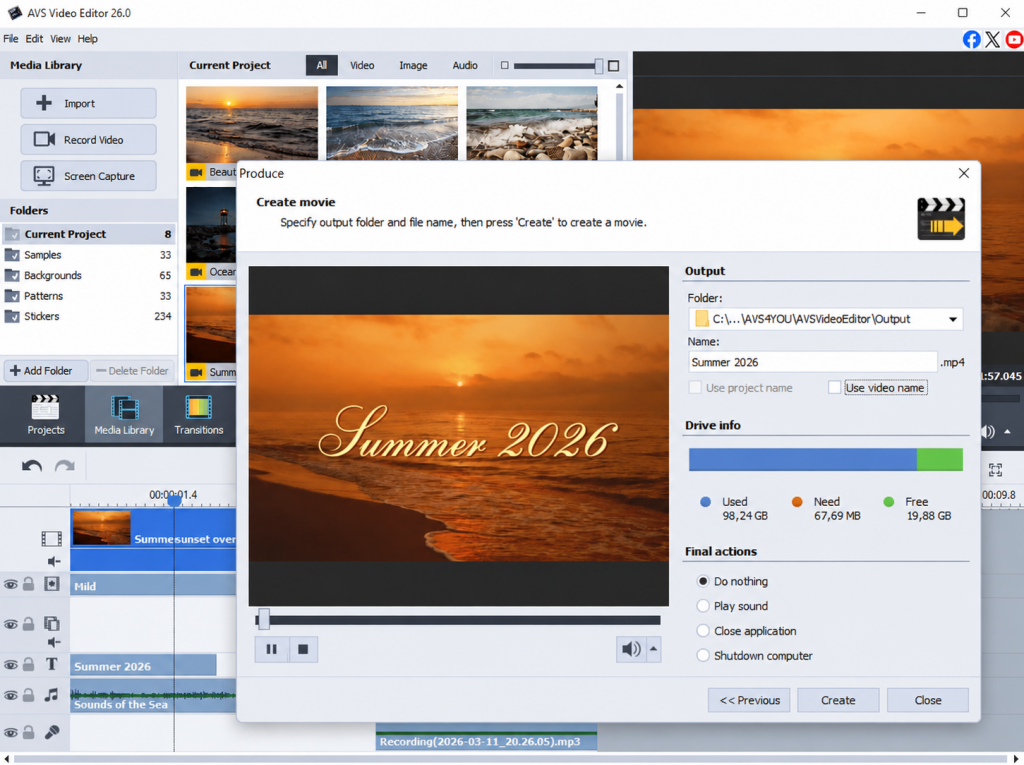
AVS Video Editor
Label: Paid (free version available)
If you’re looking for an editor that’s easy to use without sacrificing powerful features, AVS Video Editor is a great choice. Its intuitive drag-and-drop timeline lets you trim clips, add transitions, effects, text, and voiceovers effortlessly. Unlike many mobile-based editors, it supports a wide range of formats, handles 4K and large projects, offers advanced audio editing, and works fully offline, so your files stay on your computer. With AI-powered plugins, beginner-friendly tutorials, responsive support, and flexible licensing options, it’s an excellent all-in-one desktop alternative to CapCut.
Pros
- Clean, intuitive interface
- Works fully offline with local file ownership
- Wide format support and 4K editing
- Helpful tutorials and reliable support
Cons
- Windows only, so Mac users will need another option
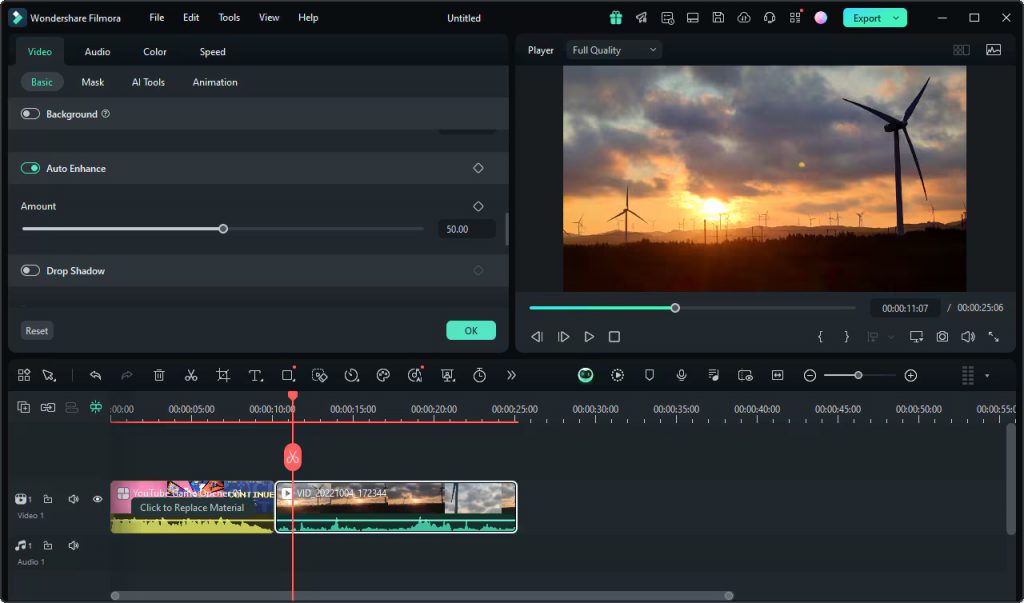
Filmora
Label: Free plan (paid upgrade available)
Filmora offers a good balance of simplicity and functionality. The layout feels modern and welcoming, with drag-and-drop editing, playful effects, and plenty of transitions. The free plan lets you learn the ropes without spending a cent. You’ll also find a big library of templates, titles, music, and handy AI tools.
Pro: Beginner-friendly design with lots of creative extras.
Con: The free version adds a watermark, so you’ll need to upgrade to remove it.
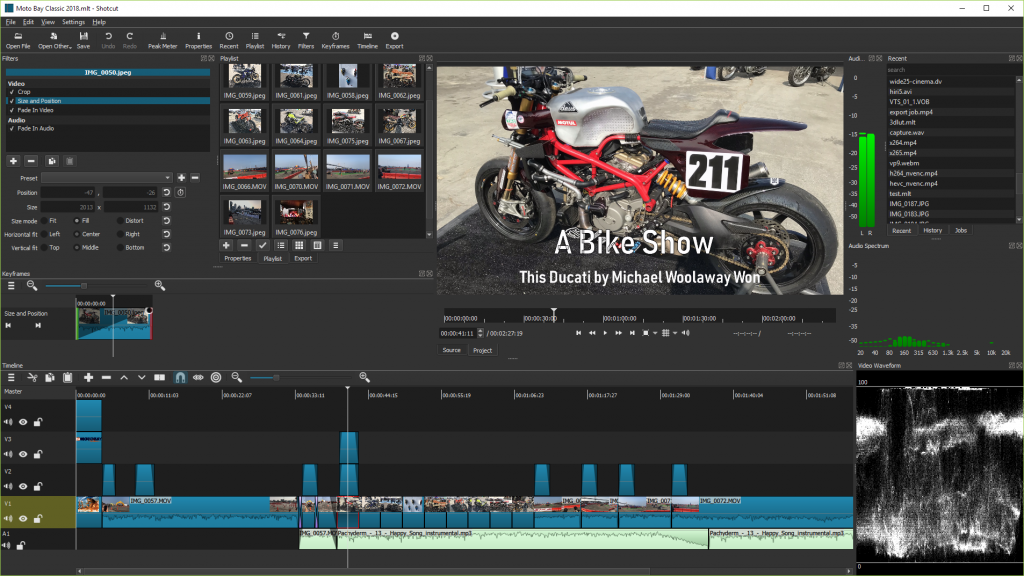
Shotcut
Label: Free (open-source)
If you’re looking for a free CapCut alternative with no hidden costs, Shotcut is well worth considering. It’s fully open-source, with no watermarks and no account required. That’s a big win for budget-conscious and privacy-minded users. It supports a huge list of formats, processes 4K video smoothly, and offers a proper timeline for detailed edits.
Pro: Completely free with no watermarks.
Con: The interface feels less polished, so beginners need a short learning period.
VSDC Free Video Editor
Label: Free (Pro upgrade available)
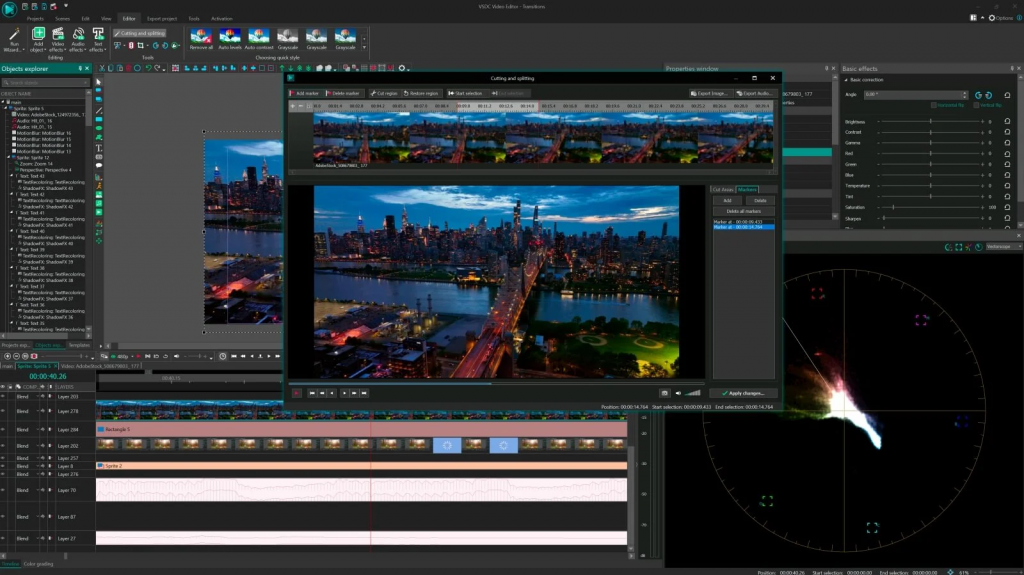
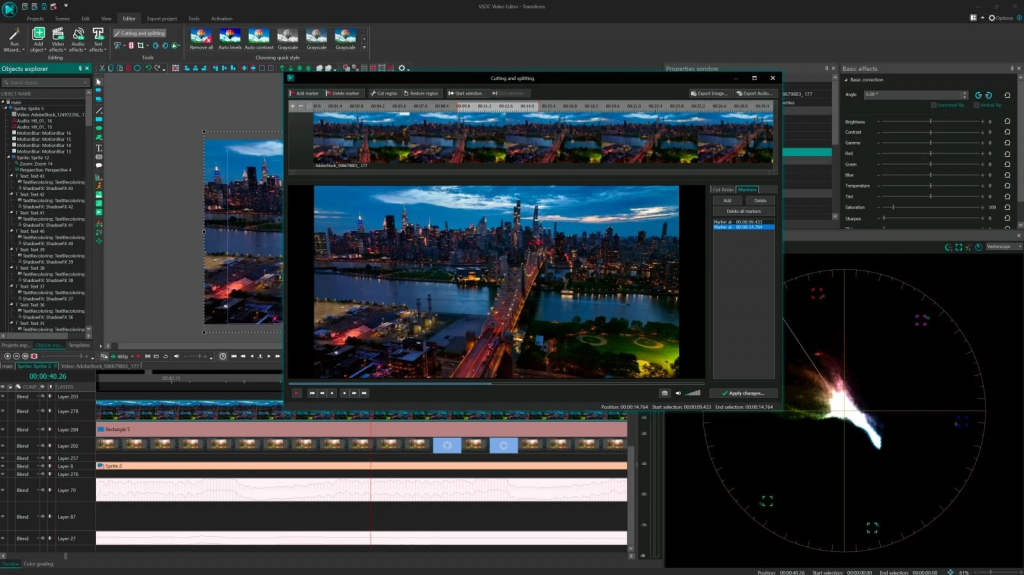
VSDC suits Windows users looking for a feature-rich editor without an upfront cost. Its free version includes a non-linear timeline, color correction, and visual effects. It runs well even on older or lower-powered PCs. As a result, it remains a practical choice for users with modest hardware.
Pro: Lots of advanced features at no cost, plus light system requirements.
Con: The busy menus mean a bit of a learning curve for first-timers.
Movavi Video Editor
Label: Paid (free trial available)
Sometimes you just want to trim a clip, add music, and be done. Movavi is built for exactly that. It’s fast, friendly, and simple. It easily transforms raw footage into finished video without fuss. You’ll get drag-and-drop editing, transitions, filters, and titles, plus a free trial to test first.
Pro: Fast and simple, great for quick everyday edits.
Con: The free trial limits exports and adds a watermark until you buy a subscription.
VEGAS Pro
Label: Paid (free trial available)
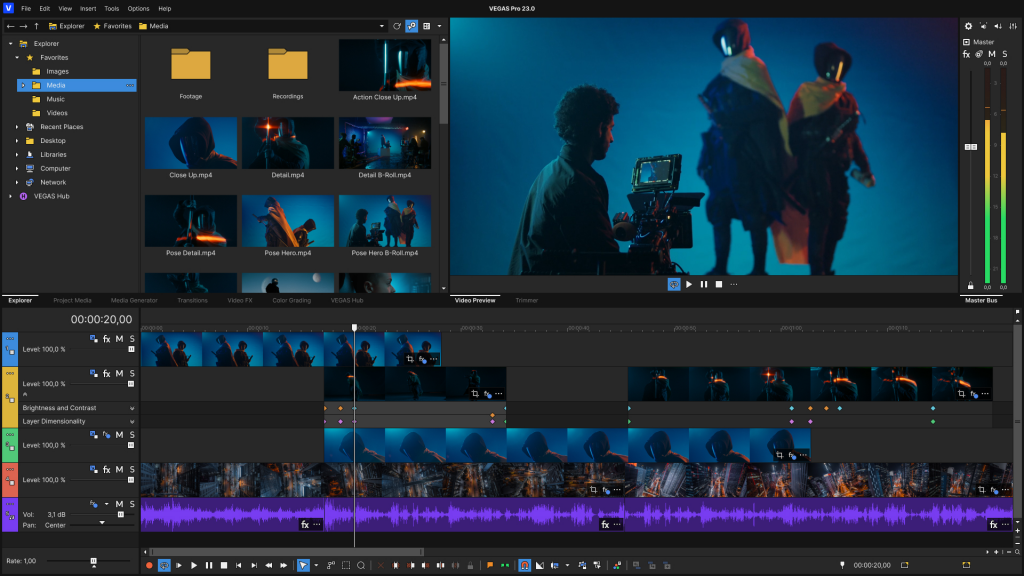
Ready to level up? VEGAS Pro is a powerful desktop editor with professional tools: advanced color grading, multi-track editing, motion tracking, and top-tier audio control. It’s the most complex option here, so it suits users ready to invest time and money into their craft. It delivers high-quality results.
Pro: Powerful, pro-level features for advanced projects.
Con: Higher price and steeper learning curve make it overkill for casual editing.
CapCut Alternatives Compared: Free vs. Paid
Here’s a quick side-by-side look at all six editors.
| Editor | Free / Paid | Best For | Ease of Use | 4K Support | Platform |
| AVS Video Editor | Paid (free version) | Overall, beginners | Very easy | Yes | Windows |
| Filmora | Free plan (paid upgrade) | Beginners | Very easy | Yes | Windows, macOS |
| Shotcut | Free (open-source) | Free open-source users | Moderate | Yes | Windows, macOS, Linux |
| VSDC Free Video Editor | Free (Pro upgrade) | Windows users who want more control | Moderate | Yes | Windows |
| Movavi Video Editor | Paid (free trial) | Quick everyday editing | Very easy | Yes | Windows, macOS |
| VEGAS Pro | Paid (free trial) | Advanced users | Advanced | Yes | Windows |
Which CapCut alternative to choose?
Switching from CapCut doesn’t mean giving up speed or creativity. Today’s desktop editors offer everything from simple trimming tools to advanced effects and audio editing, so you can choose the solution that best fits your projects. Consider your budget, editing experience, and the types of videos you create, then try a few options to see which feels most comfortable.
Every editor has its strengths. If you want a simple and intuitive experience, AVS Video Editor or Movavi are excellent solutions. If keeping costs low is your priority, Shotcut and Filmora offer plenty of value. For users who need more advanced editing capabilities, VSDC and VEGAS Pro offer more flexibility for complex editing.
Ultimately, the best alternative is the one that makes you forget you ever switched. AVS Video Editor is a great program to start. Download it today and see how quickly you can turn your ideas into captivating videos.