


Halloween is great time to experiment with video. A few eerie clips, creepy sounds, dramatic transitions, and unusual effects may turn ordinary footage into something mysterious, funny, or downright spooky.
With AVS4YOU, you are able to combine your own photos and videos with generated images, audio, and other media to create Halloween content for social media, parties, invitations, school projects, or just for fun.
Here are some Halloween ideas along with AVS4YOU tools and plugins to help you bring them to life.
Halloween Ideas
Looking for inspiration? Here are a few Halloween projects you can create with AVS4YOU.
Create a horror movie trailer
Turn your Halloween footage into a trailer for a fictional horror movie. Combine mysterious scenes, dramatic titles, quick cuts, and atmospheric music to build suspense and leave viewers wondering what happens next.
Invent your own movie title, characters, and storyline or make the trailer deliberately over-the-top for a fun Halloween parody.
Try: mysterious locations, sudden cuts, dramatic text, eerie sound effects, and a final reveal.
Make a Halloween transformation video
Start with an ordinary person, room, or location and turn it into something supernatural.
Film a normal scene and then reveal its Halloween version.
Try: before-and-after shots, creative transitions, visual effects, and atmospheric audio.
Create a Haunted VHS recording
Make ordinary footage look like a mysterious old recording. Film a dark hallway, empty room, nighttime walk, or strange object to create your own fictional “lost tape.”
Try: VHS-style distortion, noise, flickering, unsettling sounds, and mysterious titles such as “Recording found: October 31.”
Turn Halloween photos into a story
You don’t need video footage to create a Halloween video. Combine photos of costumes, decorations, pumpkins, or a Halloween party into a dynamic slideshow.
Give a festive flair to your images with captions, music, transitions, and effects that reinforce the Halloween mood.
Try: starting with an ordinary photo, gradually introducing spooky elements, and ending with an unexpected final image.
Create a Spooky countdown
Build anticipation for Halloween with a series of short countdown videos.
Create a different scene for each day, perhaps a haunted house, mysterious character, creepy forest, or odd object, and make each video a little more suspenseful as Halloween approaches.
Try: animated numbers, short clips, atmospheric music, and dramatic transitions.
Make a “Normal vs. Halloween” video
Take something completely ordinary and give it a Halloween makeover.
Film your room, garden, street, pet, or even your breakfast table, then create a spooky version of the same scene. The contrast will make the final result both surprising and entertaining.
Try: darker colors, unusual effects, generated visuals, and contrasting soundtracks.
Enhance Halloween content with AVS4YOU AI Plugins
Want to take these ideas further? Extend your capabilities and save time on manual editing with AI-powered plugins from the AVS4YOU Marketplace.
The plugins let you generate images, audio, and videos, as well as apply creative effects and video restoration.
Generate images for your videos
Need a haunted castle, foggy forest, creepy character, or another scene that would be difficult to film? Use an AI image-generation plugin to create visuals for your project.
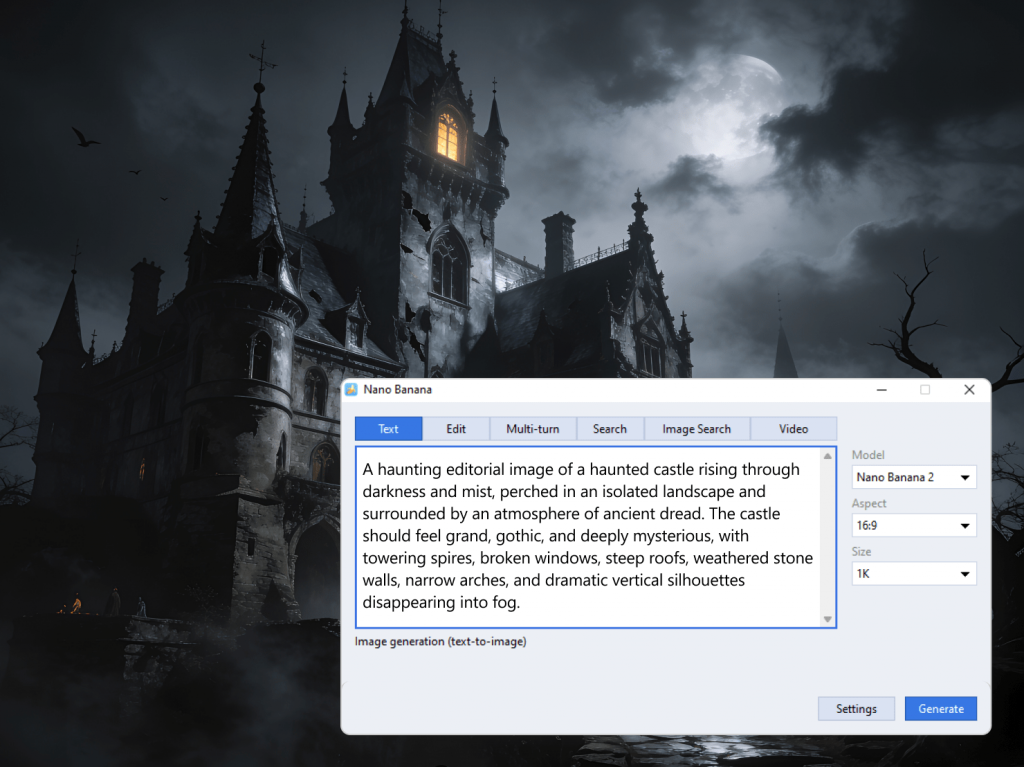
Generated images can serve as backgrounds, slideshow elements, story scenes, or cutaways in your Halloween projects.
Create music and atmospheric audio
Instead of spending time searching for the perfect soundtrack, use an AI audio-generation plugin to create music for your project.
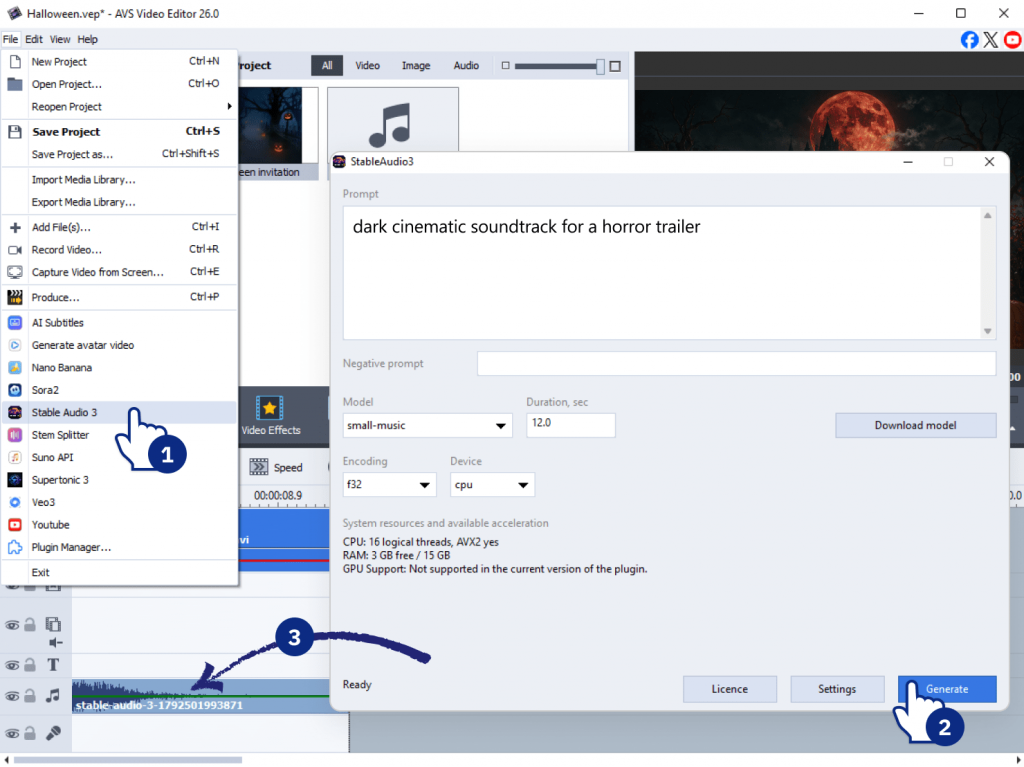
Try generating a dark cinematic soundtrack for a horror trailer, eerie ambient music for a haunted-house scene, or something playful for a Halloween party video.
After that edit your audio file in AVS Audio Editor or add it to your video project.
Generate short video clips
Some Halloween scenes are easier to imagine than to film. Use an AI video-generation plugin to create short clips such as a mysterious figure in a foggy forest, an abandoned house at midnight, or a strange creature emerging from the shadows.
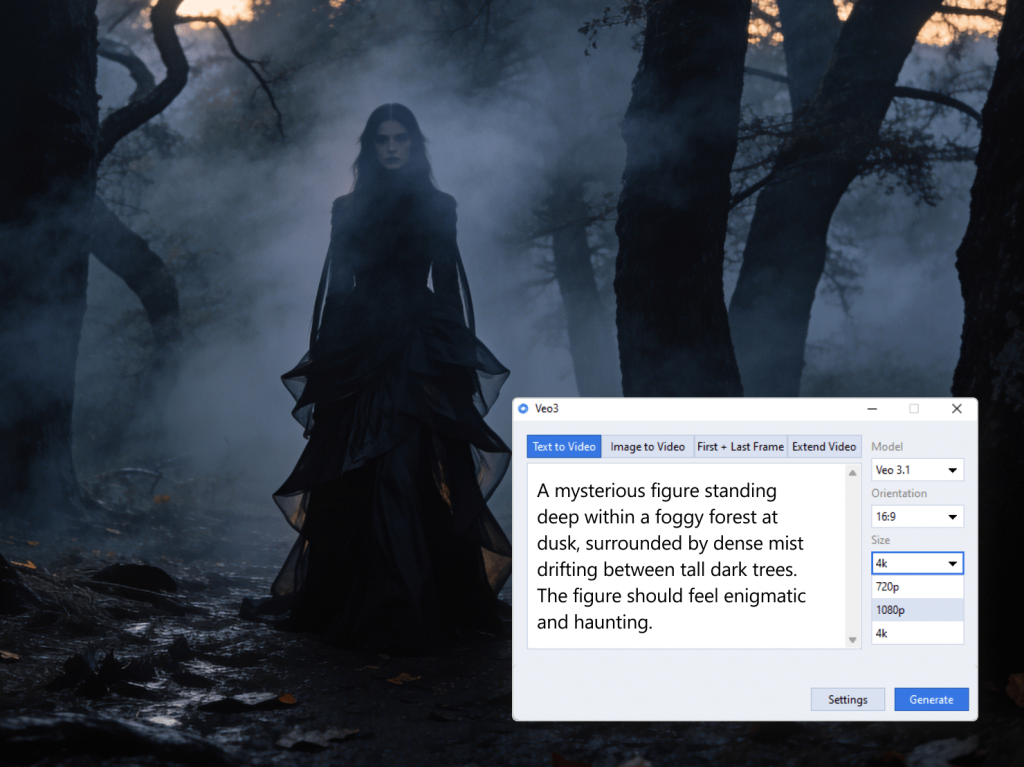
Use these clips as scenes, intros, transitions, or visual elements in a larger project.
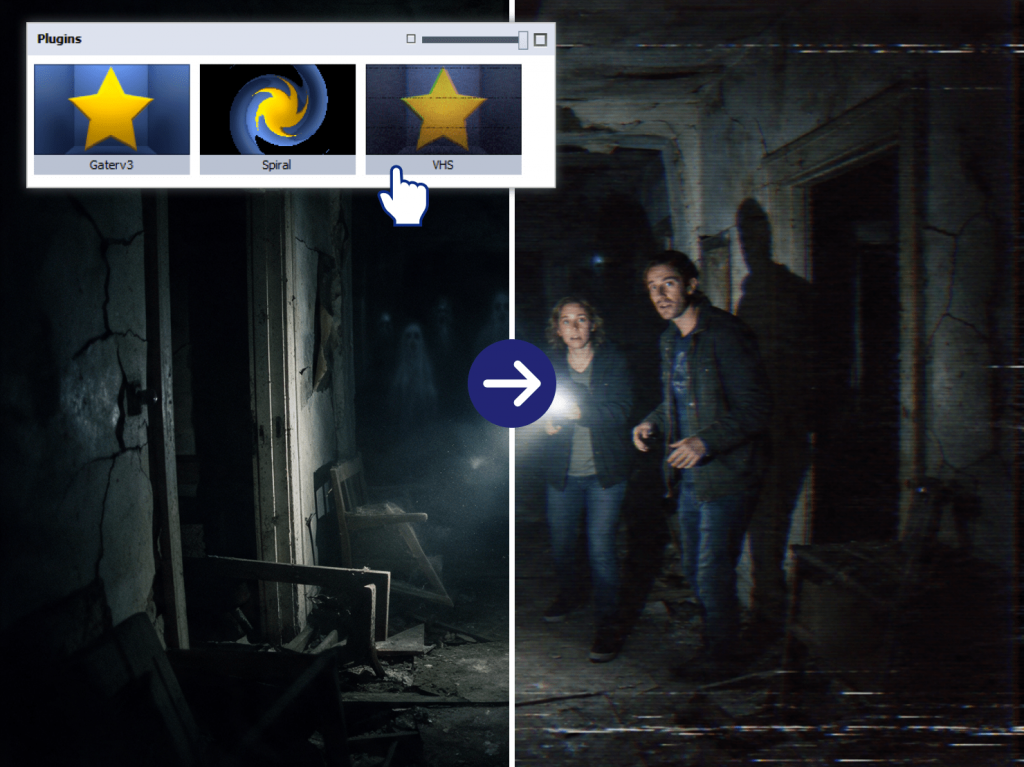
Add a VHS effect
Give ordinary footage a creepy retro look with the VHS plugin. Distorted images and old-tape effects are ideal for found-footage horror, fake security recordings, or “lost tape” stories.
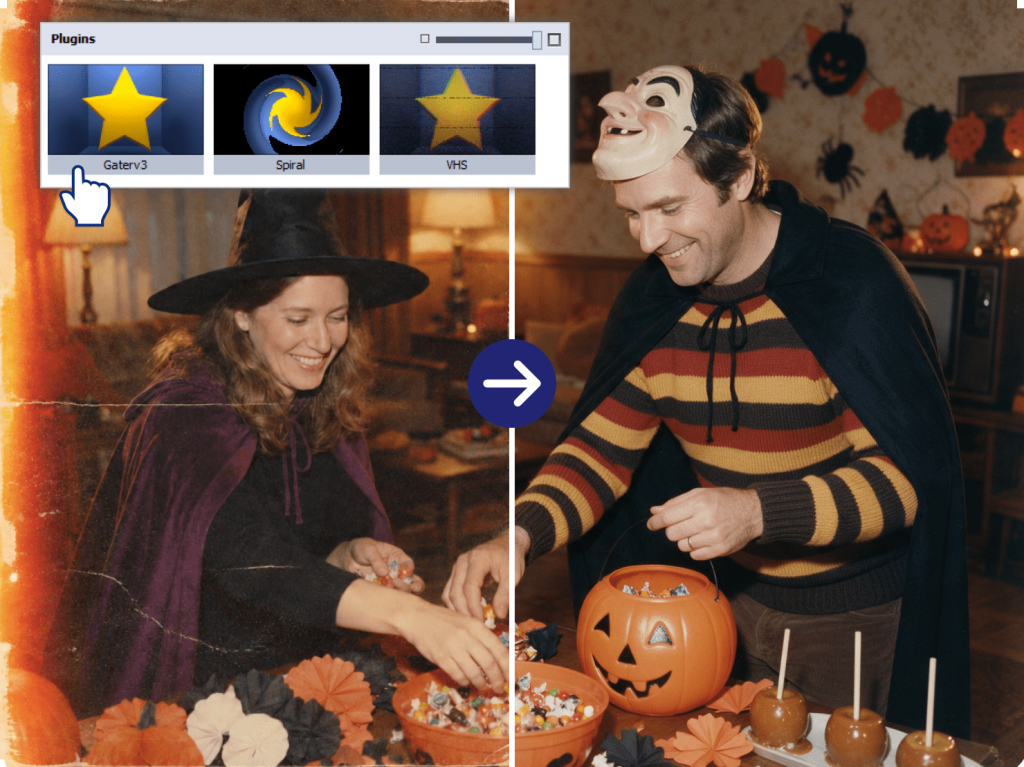
Restore video footage
Have an old family recording you’d like to include in a Halloween memories video? Use a video restoration plugin to improve its quality before adding it to your project.
Download videos from YouTube
When you need online footage that you’re permitted to download and reuse, the YouTube video downloader plugin saves time bringing it into your AVS4YOU workflow.
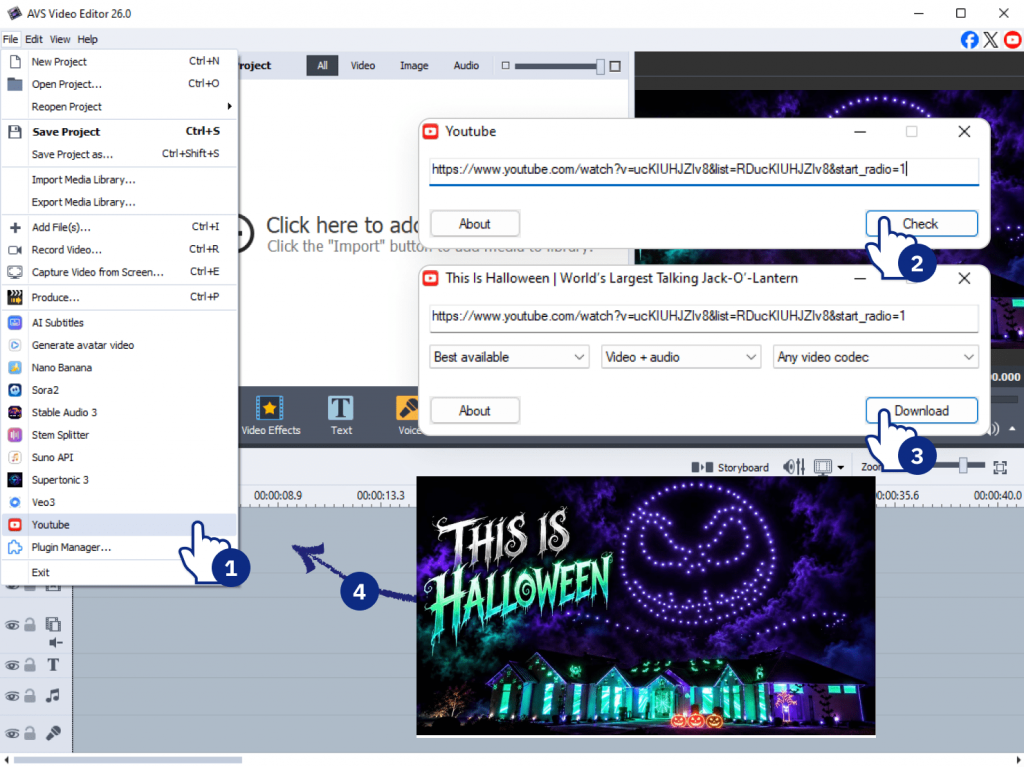
Once downloaded, you can trim the file, combine it with your own material, and add titles, effects, and audio in AVS Video Editor.
Make sure you have the necessary rights or permission to download and reuse third-party content.
Your Halloween video toolkit
AVS4YOU Multimedia Suite lets you combine traditional editing with additional capabilities provided by plugins.
AVS Video Editor — edit and combine video clips, add transitions, effects, titles, music, and other finishing touches.
AVS Audio Editor — edit and refine music, sound effects, and other audio for your projects.
AVS Image Converter — convert and adjust images for slideshows and video projects.
AVS4YOU plugins — extend traditional editing with AI image, audio, and video generation, VHS effects, video restoration, and YouTube video downloading.
The plugins are available within supported AVS4YOU programs, so you can use their power as part of your existing workflow.
Ready to create something spooky?
These are just a few ways to get creative this Halloween. If you’re looking for more ideas, explore AVS4YOU Halloween Lab for inspiration and simple projects to try.
Enjoy 30% off AVS4YOU Unlimited Subscription!
Create something spooky this Halloween and keep experimenting with AVS4YOU long after October 31.