


Get your Halloween toolkit ready
Want to make your footage spooky? Grab AVS Video Editor, a short video clip, and a few AI-powered plugins.
Your footage might be anything from a dim hallway to a flickering candle or a dark backyard. Then choose the plugins you want to use:
Effect VHS for adding an old-school horror feel.
Effect Spiral for creating eerie twists and distortions.
Suno API Music Generator or Stable Audio 3 Generator to generate spooky background music.
Supertonic 3 Text to Speech to give your video a creepy voice-over.
As the plugins are easy to install and use, you spend less time on setup and more time on the creative part.
Step-by-Step: Build your spooky video in 5 minutes
Follow these five steps in order, and you’ll have a finished clip before your popcorn’s done. Each one takes about a minute.
Step 1. Import your footage
Open AVS Video Editor and drag your clip onto the timeline. Trim it down to your favorite 10–20 seconds.
Mini-tip: darker, low-light shots feel scarier right away, so use shadowy footage if possible.
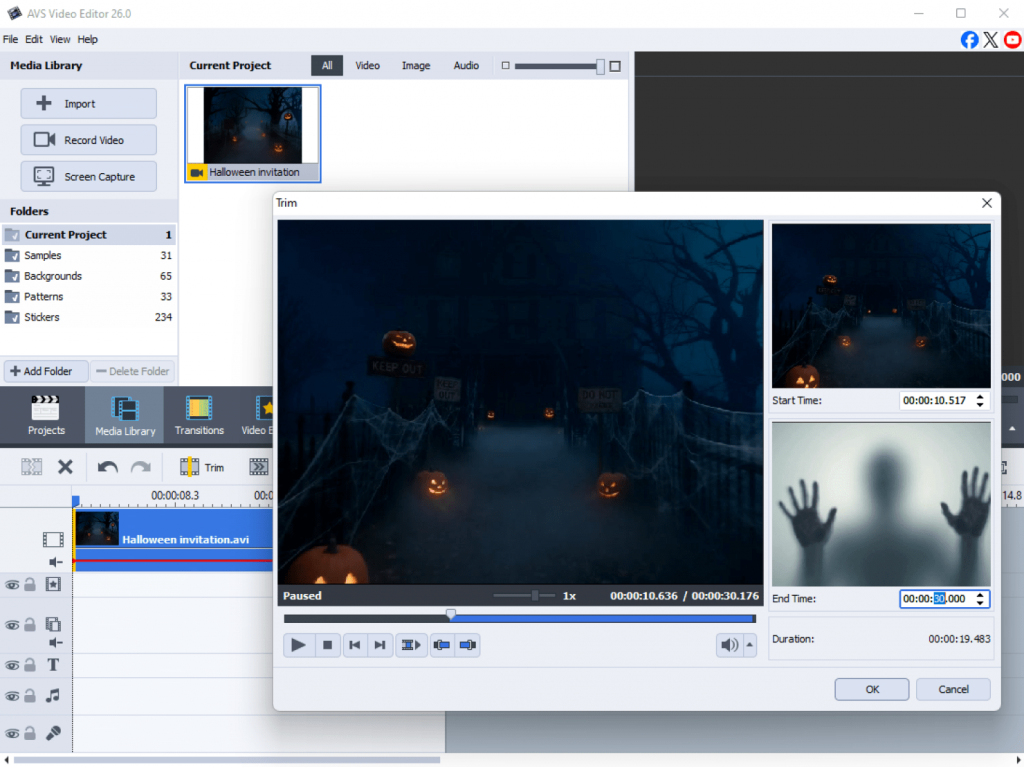
Step 2. Add the Effect VHS Plugin for a retro horror feel
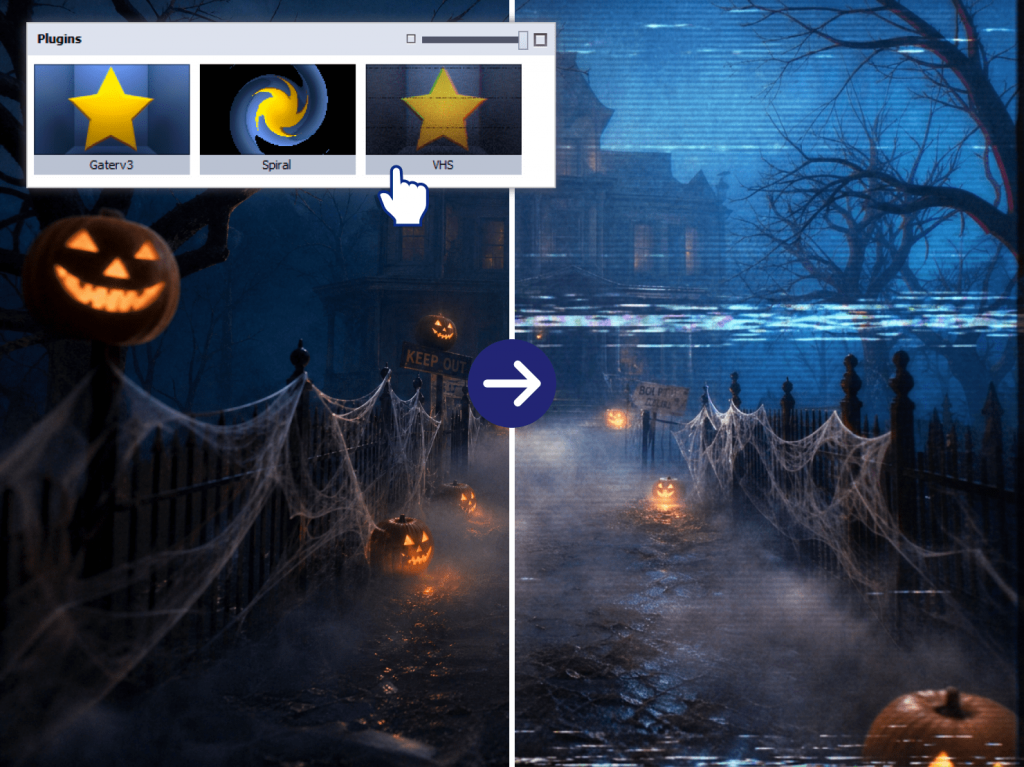
Apply Effect VHS to layer in noise, color degradation, tracking errors, and chromatic aberration. In plain terms, it makes your clean footage look like a haunted home tape from the 80s or 90s.
This is the secret behind that popular “found footage” vibe. One click, and your ordinary clip suddenly becomes like something you weren’t supposed to watch.
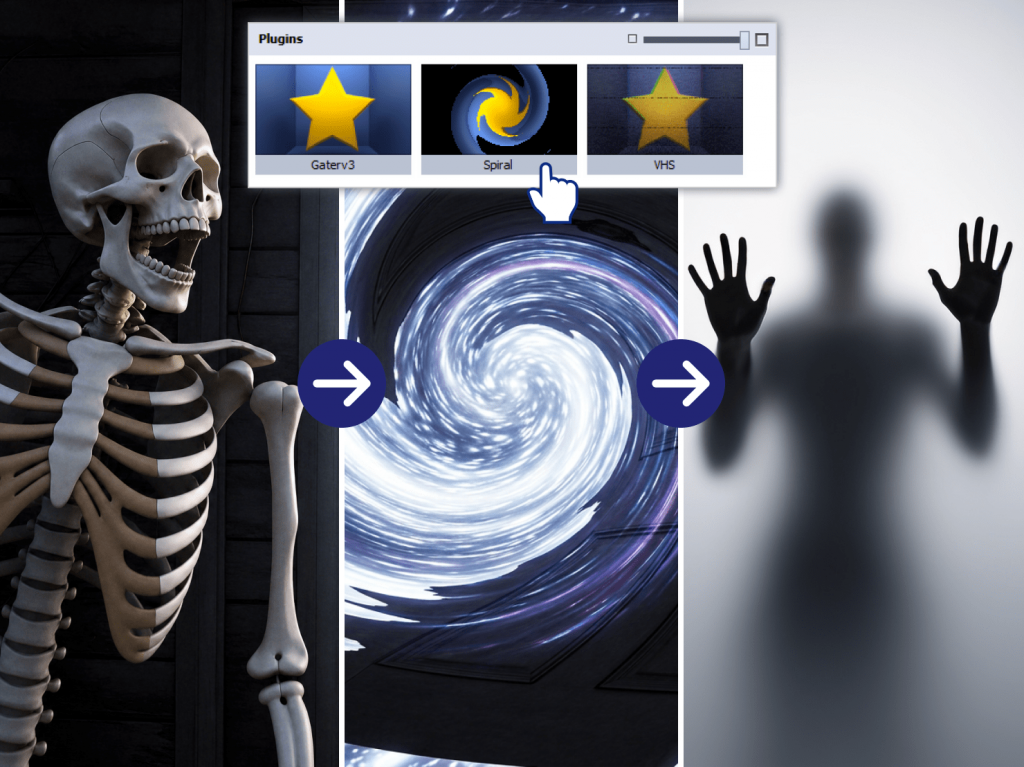
Step 3. Use Effect Spiral for eerie distortions
Drop Effect Spiral onto a key moment to add a radial twist and an outward “explosion” effect. Use it sparingly, ideally during sudden, frightening moments (jump scares) or a transition.
A sudden distortion signals to viewers that something’s not right, which is exactly the feeling you want to convey.
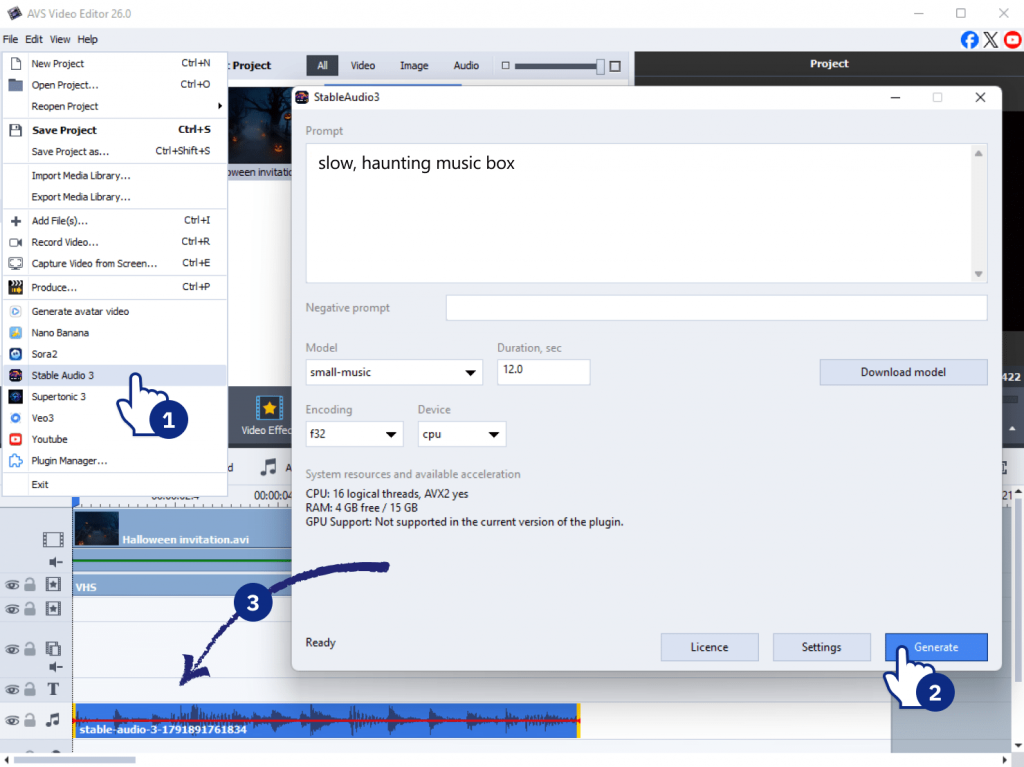
Step 4. Add spooky AI-generated music
Generate a soundtrack right inside your workflow with Suno API Music Generator by typing a prompt such as “slow, haunting music box.” Prefer to create audio locally? Stable Audio 3 Generator does the same job.
Drag the finished track under your clip and adjust the volume.
Tip: low, droning tones build tension without drowning out the rest of your spooky video.
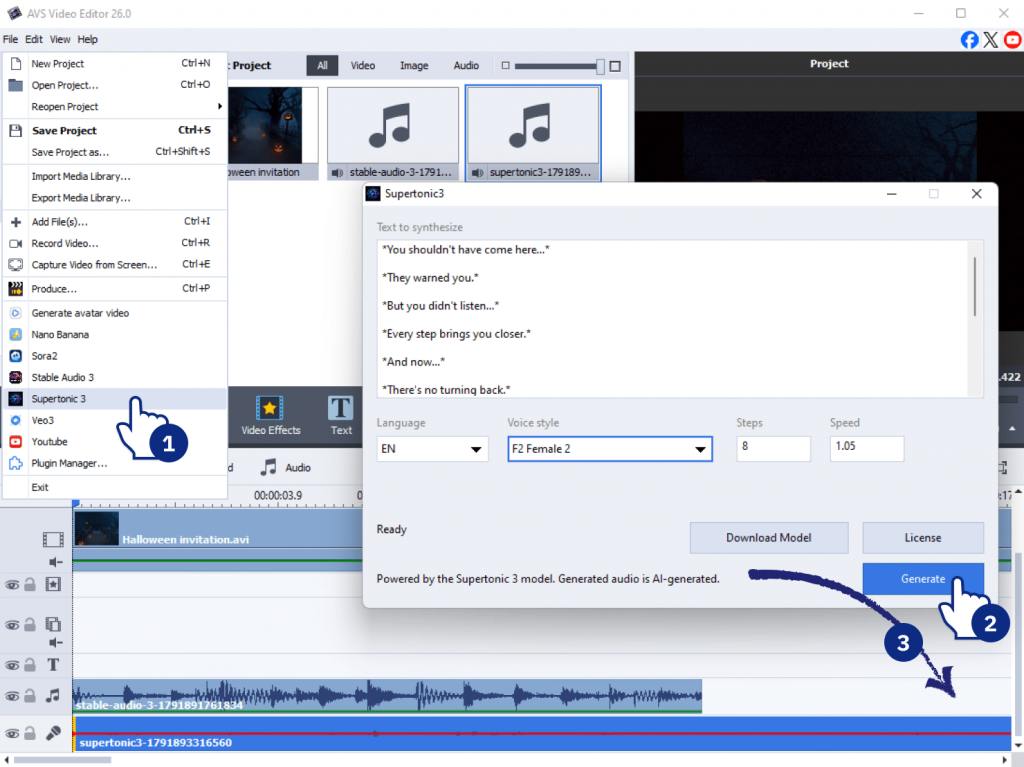
Step 5. Add a creepy voiceover and export
Give your video a voice. Use Supertonic 3 Text to Speech to turn typed lines into natural, chilling narration, for example, “You shouldn’t have come here…” Place the voice track on the timeline and balance it with the music so that both elements sound clear.
When you’re happy, export it to MP4 for easy sharing and match the resolution to your platform.
At this point, you should have a complete, shareable Halloween video ready to post.
Optional power-ups: Level up with AI generation
Want to go beyond phone footage? These optional tools let you create scenes and images from scratch, right inside your AVS workflow.
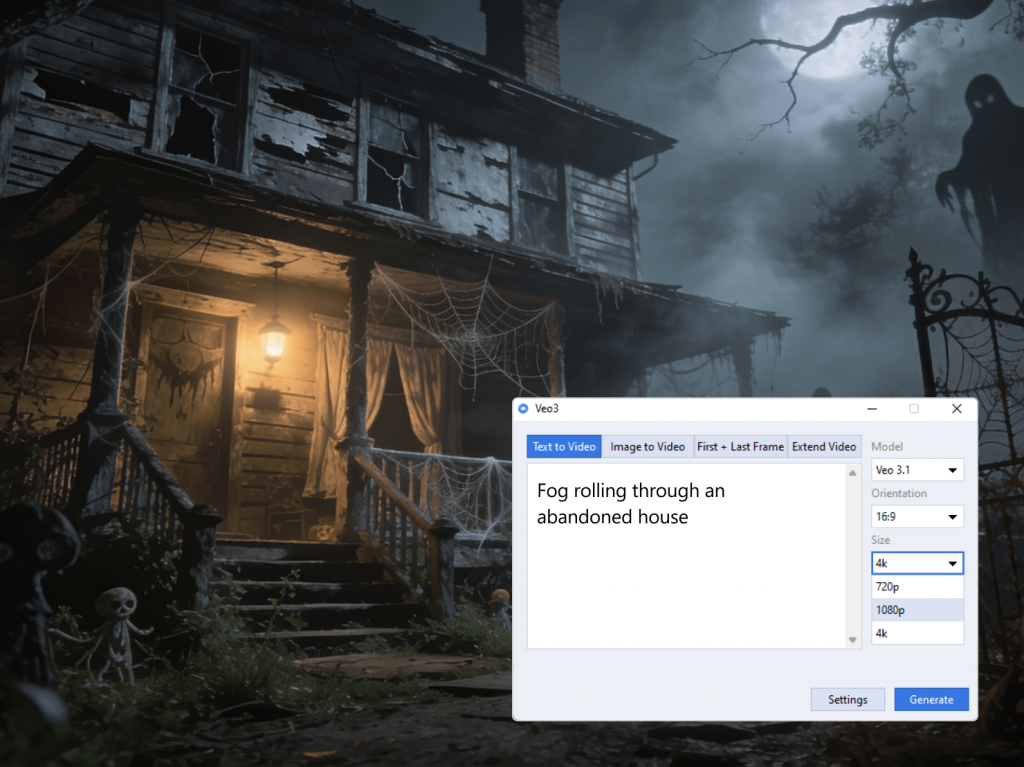
Generate AI spooky footage from text
Use Veo3 Video Generator to turn a prompt such as “fog rolling through an abandoned house” into a cinematic clip. It’s perfect for those moments when you don’t have the ideal shot on hand.
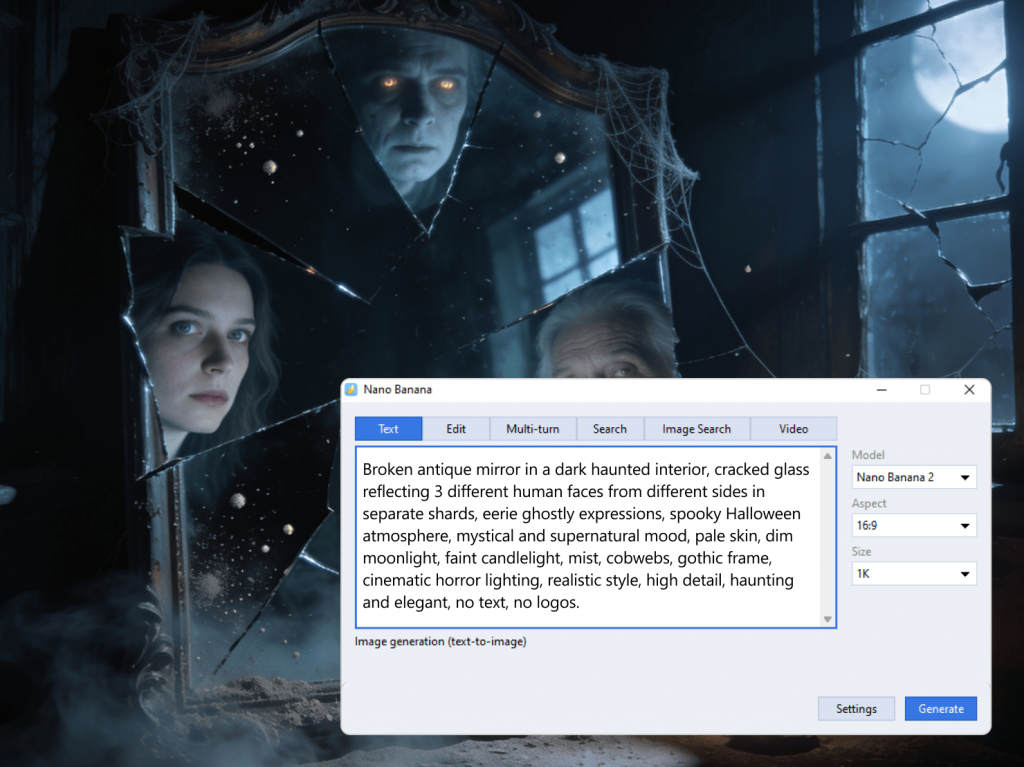
Create horror-themed images
Use Nano Banana Image Generator to make custom images, such as a cracked mirror or a shadowy figure. These work beautifully as intros, thumbnails, or overlays.
Mini-example: generate a title card, then drop it in as your opening frame for an instant professional touch.
Halloween content ideas to spark your creativity
Need some inspiration? Here are a few directions in which you can develop your next project.
A spooky story
Combine video clips, photos, music, effects, and narration to tell a short Halloween story. Even a few shots create a beginning, a mystery, and a surprising ending.
A Halloween party video
Turn footage from your Halloween party into a fun video to share with friends and family. Add music, titles, transitions, and your favorite moments.
A costume transformation
Show your transformation from an everyday look to your Halloween character. Use quick cuts, a visual effect, or a dramatic transition to reveal the final costume.
A spooky slideshow
If you have a collection of Halloween photos, turn them into a themed video with music, transitions, captions, and atmospheric effects.
A creepy social media video
Create a short vertical video for Instagram, TikTok, or YouTube Shorts. Keep it brief, focus on one idea, and use a strong visual effect to make the opening seconds stand out.
An AI-generated Halloween scene
Don’t have the right footage? Use an AI video generator plugin to create a scene from a text prompt, then combine it with your own footage and effects.
What will you create this Halloween?
A dark hallway? A mysterious figure? A haunted house tour? Or perhaps a completely fictional horror story created from your own footage and AI-generated scenes?
Not sure which project to choose? Take AVS4YOU Halloween Quiz to find out what type of creator you are. Once you have your result, accept your special challenge and create hair-raising content to impress your audience.
Ready to bring your spooky idea to life? Experiment with new AVS4YOU plugins on the AVS4YOU Plugins Marketplace and start creating.