


Today, beginners make polished videos in minutes thanks to AI powerful capabilities. It is easy to use automated features such as scene detection, subtitle generation, transitions, and smart effects without any technical skills.
However, many new creators quickly discover that AI is not a magic solution. Imagine spending hours recording content, uploading it into an editor, and letting AI handle everything automatically — only to end up with awkward cuts, inaccurate subtitles, strange pacing, or a generic video. Although AI can speed up the editing process, it still requires human input and creative oversight to produce professional-looking videos.
Understanding the strengths and limitations of these tools is the key to creating content you are truly proud to share. This guide will walk you through the most frequent blunders new creators make. We will show you exactly how to avoid AI video editing pitfalls so you can create engaging, high-quality content right from the start.
Common AI video editing mistakes
Even the smartest software needs human guidance. When you hand over total control to an algorithm, things can quickly go off track. Let’s look at the most common AI video editing errors that may affect your projects.
Over-reliance on AI
Many beginners treat AI video editors like a vending machine. You put your raw footage in, press a button, and expect a polished video to pop out. This over-reliance on automation is one of the biggest mistakes you can make. AI algorithms do not understand context, humor, or human emotion. They simply look for visual changes and audio peaks. If you trust the software to make every creative decision, your video will likely lack a distinct personality.
Ignoring customization options
Most beginner-friendly video editing tools offer extensive menus to tweak the output file. Unfortunately, plenty of new users completely ignore these options. They accept the default color grading, the pre-selected font for subtitles, and the standard transition speeds. By skipping the customization phase, you miss the opportunity to add your own style to the project. Your content ends up looking similar to thousands of other videos generated by the exact same software.
Using low-quality input footage
AI tools are incredibly powerful, but they cannot perform miracles. If you upload blurry, poorly lit footage with terrible background noise into the software, the AI will struggle to process it. As a rule novices expect the software to automatically fix terrible lighting or restore a highly distorted audio track. While AI can improve the quality slightly, starting with bad source material guarantees a mediocre final result.
Skipping the manual review
You should never export and publish a video without watching it all the way through. Automated tools usually make strange choices. An AI might cut away from a speaker right in the middle of a sentence. It might insert an upbeat transition during a serious moment. It could misinterpret spoken words and generate wildly incorrect captions. Skipping the manual review process almost guarantees that these gross errors will be evident to your audience.
Overusing flashy templates
Templates are fantastic resources for aspiring creators, however, overusing them does more harm than good. By and large, AI platforms feature massive libraries of highly animated, eye-catching templates. Beginners tend to pick the loudest, most complex templates available, thinking it will make their video look professional. In reality, overused graphics and chaotic text animations usually distract the viewer from the actual message of your video.
Neglecting the art of storytelling
At its core, a good video tells a compelling story. It has a clear beginning, middle, and end. One of the most critical AI video editing mistakes is focusing entirely on the technical features while completely forgetting about the narrative. AI can sync your clips to a beat, but it cannot decide the most logical order to present your ideas. If you neglect storytelling, the result is a visually interesting compilation of clips that means absolutely nothing to the viewer
How to avoid these mistakes
Now that you know what can go wrong, let’s talk about how to fix it. Applying these practical tips will instantly elevate the quality of your content.
Take back creative control
Don’t let the software do everything. Let the AI handle the tedious tasks, such as removing background hums or generating a rough first cut. Once difficult tasks are finished, choose creative elements yourself. Adjust the timing of the cuts, add music conveying the emotion of the scene, and ensure the ready project reflects your unique vision.
Dive into the settings menu
Do not settle for the default options. Take your time to explore the customization panels within your software. Change the colors of your text to match your brand. Experiment with different transition styles until you find the right one for the pacing of your video. By adjusting these seemingly small details, you can transform a commonplace, AI-generated clip into a personalized piece of content.
Capture better footage from the start
The best way to ensure a great final video is to shoot great raw footage. Before you even open your editing software, focus on capturing high-quality video and audio. Film in well-lit environments, preferably facing a window or using a dedicated key light. Use a simple external microphone to capture clear audio. When you provide the AI with clean, first-rate source materials, its algorithms will work much more effectively.
Review AI output
Make manual review an indispensable part of your workflow. Before you hit the export button, watch your entire video from start to finish. Pay close attention to the transitions, the audio levels, and the spelling of any generated text. If a cut looks jarring, manually adjust it. If the music drowns out your voice, lower the audio track volume.Those little fixes go a long way in making your video gripping.
Use simple templates and effects
When picking templates or AI effects, using less usually works better. Opt for clean, minimalist designs supporting your content rather than overpowering it. Use simple crossfades or hard cuts instead of chaotic 3D transitions. Keep your text fonts highly legible. Your goal should be to keep the viewer focused on your message and your footage, not on the software’s graphics package.
Plan the story before editing
Before you upload a single clip, make a plan and outline your story. Decide what you want the viewer to learn or feel by the end of the video. Determine the logical order of your clips. Once you have a clear roadmap, use AI to make it happen. Prioritizing the story first means your video has real depth, not just nice visuals.
The benefits of combining AI with manual editing
The most successful creators do not choose between AI and manual editing. Instead, they embrace a hybrid workflow that leverages advantages of both methods.
When you combine AI with manual adjustments, you save hours of frustrating busywork. You can use automated tools to transcribe your audio, detect silences, and perform basic color correction in seconds. This saves you massive amounts of time. You can then spend that saved time to complete manual tasks such as refining the narrative pacing or adding a specific, emotive soundtrack.
This hybrid approach is also the perfect way for beginners to learn the craft. AI helps you overcome the initial intimidation of a blank timeline. It gives you a solid starting point. As you manually tweak the AI’s rough draft, you naturally learn how different editing techniques impact the final video. Therefore, you slowly build your technical skills without feeling entirely overwhelmed by complex software interfaces.
To achieve this balance, you need software that offers both automated features and precise manual control.
Get editing flexibility and smart AI assistance with AVS4YOU
AI video editing mustn’t be frustrating for beginners. By understanding the software’s limitations, you can easily avoid the most common editing mistakes. Remember that artificial intelligence is simply a tool in your creative toolbox. It is meant to assist your workflow, not to replace your creativity and vision.
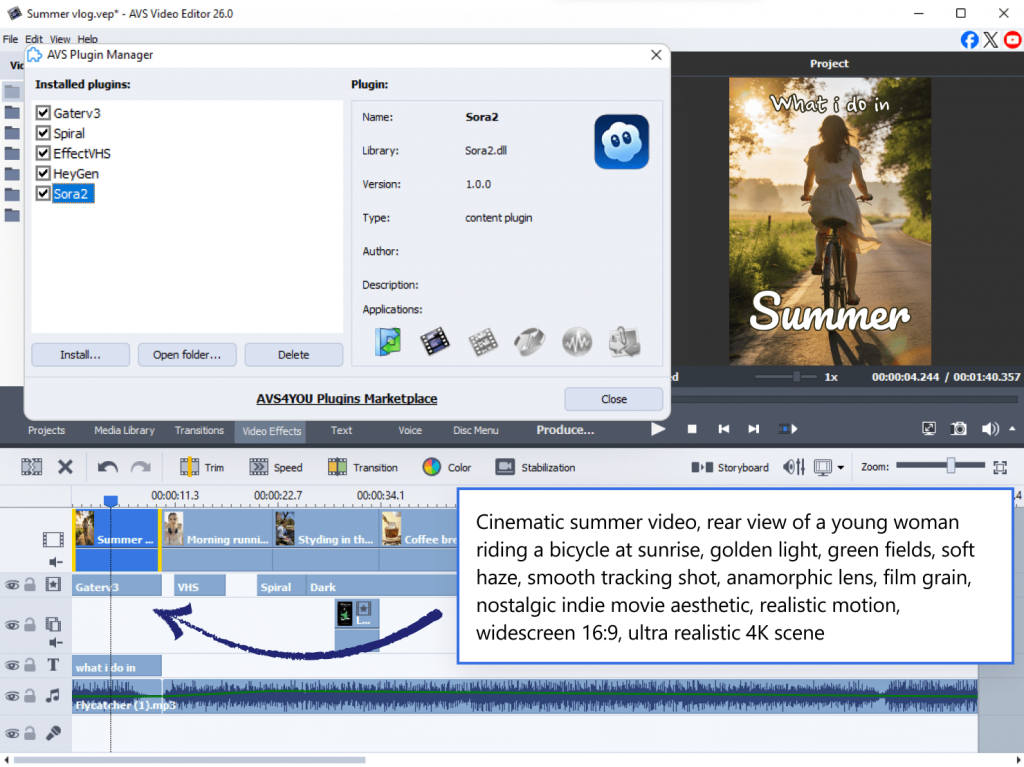
Always review your footage, prioritize clean input footage, and never let bold effects distract from a good story. As you practice these habits, you will quickly move to producing great content, captivating your audience.
If you want a solution that perfectly blends smart assistance with total creative control, explore AVS4YOU Multimedia Suite. Our intuitive software helps you bypass the technical headaches so you can focus entirely on bringing your ideas to life.
Download AVS4YOU today and take the first step in your video editing journey!