



If you’re a vlogger, a podcaster, or a small business owner, you already know how important engaging content is. AVS4YOU Multimedia Suite simplifies the entire creative process from editing and recording to mixing and sharing. It’s a complete set of 5 multimedia tools that helps you craft professional-looking projects without the steep learning curve or expensive software.
In this article, we’ve gathered seven inspiring project ideas that show just how versatile AVS4YOU can be. Each one comes with practical tips to help you turn raw footage, photos, or recordings into polished creations, even if you’re just getting started with multimedia editing.
1. Create a memorable slideshow
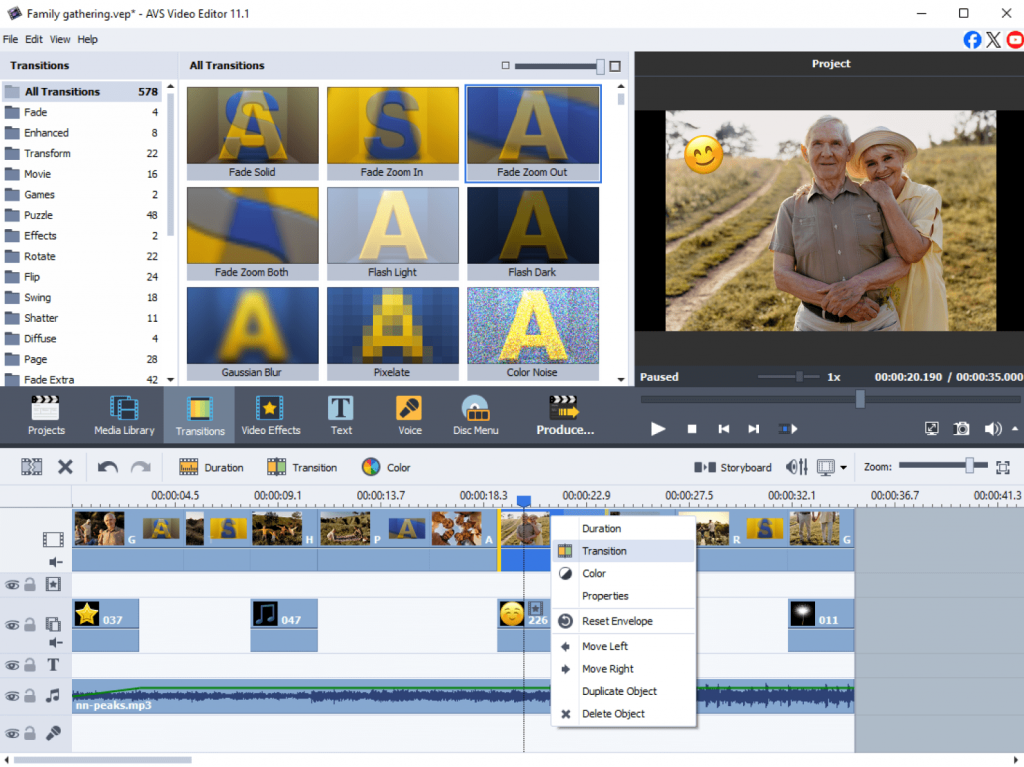
The best way to capture memories of special events, family gatherings, or holidays is to make a stunning slideshow. AVS Video Editor empowers you to easily combine images, add background music, and use smooth transitions for a professional touch. Text captions will mark key moments while stickers or overlays will add an extra flair.
Tips:
- Choose music that matches the mood of your photos.
- Experiment with fade-in and fade-out transitions to maintain flow.
- Use the export presets to easily share your slideshow on YouTube, Instagram, or as a video file for family and friends.
2. Edit a travel blog video
Document your adventures by turning your travel footage into a cinematic video. Import clips directly into AVS Video Editor, trim unnecessary parts, and experiment with effects from a rich media library for setting a special mood.
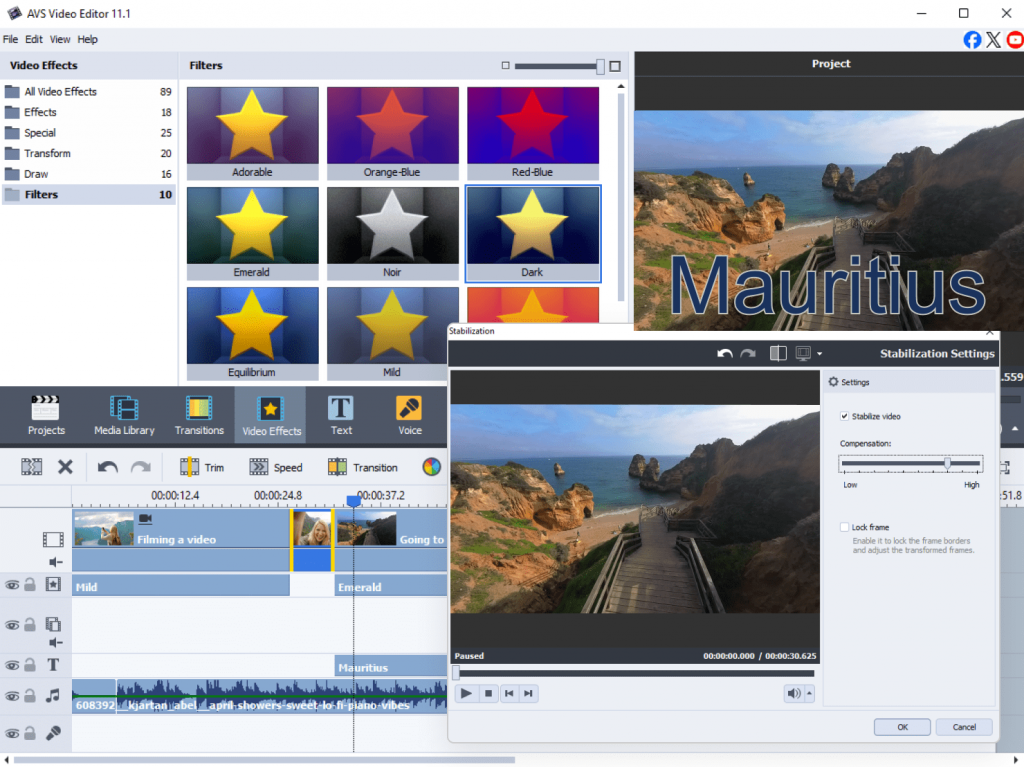
Enhance the visuals with color correction tools, stabilize shaky footage, and add background music that reflects the atmosphere of your trip. Overlay text or map animations to mark each destination.
Tips:
- Use video stabilization to fix handheld shots.
- Apply color filters to unify footage from different locations.
- Combine short clips for a fast-paced, compelling story that fits social media formats.
3. Make a promotional or social media video ad
If you’re a small business owner or a content creator, you can use AVS4YOU to design eye-catching promotional videos. Create short, dynamic clips for Instagram, TikTok, or YouTube, and other popular platforms.
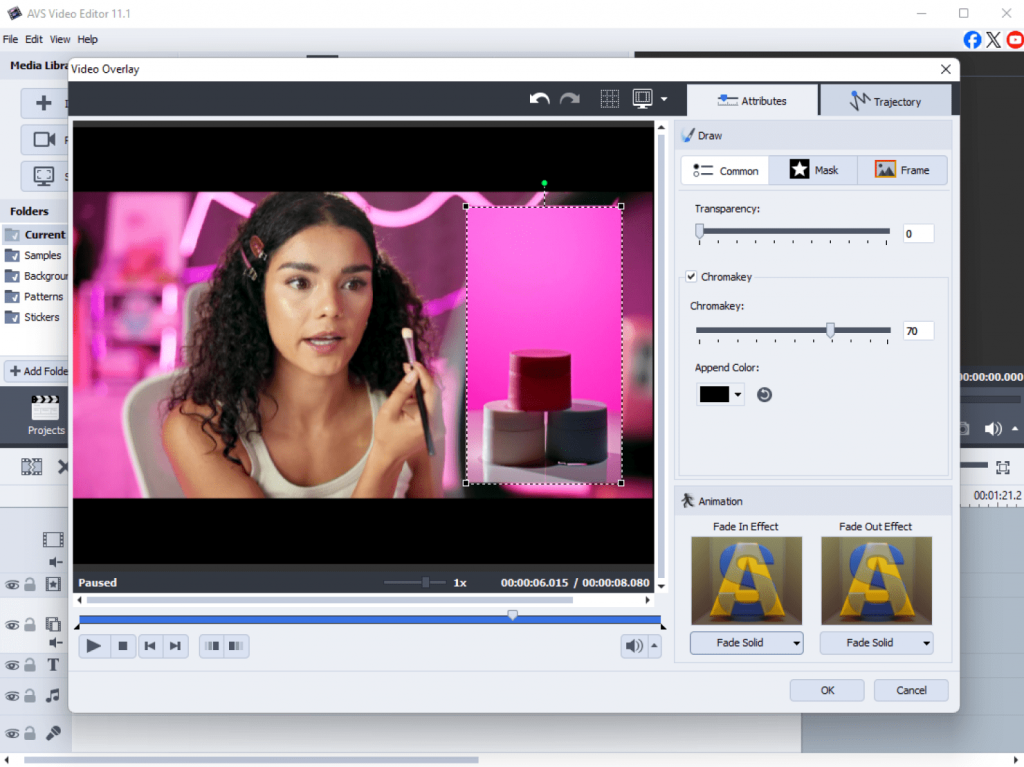
Add animated text overlays and your company’s logo, highlight key product features, and synchronize visuals with upbeat music. The ready-made effects help you design professional ads quickly.
Tips:
- Keep your ad under 60 seconds for social media impact.
- Use bold fonts and contrasting colors for text overlays.
- Try split-screen layouts to show product use and branding together.
4. Record a tutorial or how-to video
Want to share your skills with others? Use AVS Video Editor to capture your desktop activity and create step-by-step tutorials or educational videos.
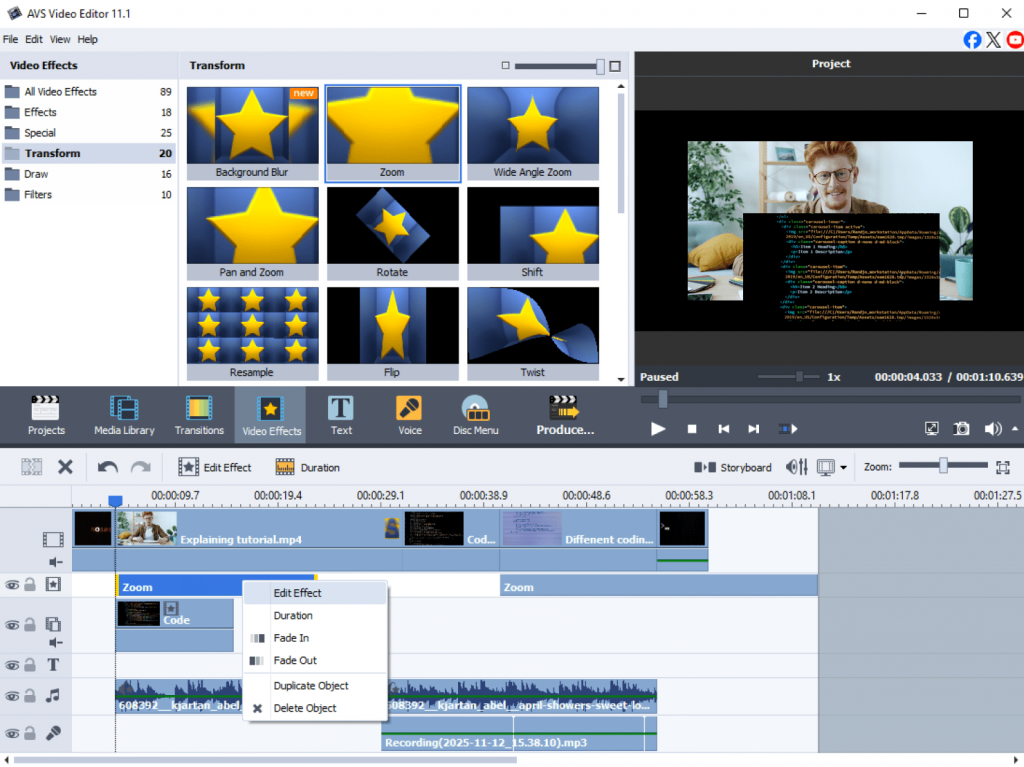
After recording, open your footage in the program to trim, add a voiceover, and insert annotations or arrows to emphasize important steps. You can also include a picture-in-picture view of yourself explaining the process.
Tips:
- Record your voice in a quiet room using AVS Audio Editor.
- Add intro and outro clips to make your tutorials look well-crafted.
- Use zoom and drawing tools to highlight key actions.
5. Produce a podcast or audio project
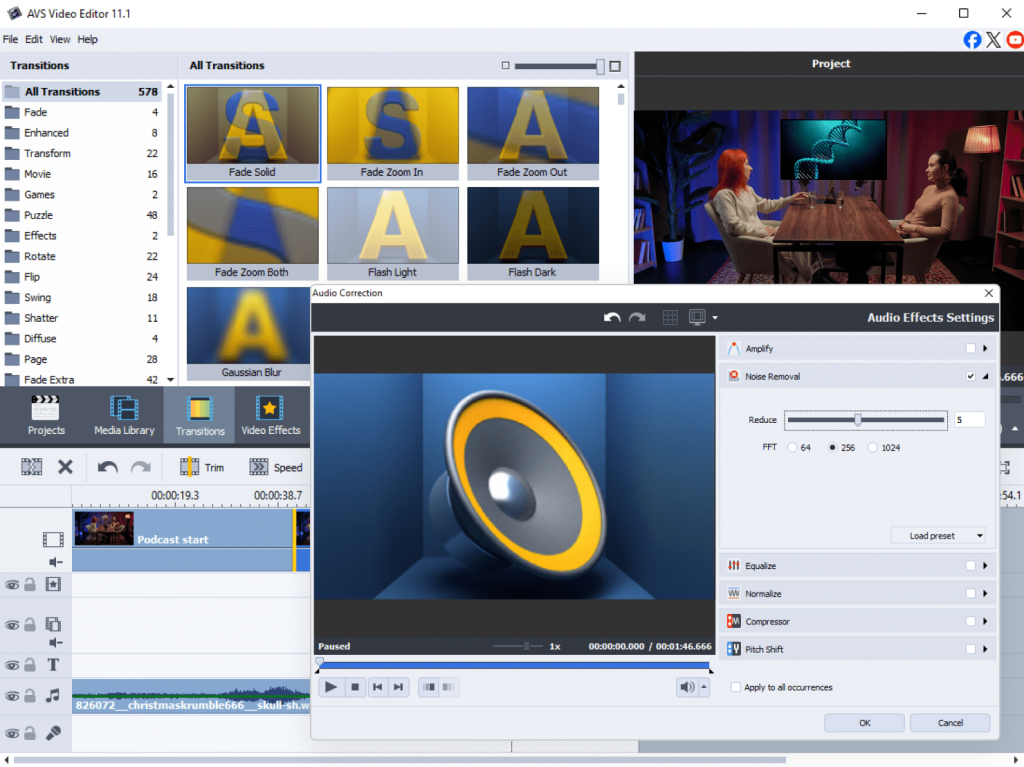
Whether it’s storytelling, interviews, or discussions, AVS Audio Editor allows you to create podcasts fast and easily. Record clean audio, remove background noise, and balance sound levels with ease.
You can also mix background music, insert sound effects, and export your podcast in multiple audio formats.
Tips:
- Use the Noise Removal feature to clean up recordings.
- Add gentle background music to enhance the listening experience.
- Save different versions (e.g., MP3, WAV) for streaming and archiving.
6. Craft a wedding or event video montage
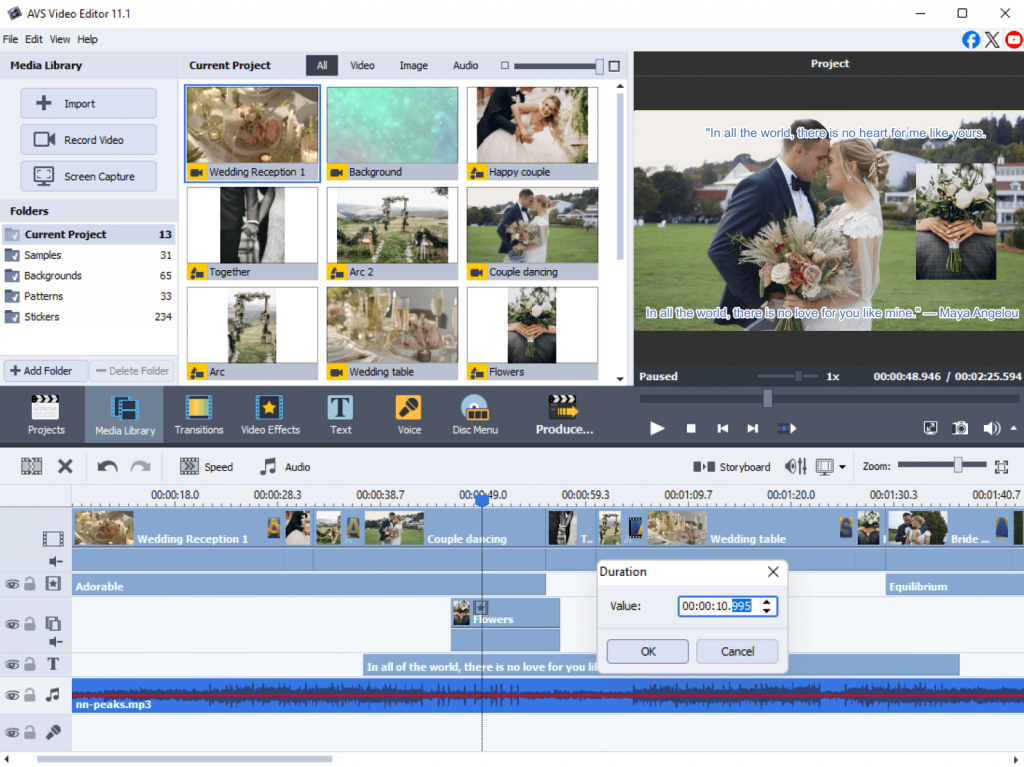
Relive your most precious moments by creating a romantic wedding video or a memorable event montage. Combine video clips and photos, choose heartfelt background music, and use transitions, filters, and overlaysto enhance the emotional impact.
Add text titles for introductions or quotes and include slow-motion effects for touching moments like the first dance or cake cutting.
Tips:
- Mix photos and videos for more dynamic storytelling.
- Experiment withfilters and cinematic color tones.
- End the video with a short thank-you message or credits.
7. Experiment with creative personal projects
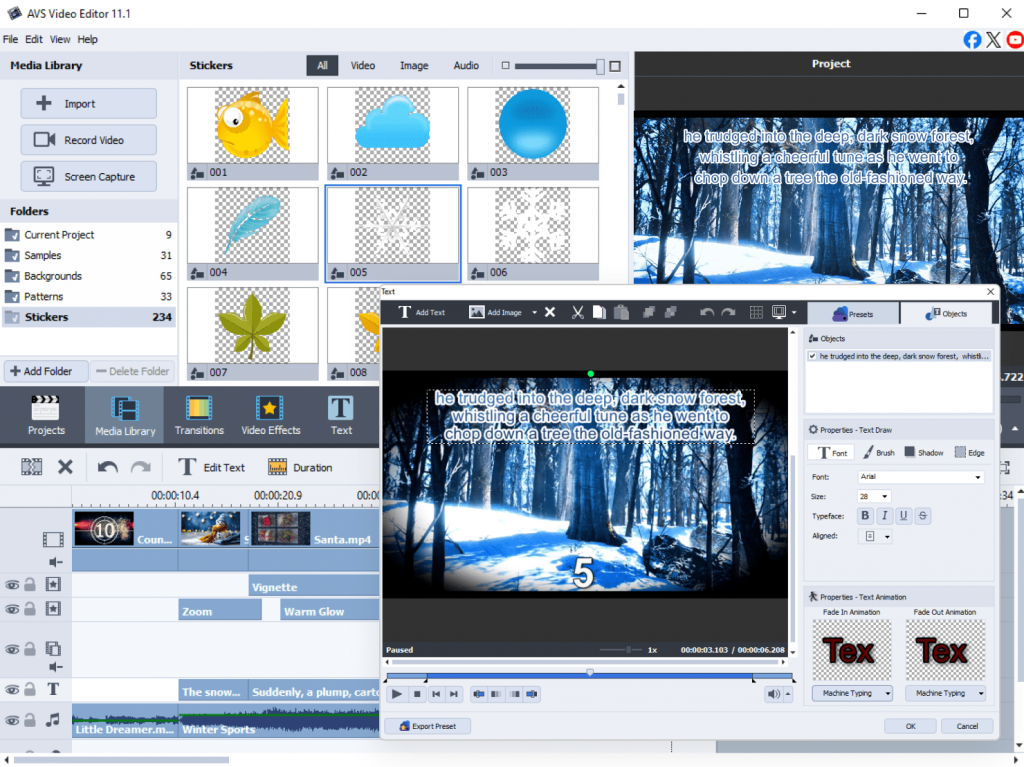
AVS4YOU empowers users to make different creative projects for any occasion. Mix video, audio, and images in new ways to create art films, lyric videos, or mood reels.
Try layering effects, changing playback speed, or combining voiceovers with visuals to test your artistic side. With so many editing options, you can create something uniquely yours.
Tips:
- Use time-lapse effects for originality.
- Combine soundscapes and visuals to express mood or emotion.
- Save project templates to build upon your creative ideas later.
Unlock your creativity with AVS4YOU
AVS4YOU Multimedia Suite offers endless possibilities for anyone eager to explore multimedia creation. From emotional slideshows and high-quality podcasts to travel videos and tutorials, these seven projects are just a starting point.
With intuitive tools and powerful editing features, AVS4YOU helps you create, edit, and share your ideas effortlessly.
Download the suite today and start creating your stunning project.