


What do a classic Hollywood DVD, a vintage European commercial, and your parents’ wedding tape have in common? They are all relics of a format war that began long before HD was even a dream. They’re locked in either NTSC or PAL standards, and getting them out requires a key – conversion. So why do these analog holdovers still cause digital problems? And how can you solve them? Let’s take a closer look at these TV standards.
From NTSC to PAL: The evolution of TV standards
Before global streaming, the world watched TV on two different systems. The competition for analog dominance was between two standards:
- NTSC (National Television System Committee)
Developed in the United States in the 1940s, NTSC ran at roughly 30 frames per second (29.97 fps) with 525 lines of resolution. It became the standard across North America, Japan, and parts of South America, and was often jokingly called “Never The Same Color” due to its fading color quality.
- PAL (Phase Alternating Line)
Introduced in the 1960s in Europe, PAL improved color stability by changing color signals line by line. It used 25 fps and 625 lines, making it sharper but less smooth in motion compared to NTSC.
Over time, countries adopted one or the other standard based on electrical frequency (60 Hz in NTSC regions, 50 Hz in PAL regions). Although analog TV gave way to digital, these systems shaped video production and remain relevant in older media.
Technical differences between PAL and NTSC
At first glance, both standards deliver moving pictures with sound. But the PAL vs NTSC debate boils down to three key differences:
Frame Rate
- NTSC: ~29.97 fps (60 Hz electricity standard).
- PAL: 25 fps (50 Hz electricity standard).
- Result: NTSC appears smoother, while PAL has a slightly slower, more cinematic look.
Resolution
- NTSC: 480i (525 lines, interlaced).
- PAL: 576i (625 lines, interlaced).
- Result: PAL offers higher vertical resolution, giving a sharper image.
Color Encoding
- NTSC: More prone to color shifts and flicker over time.
- PAL: Designed to correct phase errors, producing more stable colours.
NTSC vs PAL: Quick Comparison
| Feature | NTSC | PAL |
| Frame Rate | ~29.97 fps (rounded to 30 fps) | 25 fps |
| Resolution (SD) | 480i (525 lines, interlaced) | 576i (625 lines, interlaced) |
| Color Encoding | More prone to color shifts and flicker | Phase Alternating Line corrects errors |
| Power Frequency | 60 Hz (North America, Japan) | 50 Hz (Europe, Asia, parts of Africa) |
| Image Quality | Smoother motion, lower sharpness | Higher sharpness, slightly less smooth |
| Regional Adoption | USA, Canada, Japan, parts of South America | Europe, Australia, most of Asia, Africa |
NTSC and PAL in today’s video production
In the age of global digital delivery and resolutions that far exceed broadcast standards of the 20th century, the technical specifications of NTSC and PAL might seem obsolete. However, these analog standards remain highly relevant in today’s video production. Why do these legacy formats still matter when we now have HD, 4K, and streaming platforms?
The importance of NTSC and PAL formats is rooted in three critical areas of modern filmmaking.
- Archival footage
Vast libraries of valuable content, from vintage commercials and home movies on VHS to classic documentaries on DVD, were encoded in these formats. To access, restore, or repurpose this footage for modern use, one must first match its original NTSC or PAL specifications to ensure accurate frame rates, resolution, and color decoding.
- Global content distribution
Despite digital standards, the world is still divided by its historical broadcast regions. A physical disc or digital file intended for audiences in North America (NTSC standard) may have compatibility issues, and, therefore, will not play correctly on systems designed for Europe or Asia (PAL standard).
- Modern editorial workflows
Contemporary editors frequently blend new HD/4K footage with archival SD material. Importing a clip with a mismatched frame rate (e.g., 29.97fps NTSC into a 25fps PAL timeline) causes severe technical issues, for example,choppy playback, unsynchronized audio, and distorted motion rendering.
This is why understanding and performing proper NTSC/PAL conversion remains an essential skill, particularly for projects involving international collaboration or the digitization of old recordings.
NTSC to PAL conversion software
Don’t worry if PAL to NTSC conversion seems rather complicated. You don’t need to be an expert, because today’s software is designed to make converting videos simple and fast. Usually it is packed with ready-made presets, so that there is no need to adjust technical parameters.
Here are a few software options:
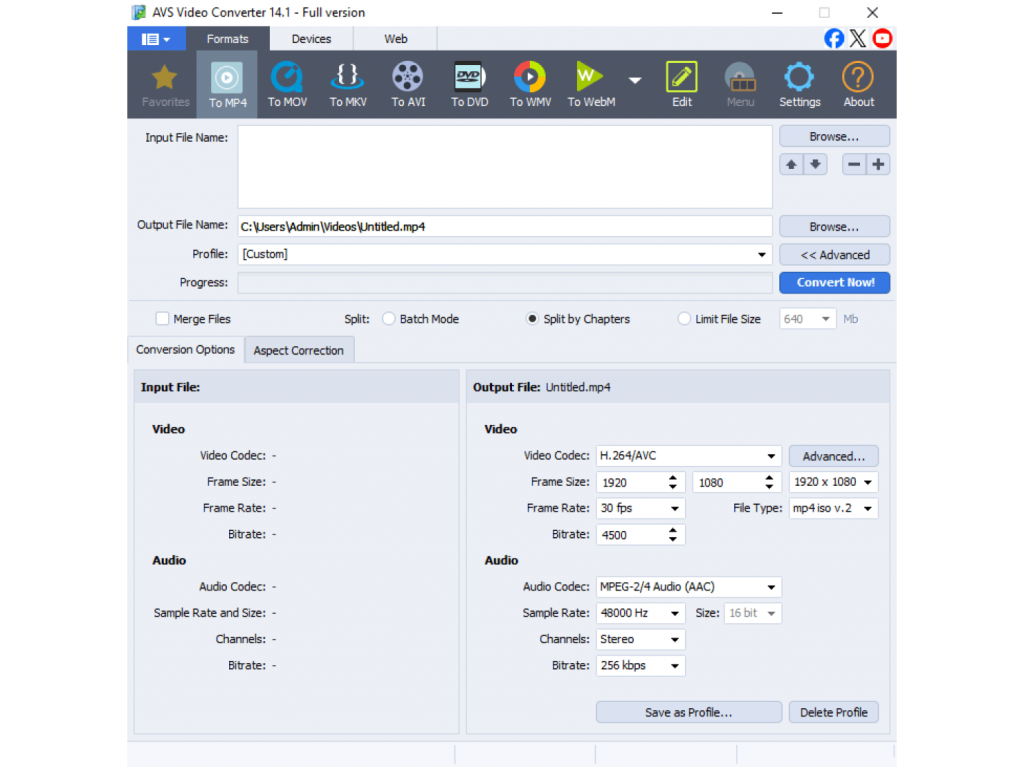
- AVS Video Converter – A feature-rich video converter that easily switches between PAL and NTSC. Supports batch conversion and multiple formats, perfect for any multimedia project.
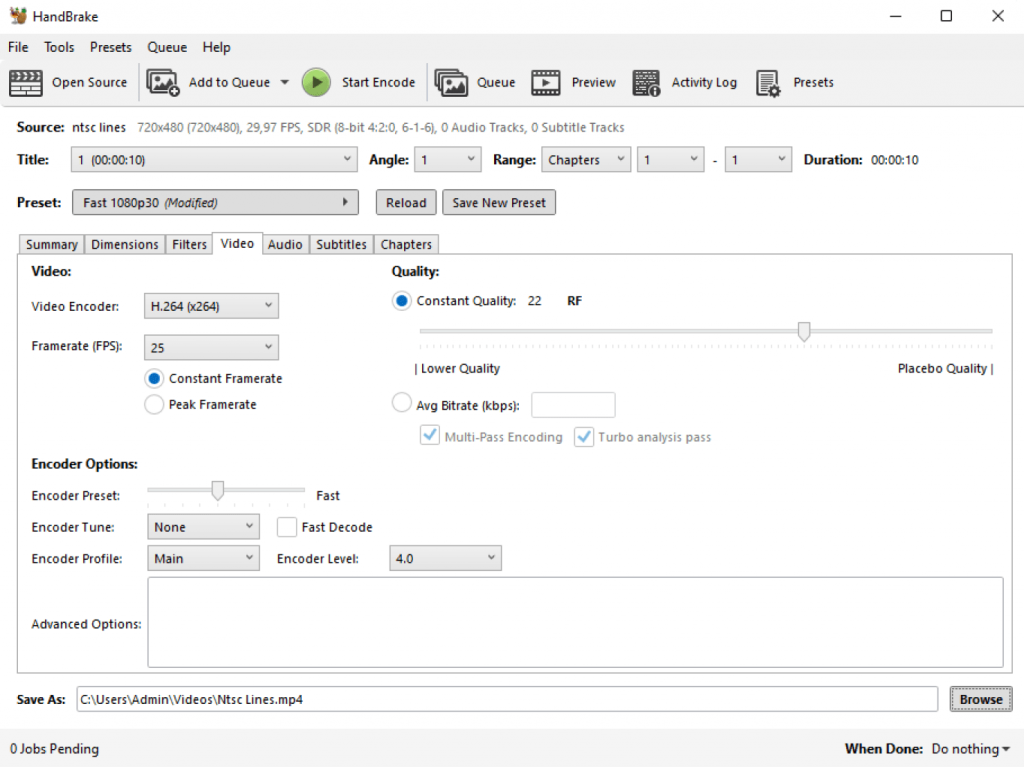
- HandBrake – A free, open-source software for video transcoding.
- FFmpeg – A powerful command-line tool for advanced users.
- VLC Media Player – Primarily a player, but with some basic conversion options.
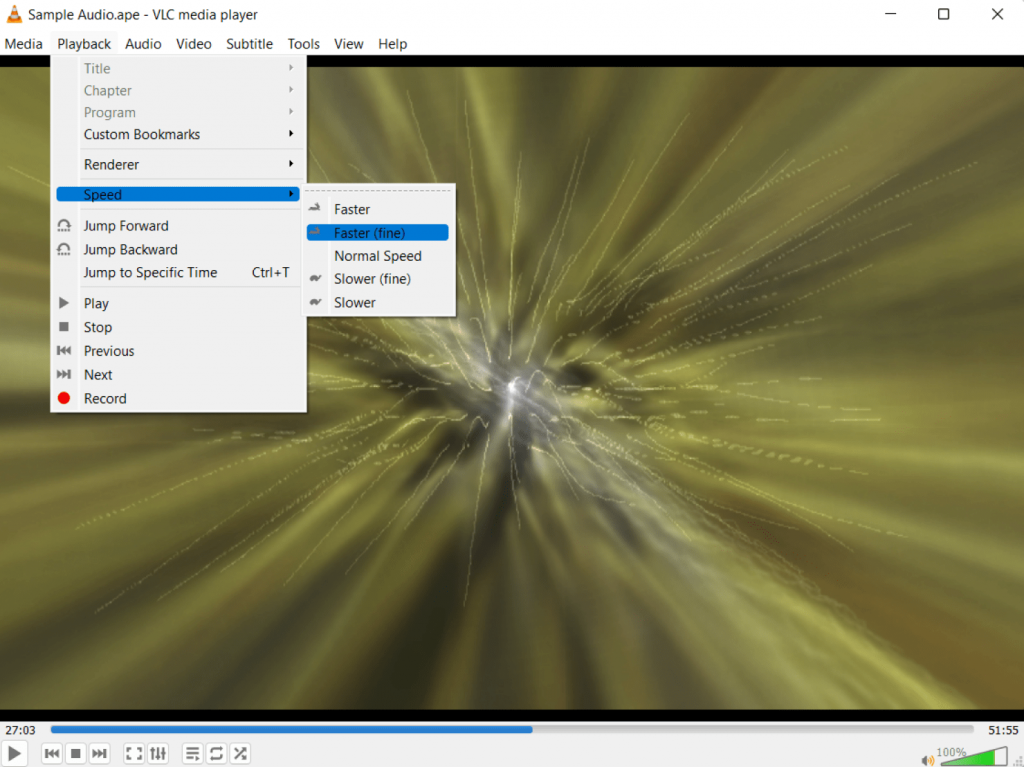
With a reliable PAL to NTSC converter, you can ensure your videos play properly on any device or platform, regardless of region.
How to convert from NTSC to PAL in AVS Video Converter
Need to make your video compatible with European systems? Converting from NTSC to PAL delivers seamless playback on PAL TVs and devices. AVS Video Converter makes this technical process easy. Here’s how to do it:
1. Download and Install
First, download and install AVS Video Converter from the official AVS4YOU website.
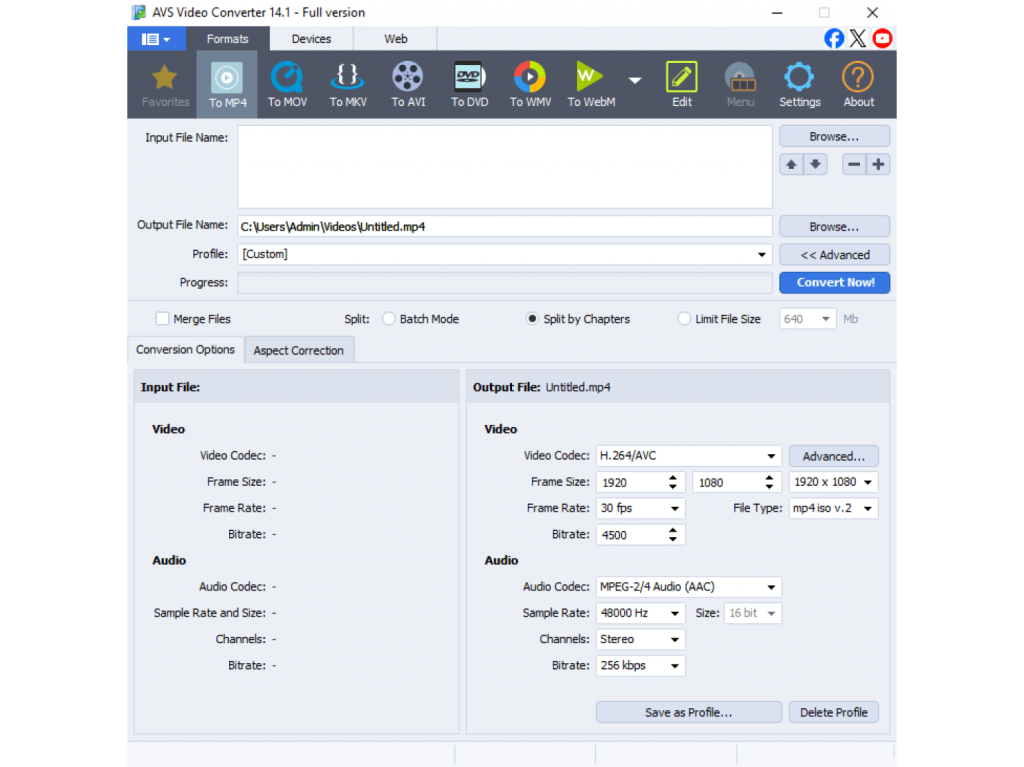
2. Add your NTSC video
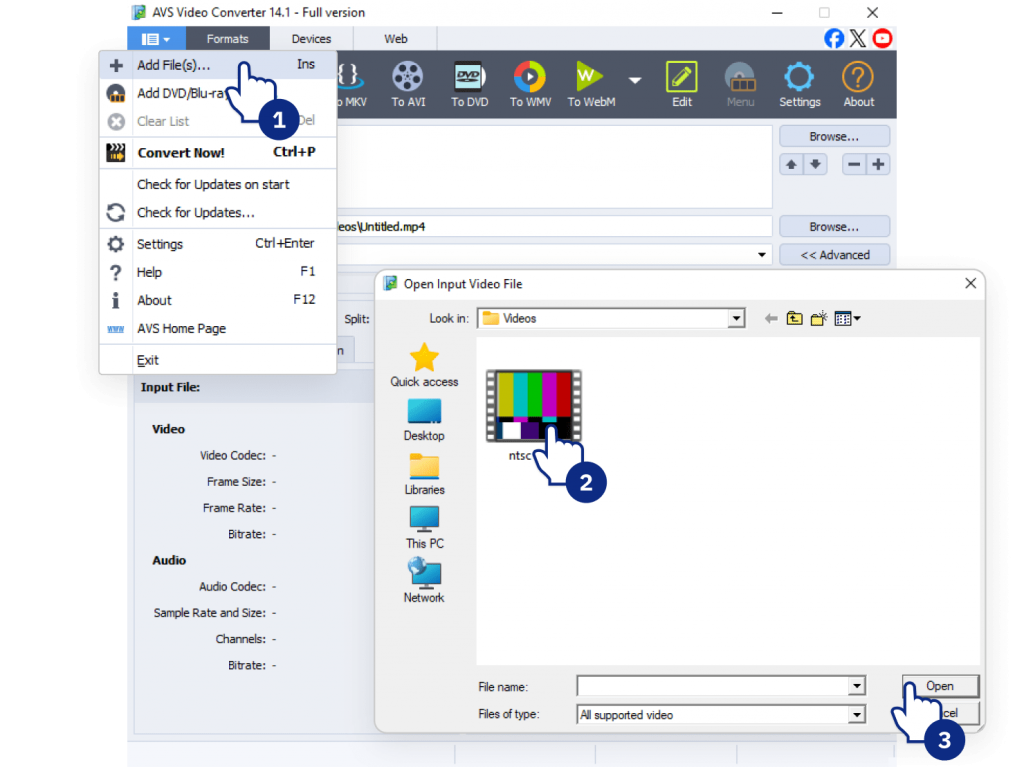
Launch the program and click the “Add Video” button (or drag and drop your file) to import your NTSC video into the application.
3. Adjust settings
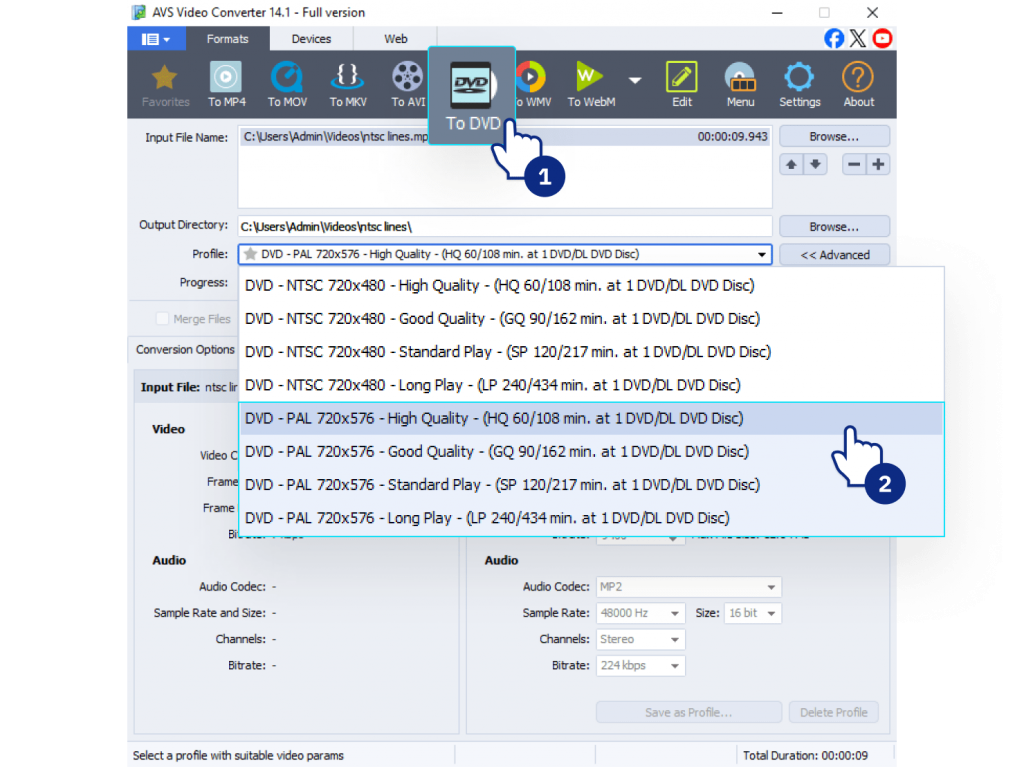
Choose DVD as a desired output format and select one of the PAL presets (e.g., “DVD PAL”, “DVD PAL MPEG2,” etc.) from the dropdown list. This ready-made preset automatically configures the correct frame rate (25 fps), resolution, and aspect ratio for you.
4. Convert video
Choose an output folder for your converted file and click “Convert Now!” button. AVS Video Converter will automatically handle the change in frame rate (from 29.97 fps to 25 fps) and resolution.
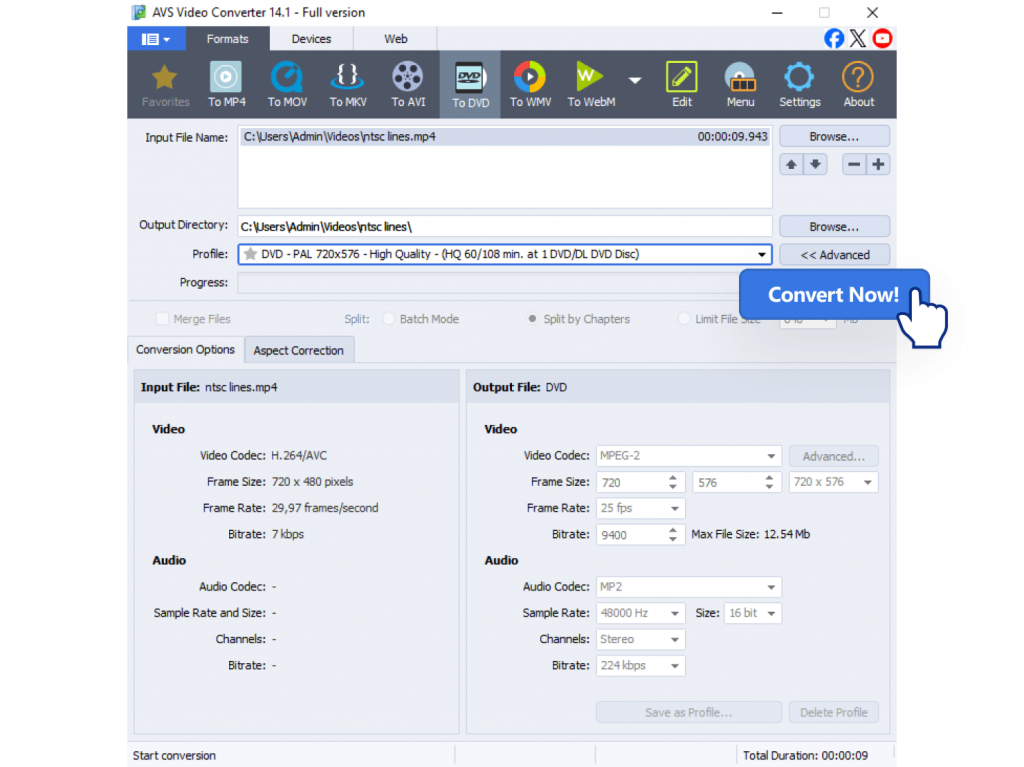
And you’re done! Your new video will be converted to the PAL standard, ready for use on any compatible device or for distribution in PAL regions.
NTSC vs PAL: Best practices for video creators
If you’re working with international audiences or digitizing archival footage, keep these tips in mind:
- Choose the right format
Match your target region’s system (PAL for Europe, NTSC for North America).
- Test playback
Check your video on the devices or players your audience will use.
- Future-proof your content
When possible, use modern HD or 4K formats, but respect legacy standards for older archives.
The bottom line: PAL/NTSC conversion made simple
Although digital technology has mostly replaced analog television, the difference between NTSC and PAL continues to affect video editing, playback, and international distribution. It is crucial for digitizing VHS tapes, converting DVDs, or sharing content worldwide. Ignoring PAL/NTSC legacy can lead to playback issues, unsynchronized audio, and rejected content in professional workflows.
The solution is simple: let conversion software do the work. All modern video converters, including AVS Video Converter, can handle complex tasks such as converting 29.97 fps to 25 fps and adjusting resolution automatically. This allows you to focus on creative editing and storytelling rather than getting bogged down by analog-era specifications.
Ultimately, you can’t fully understand video history or fix problems with vintage footage without understanding NTSC and PAL. By mastering their differences, you achieve flawless playback for every project on any device, anywhere in the world.
Download and use AVS Video Converter to easily convert PAL to NTSC and vice versa.