



Introduction
Birthday videos have become a digital tradition. Instead of giving only physical gifts, people now create short, heartfelt videos that celebrate special moments, friendships, and milestones. They often combine personal photos, video clips, touching messages, and fun music, creating a unique keepsake that can be shared at parties or posted on social media.
The reason for their popularity is obvious. They feel personal, emotional, and sincere. However, creating such a personalized gift may be challenging and tiresome. It takes time and efforts to cut clips, adjust transitions, sync music, and make everything flow smoothly.
This is where artificial intelligence steps in. AI-powered video creation tools now automate many tasks, from editing and adding transitions to music selection, and even turning text into video content. With just a few clicks, you produce a stunning video gift without professional editing skills.
In this article, we’ll look at some of the best AI tools that make creating birthday videos simple and enjoyable.
How AI helps with birthday video creation
Traditional video editing can be intimidating, especially for people who have never worked with professional software. AI tools are built to solve that problem. They take care of the complex tasks behind the scenes when you focus entirely on creativity.
Here’s why AI-based video making programs stand out:
- Time-saving automation
Instant templates, auto-editing, and AI transitions speed up production.
- Personalization
From face recognition to auto-generated slideshows and voiceovers, AI allows to create tailored videos.
- Music intelligence
Many platforms suggest or automatically sync music to match the mood of your video.
- Accessibility for beginners
Even without editing knowledge, you can create professional-grade video content.
- Cross-platform flexibility
Plenty of tools are available online, on desktop, and mobile apps, so you are capable of crafting videos anywhere.
With these benefits, AI video makers are becoming the go-to option for quick yet meaningful birthday surprises.
Top AI tools for automating birthday videos
Have a look at our selection of AI-powered platforms that excel in their ease of use, intelligent features, and suitability for creating memorable birthday videos.
1. Magisto (Online & mobile)
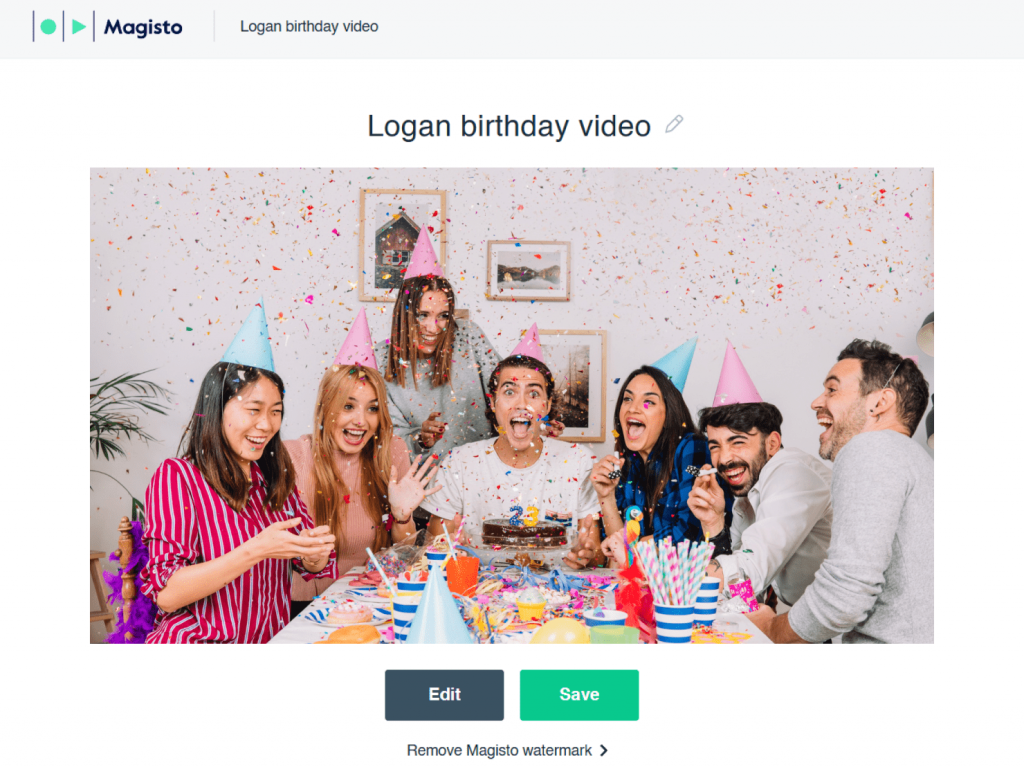
Magisto has long been a popular choice for casual video creators. It highlights storytelling above all. Just upload your clips and photos, pick a theme, and choose background music. The AI then creates a video that matches the emotional tone you want.
Key features:
- Automatic editing with transitions and effects.
- AI-powered video styles for different moods (fun, emotional, cinematic).
- Music library with smart syncing.
Ease of use
Extremely beginner-friendly — just a few steps from upload to final result.
Pricing: Free basic plan; premium subscriptions for advanced features.
Best for: Users who want a fast, emotional video without fussing over details.
2. Pictory (Online)
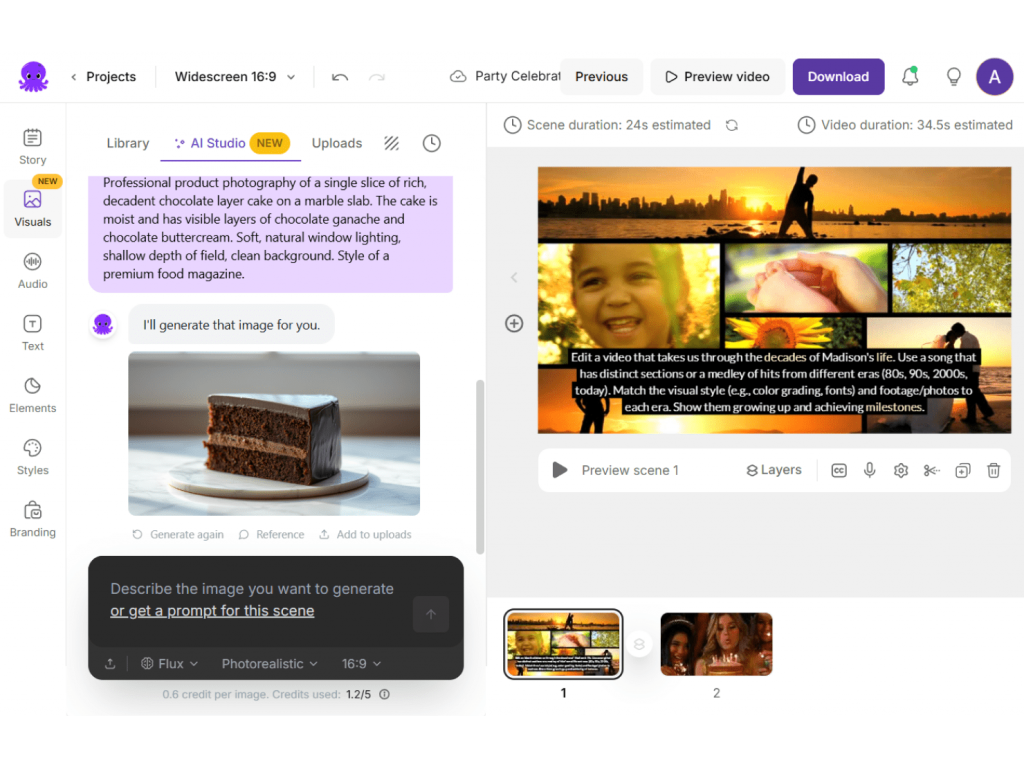
Pictory takes a different approach from most AI editors. The platform is dedicated to and optimized for creating video content from text, rather than just editing photos and clips. Its text-to-video feature is worth trying if you want to add birthday wishes, captions, or funny anecdotes as part of the video. The AI automatically tailors text to visuals and music.
Key features:
- AI-powered text-to-video generation.
- Smart summarization for long clips (turns them into short highlights).
- A large library of stock visuals and music.
Ease of use: Best for storytellers who need to combine text with visuals.
Pricing: Free trial; paid plans with more customization.
Best for: Adding written messages and narration to birthday videos.
3. Animoto (Online)
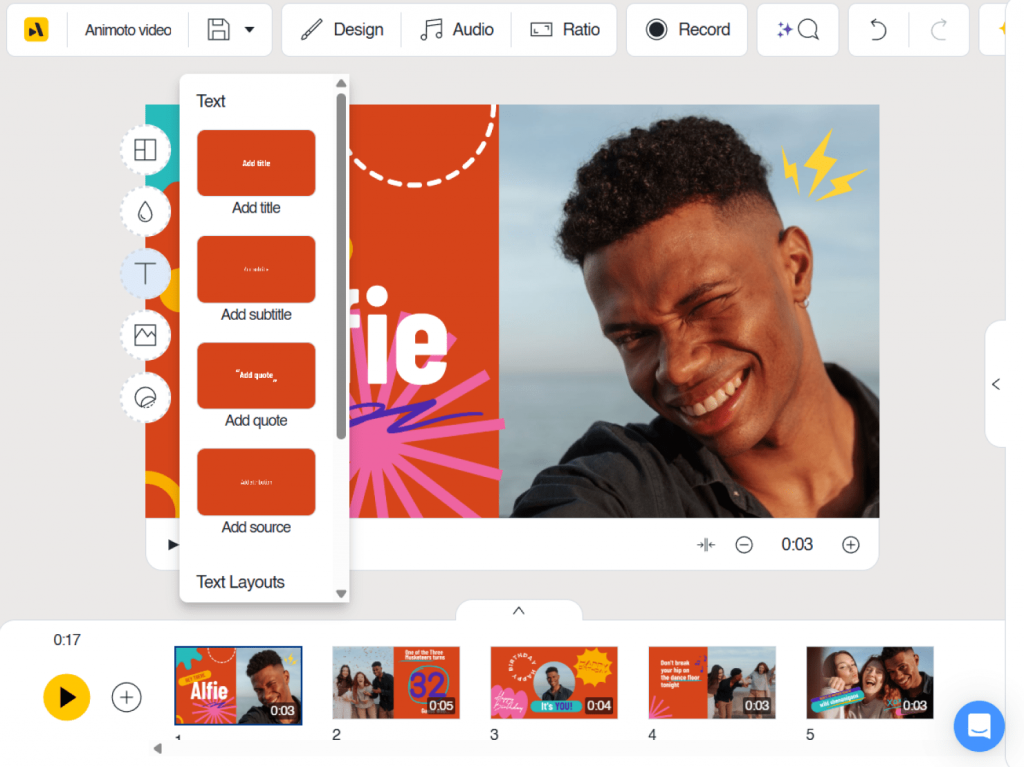
Animoto has built its reputation on template-based editing. It is a great option for users who want to achieve flawless results with minimal effort. There is a vast collection of ready-to-use templates, many designed specifically for celebrations including birthdays.
Key features:
- A drag-and-drop editor with guided workflows.
- Automatic music syncing and pacing.
- A rich library of themed templates.
Ease of use: Extremely simple, especially for first-time creators.
Pricing: Free trial; subscription plans available.
Best for: Quick, stylish videos using pre-designed templates.
4. Runway (Desktop & online)
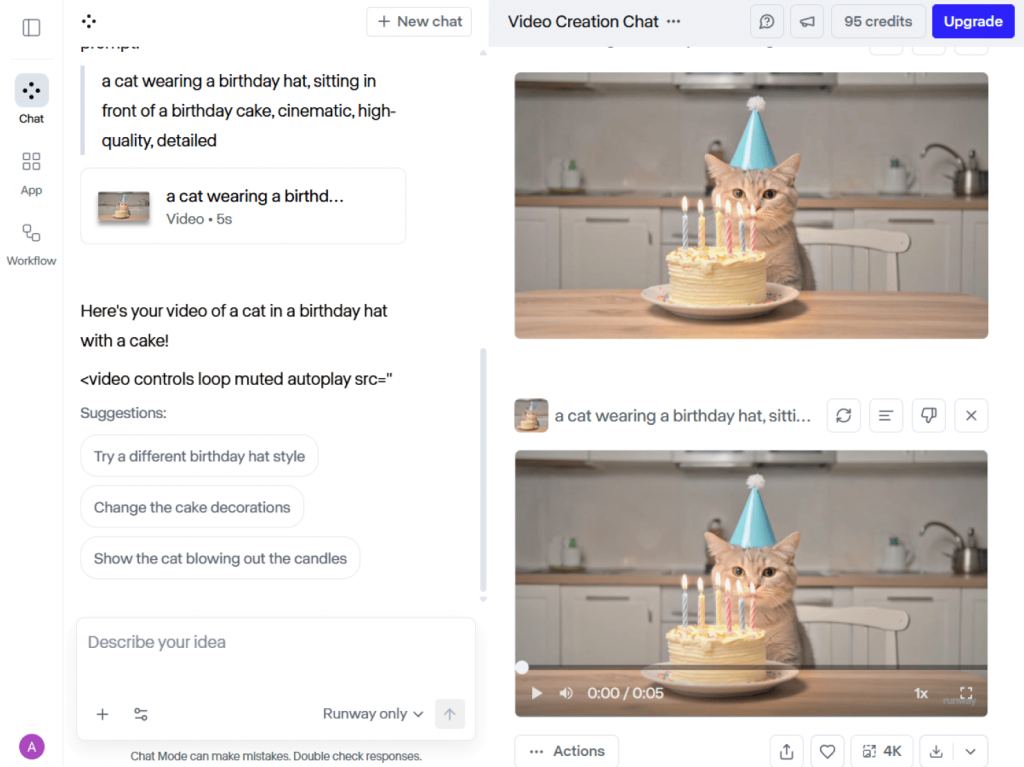
Runway is a more advanced software, best suited for users who aim to explore their creativity. It includes traditional editing tools with cutting-edge AI features. It’s not just an editor but a creative platform. Runway’s AI allows users to remove backgrounds, generate visuals, and automate tasks that usually require professional skill.
Key features:
- AI-powered background removal.
- Automatic masking and object tracking.
- Video editing automation with advanced controls.
Ease of use: More powerful than beginner solutions, but still accessible.
Pricing: Free tier; paid plans unlock advanced tools.
Best for: Creative users that make cinematic birthday videos with professional flair.
5. Kapwing AI Tools (Online)
Kapwing is known as a reliable platform for quick, shareable content. Its AI tools are particularly useful for making social media-friendly birthday videos. Kapwing’s AI tools specialize in adapting content for different platforms: Instagram, TikTok, YouTube, or Facebook.
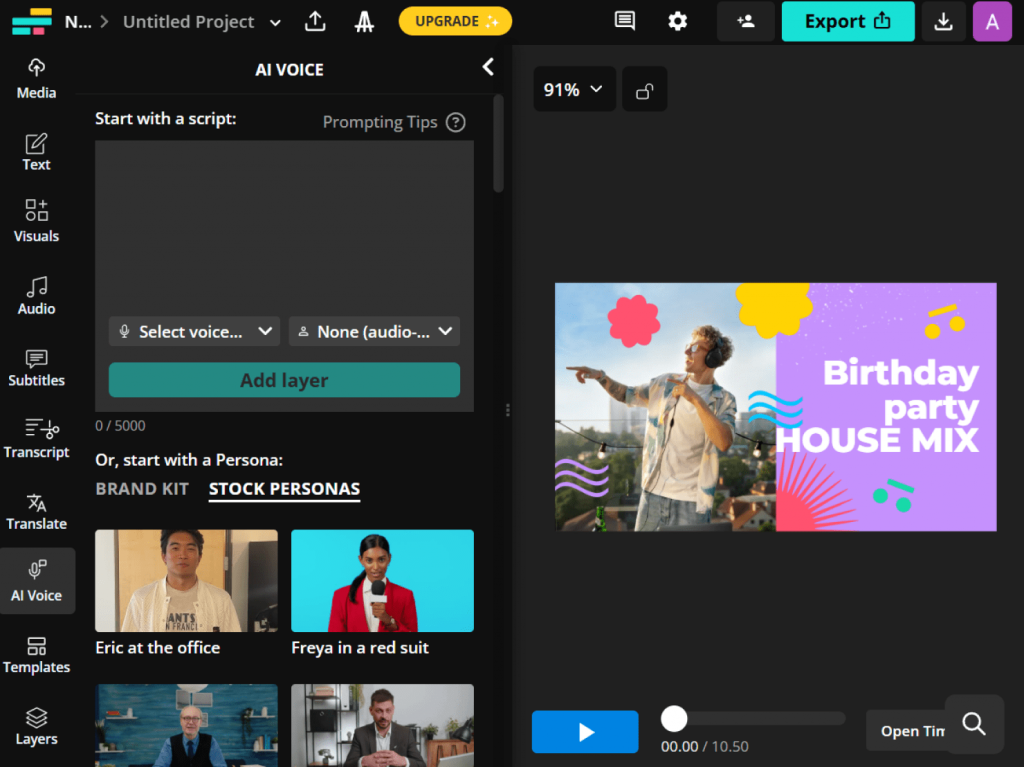
Key features:
- Auto-subtitles in multiple languages.
- Smart resizing for social media.
- Background noise removal and clean audio tools.
Ease of use: Simple drag-and-drop interface with AI automation.
Pricing: Free basic plan; premium subscription for full features.
Best for: Birthday videos intended for social media sharing.
6. Canva AI Video Maker (Online & Mobile)
Canva is already a household name in design, and its AI video maker extends that simplicity to video creation. Canva offers a huge variety of birthday-specific templates, stickers, and animations, all enhanced by AI support.
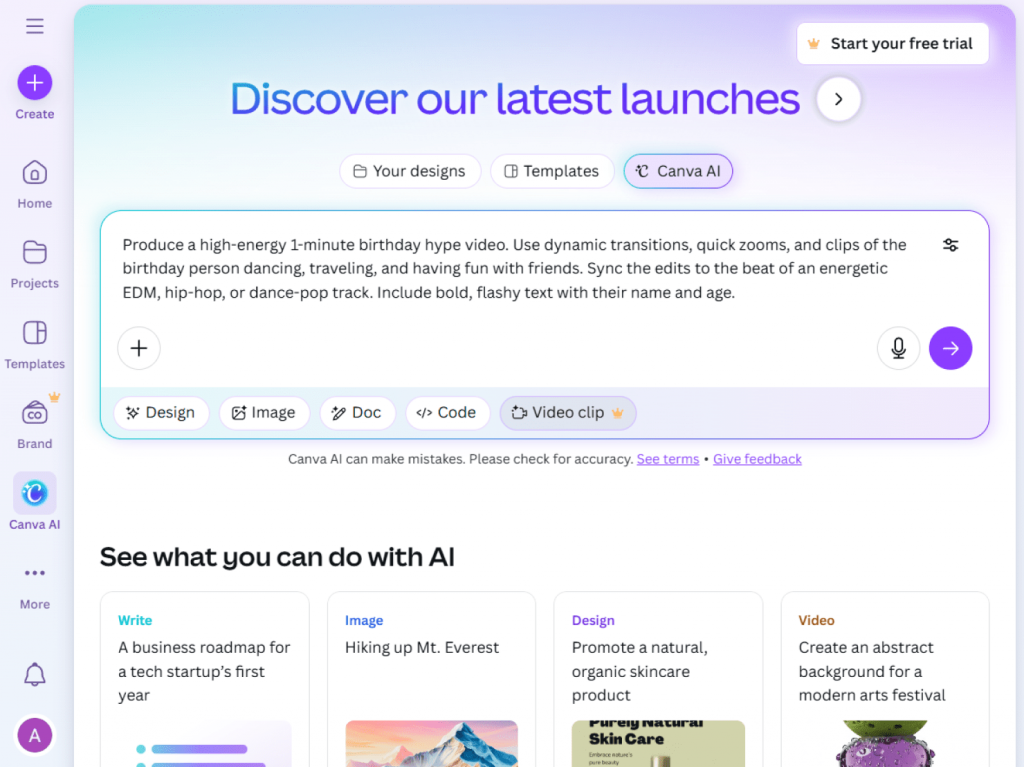
Key features:
- Celebration-themed templates with drag-and-drop editing.
- AI text generation for captions or messages.
- Easy integration of photos, stickers, and graphics.
Ease of use: Extremely user-friendly, a real find for beginners.
Pricing: Free and premium versions.
Best for: Visually creative, personalized videos with fun graphics.
7. Lumen5 (Mobile & online)
Lumen5 is designed for turning text into engaging video stories, but it also works well for crafting personal birthday videos. Its AI storytelling engine transforms scripts, captions, or even blog posts into short video content. It is the easiest way to give a friend’s story a personal makeover.
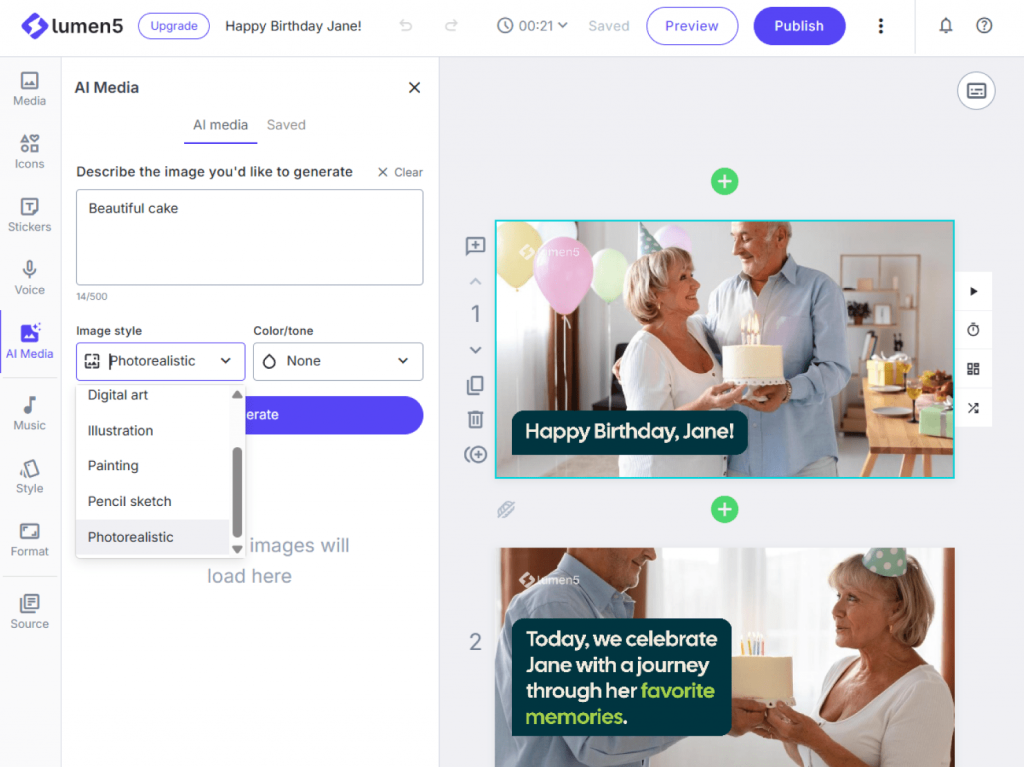
Key features:
- Text-to-video automation.
- Stock visuals and music suggestions.
- Storyboard-driven design.
Ease of use: Beginner-friendly thanks to its interactive guides.
Pricing: Free trial with paid upgrades.
Best for: Story-driven birthday videos with a personal touch.
Quick tips for making the best AI birthday video
Even the best AI tools shine brightest when combined with a little creativity. Here are some basic tips:
Tip 1. Choose personal photos and clips
Highlight cherished memories, not just random images.
Tip 2. Add captivating text
Quotes, wishes, or funny jokes transform a video into something special.
Tip 3. Pick music carefully
A cheerful track can lift the mood; a slower one makes it emotional.
Tip 4. Keep it short
1–3 minutes is enough for holding attention and impact.
Tip 5. Customize templates
Adding individual flair to ready-made designs gives your video a unique personality.
Wrap-up: Make birthday videos in minutes with AI magic
AI has completely changed the way we create birthday videos. What once took hours of editing can now be done in minutes, thanks to smart automation. Magisto and Animoto let you edit footage effortlessly, while Runway and Kapwing provide advanced creative capabilities. Meanwhile, Pictory and Lumen5 platforms permit you to turn text into powerful stories, and Canva makes design fun and accessible.
AI-powered birthday video makers help create something memorable even without editing experience, from a short, funny video for a friend to a heartfelt professional-grade montage for a family member.
So the next time you want to give a thoughtful, personalized gift, try one of these AI tools and let us know which one you think is the best.