



Every project starts with an idea that, with the right tools, can turn into a professional multimedia project. However, the journey from concept to final result can be rocky. You start with boundless inspiration, but soon face the realities of disorganized notes, messy drafts, and the technical problems of production. This often leads to “a creative block” where brilliant concepts get stuck in the planning phase, never to see the light of day.
So, how can you overcome these issues without a multitude of disconnected apps? What about using ONLYOFFICE and AVS4YOU software together? The two platforms perfectly complement each other: ONLYOFFICE helps organize ideas, write scripts, and plan projects, while AVS4YOU transforms those plans into high-quality videos, podcasts, and slideshows. Together, they transform ideas into stunning projects easier and faster than ever before. This article will offer you some real use cases how to combine the apps efficiently and implement them in your workflow.
1. Brainstorming and planning with ONLYOFFICE Editors
Every project starts with planning. You need to shape your idea, define your message, calculate costs, and define the end goal. ONLYOFFICE provides all the tools to do that in one place.
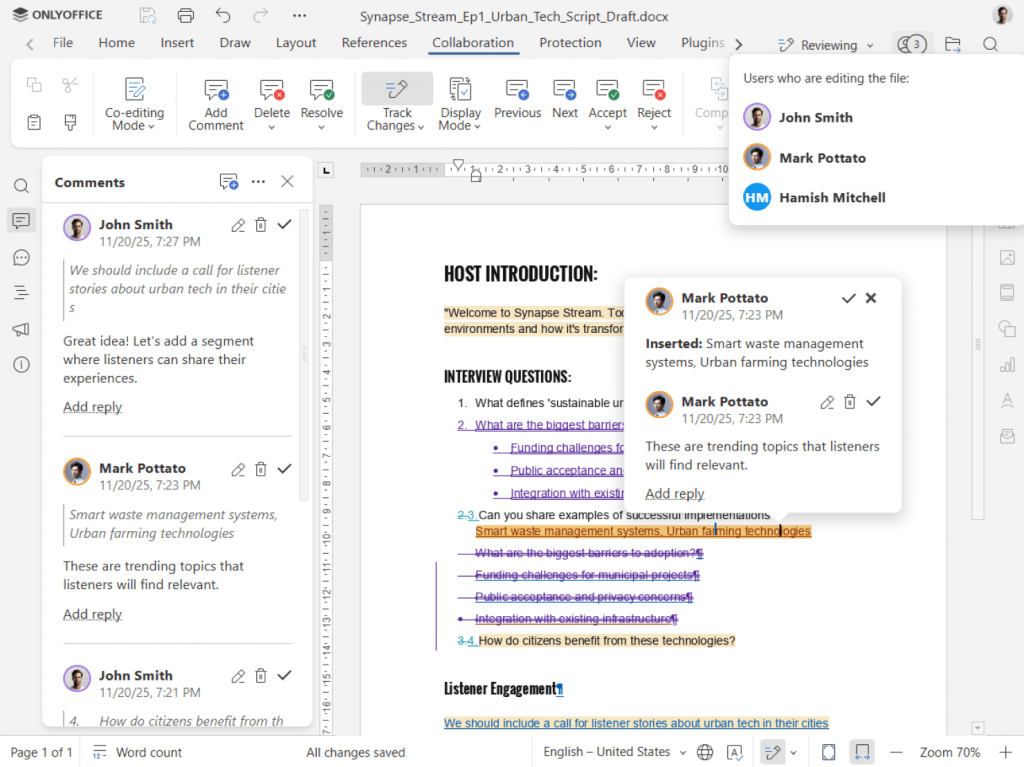
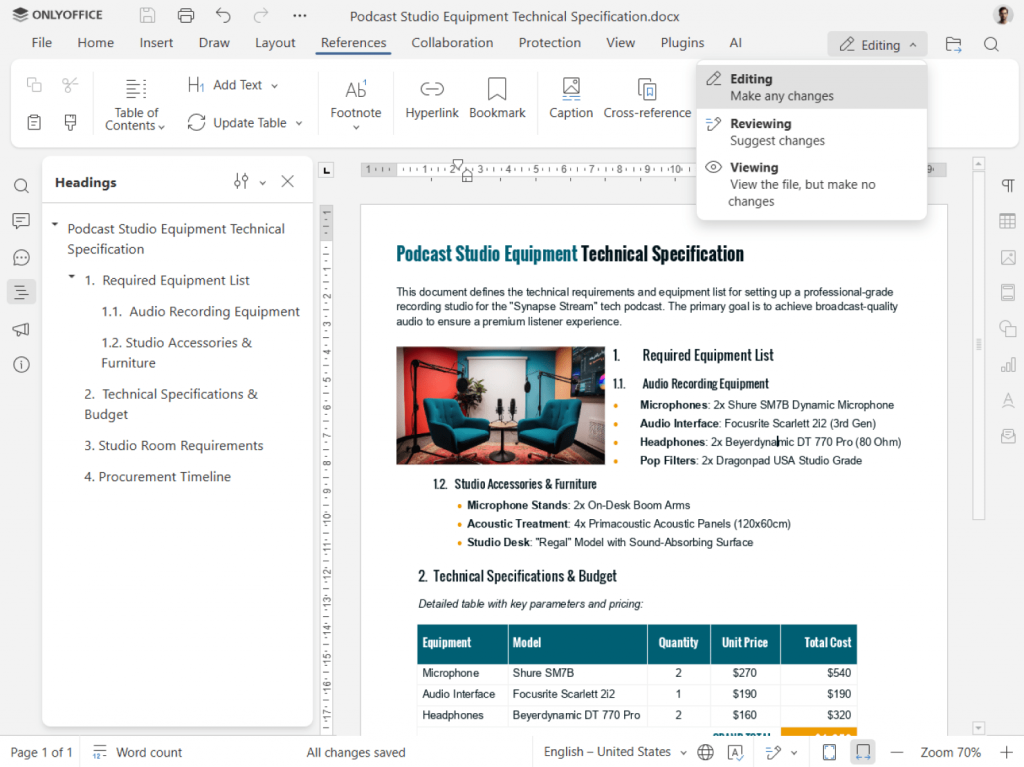
With ONLYOFFICE Docs, you can:
- Brainstorm ideas in real time with the Document Editor, creating outlines, drafts, and scripts.
- Manage production details using Spreadsheets for scheduling, budgeting, or content calendars.
- Design visual storyboards or slide decks in Presentations to visualize project flow.
- Collaborate seamlessly with teammates by co-editing documents, tracking changes, and leaving comments.*
- Use AI writing assistants to improve clarity, summarize research, or auto-generate initial drafts.
*For working collaboratively on documents with your team, you have to connect ONLYOFFICE Desktop Editors to your favourite cloud (Nextcloud, ownCloud, Liferay, Moodle, Seafile) or create a free account of ONLYOFFICE DocSpace.
Imagine you’re working on a YouTube series or a brand explainer video. In ONLYOFFICE, your team can draft the script, share ideas in comments, plan the shot list, and create the voiceover text. Every update appears instantly, so everyone stays on the same page without endless file exchanges.
ONLYOFFICE is more than just a document editor. It is a creative document hub that streamlines your workflow effectively. Its collaborative features improve communication between team members and save significant time in developing and executing actionable work plans.
Example planning workflow in ONLYOFFICE:
- Brainstorm ideas and save them in a shared document.
- Create a script using AI writing assistants for improving structure and tone, checking spelling, and correcting grammar mistakes.
- Make a list of all key dates and deadlines in a spreadsheet.
- Develop presentation slides for storyboarding or pitching.
By the end of this stage in ONLYOFFICE, you would have a detailed roadmap ready for production.
2. Create studio-quality audio/video content with AVS4YOU
Once the planning is done, it’s time to move from concept to creation. That’s when AVS4YOU steps in. It empowers users to make educational videos, corporate promos, tutorials, or podcasts with ease.
Here’s what you can do with it:
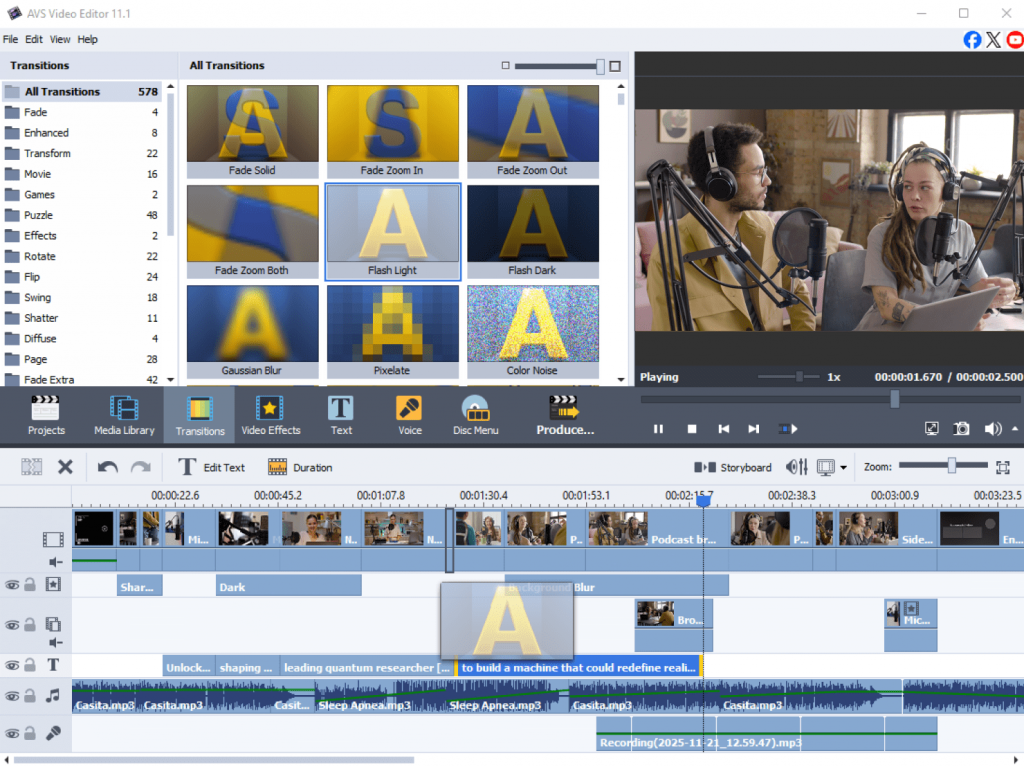
- AVS Video Editor: Cut, trim, and enhance footage. Capture on-screen activity in high resolution for demos, software tutorials, and training videos. Add transitions, text overlays, color corrections, and stylish effects.
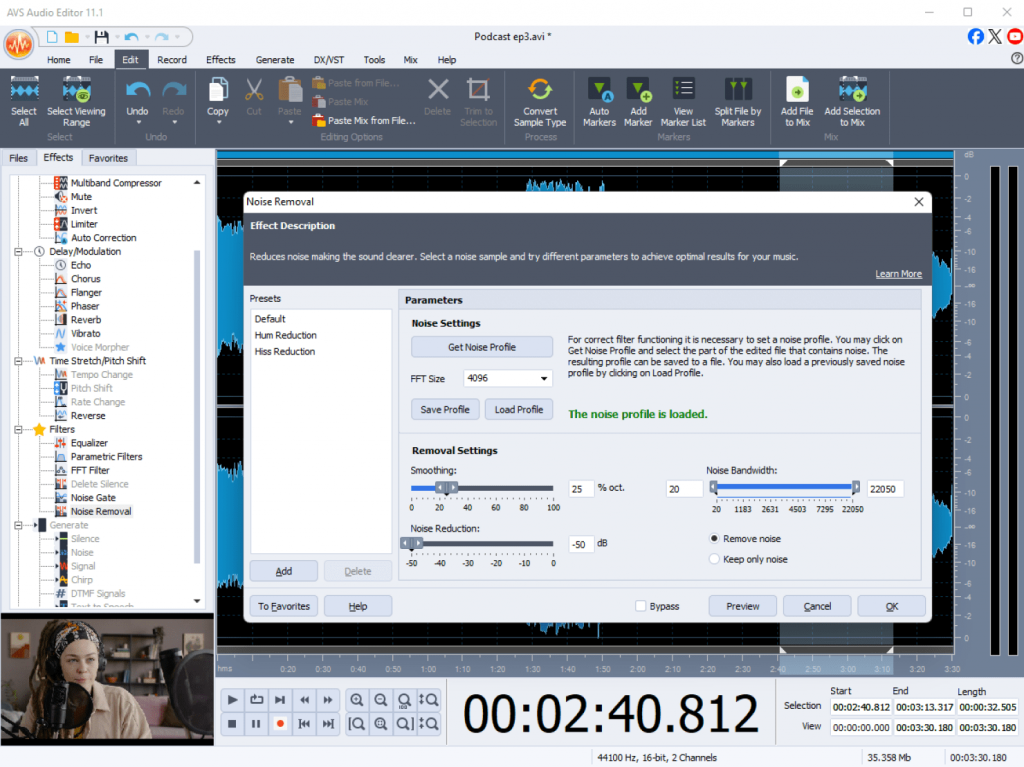
- AVS Audio Editor: Improve audio quality, remove background noise, and balance sound levels, create audio mixes and record audio from various inputs.
- AVS Video Converter: Export your projects in any popular format and resolution for web, mobile, or TV.
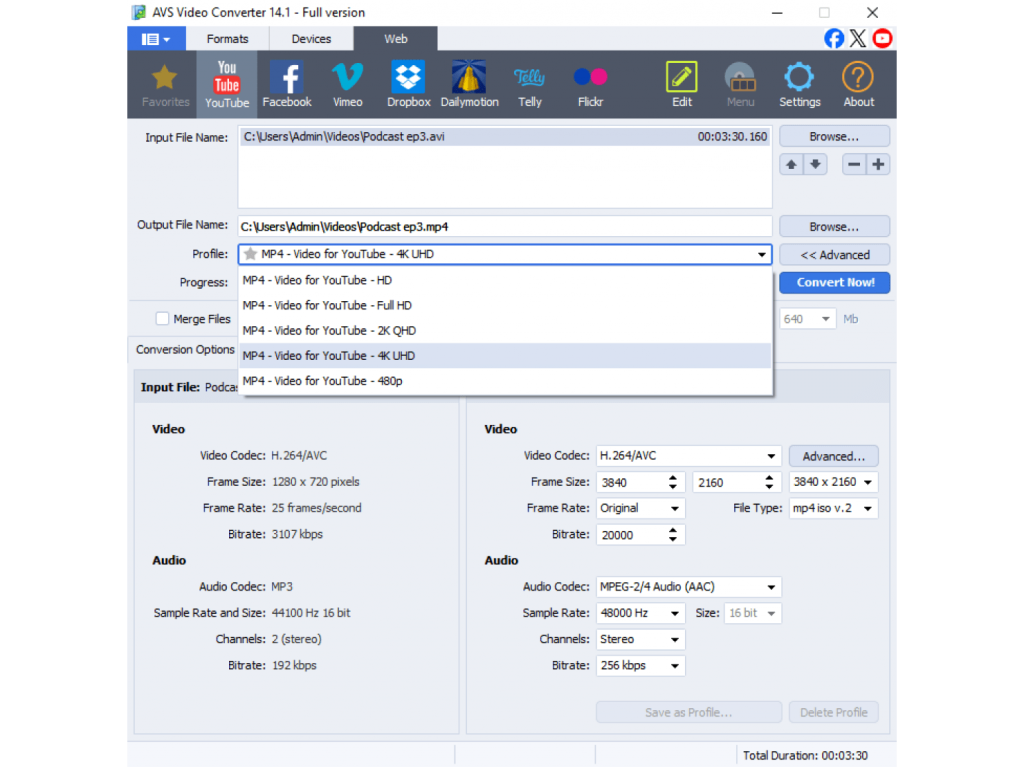
AVS4YOU is built for creators who want to achieve professional results without a studio or advanced editing skills. The interface is intuitive, the workflow is fast, and the output looks impressive.
Real-world scenarios
- YouTuber: Plan a video script in ONLYOFFICE, then use AVS Video Editor to capture footage and edit it, and improve sound in AVS Audio Editor.
- Podcaster: Write the episode outline and voiceover script in ONLYOFFICE, record audio, then use AVS Audio Editor to polish the sound and mix in background music.
- Marketing team: Build a campaign plan in ONLYOFFICE, film promotional clips, and merge everything into a cohesive brand video using AVS Video Editor.
AVS4YOU suite stands out for its wide format compatibility and professional output quality. You can produce videos for YouTube, Instagram, or corporate presentations hassle-free without large investments in equipment and software. Freelancers, educators, marketers love AVS4YOU programs for their versatility and simplicity.
3. See it in action: From doc to final cut
Let’s look at a complete workflow example.
A small design agency wants to create a tutorial on “How to Present Visual Ideas to Clients.” They start in ONLYOFFICE:
- The copywriter drafts the script in a shared document.
- The designer adds storyboards as embedded images.
- The manager uses spreadsheets to track filming dates and asset deadlines.
Once everything is approved, the team switches to AVS4YOU suite. They record the tutorial, combine clips in AVS Video Editor, and refine audio recordings with AVS Audio Editor.
After adding final touches such as transitions, subtitles, and a music track, they export the project in HD and upload it on YouTube and social media.
What started as a rough concept on paper now looks as a smooth video project, fully aligned with the team’s vision. The process was faster, communication clearer, and the final result more professional, all thanks to the smart use of ONLYOFFICE and AVS4YOU tools.
4. Why this combination works
ONLYOFFICE and AVS4YOU applications complement each other allowing you to turn ideas into stylish videos. This software combination helps you save time, increase productivity, and achieve high-quality results effortlessly.
By combining them, you unlock key advantages:
- Seamless transition: Move effortlessly from writing and planning in ONLYOFFICE to editing and producing in AVS4YOU.
- Unlocked creativity: Minimize technical distractions and concentrate on what matters, focus your energy on storytelling and creative impact.
- Professional polish: Leverage the strengths of both suites to produce captivating content for your audiences.
Wrapping up
Creativity thrives when ideas flow freely from concept to completion. ONLYOFFICE offers you smart AI-driven tools for shaping ideas, document editing, and collaboration, better communication between team members. AVS4YOU empowers you to create professional-grade audio files and videos bringing your ideas to life.
Together, they facilitate content creation so that every creator, marketer, or educator can craft engaging content regardless of their technical background.
Start your next multimedia project today:
- Plan and write with ONLYOFFICE
- Edit and produce with AVS4YOU Multimedia Suite
Create with confidence, boost productivity, and let your work speak for itself.