


What is noise removal software?
Even small, unnoticed sounds during recording can affect sound quality and ruin your audio making it sound unprofessional. For podcasters, streamers, and audiophiles, noise removal software is essential. It eliminates unwanted sounds, delivering cleaner, more polished audio. Often, there isn’t a dedicated noise removal tool; instead, many audio editors include built-in features to reduce background noise with just a few clicks.
Although these apps promise quick and easy cleanup, choosing the right one can be challenging. The ideal software should combine:
- High-quality output: delivering crisp, professional sound.
- Ease of use: offering an intuitive interface for smooth editing.
- Affordability: reasonably priced without compromising key features.
- Gentle learning curve: accessible for beginners yet powerful for experienced users.
At the same time, it should offer advanced capabilities for diverse audio tasks and creative flexibility.
Let’s explore the pros, cons, and key differences to help you make the right decision.
Top free noise removal tools
Free tools can be surprisingly powerful, especially for beginners or anyone who only needs them occasionally for specific projects. Here are some of the most popular options to remove noise from audio, either online or on your desktop.
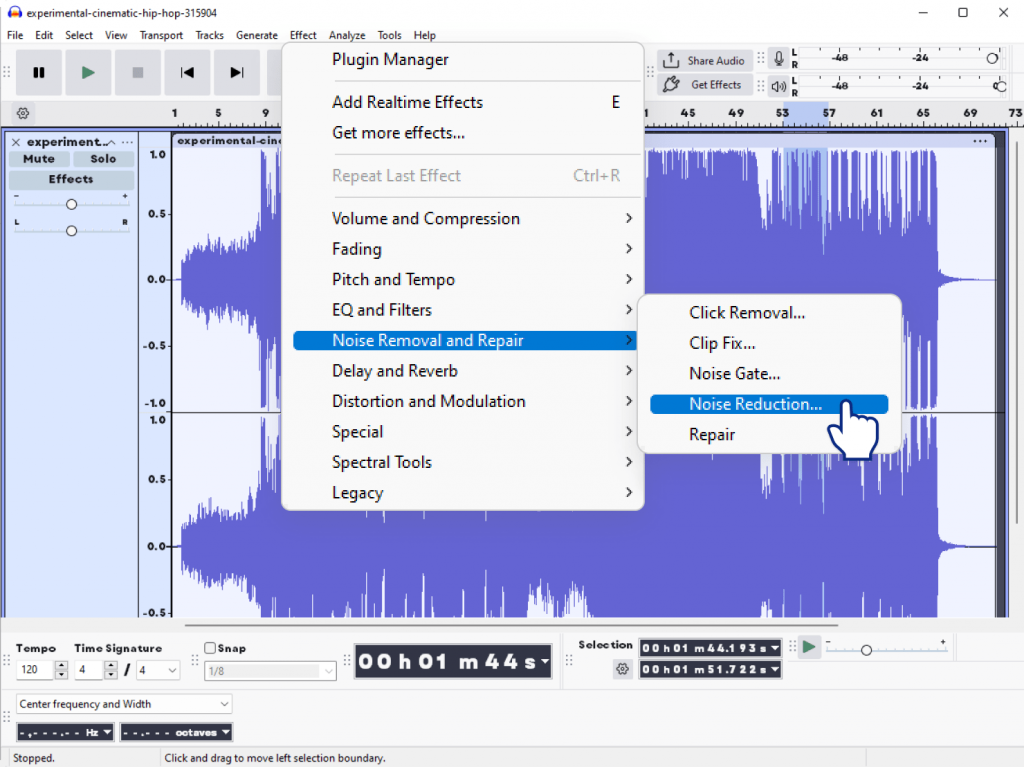
1. Audacity
Audacity is a free, open-source audio editing and noise removal software. It is popular among novices and enthusiasts, and supports multi-track editing and a wide range of audio effects.
Pros:
- Completely free
- Cross-platform (Win/Mac/Linux)
- Built-in noise reduction effect
- Supports VST & AU plugins
- No watermarks
Cons:
- Outdated interface
- Steeper learning curve
- Limited real-time preview
2. Ocenaudio
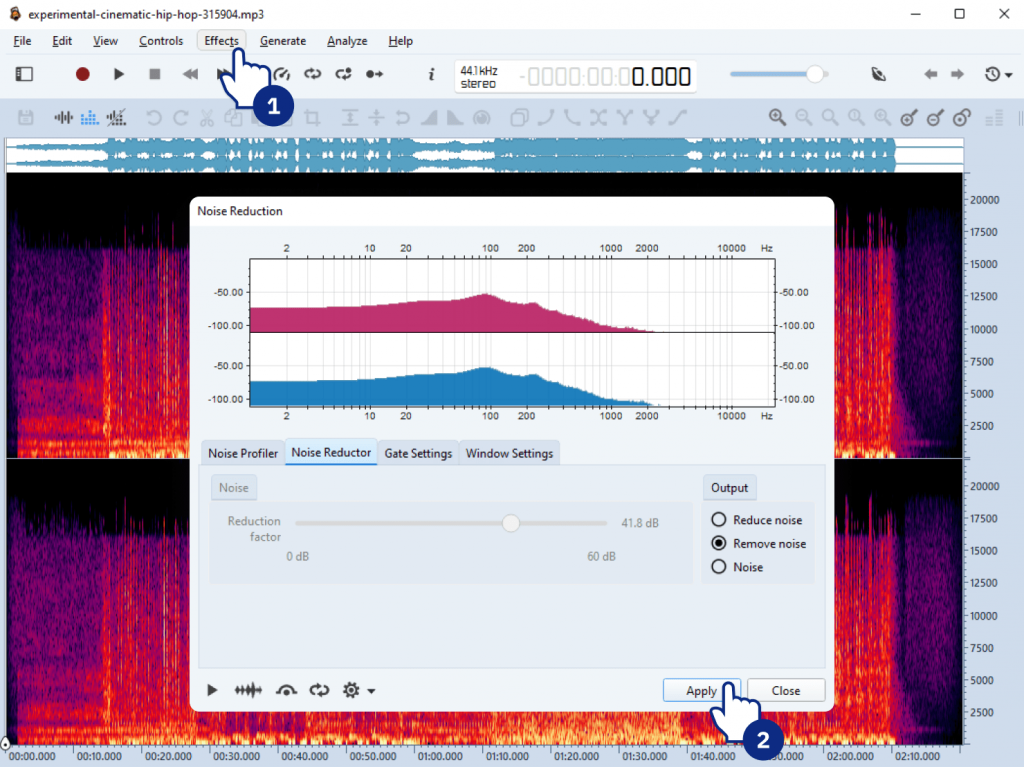
Ocenaudio is a fast, intuitive, and cross-platform audio editor designed for both newbies and professionals. With real-time previews, powerful editing tools, and support for VST plugins, it makes audio cleanup, applying effects, and precise editing quick and effortless.
Pros:
- Modern, user-friendly interface
- Real-time preview of effects
- Lightweight
Cons:
- Fewer advanced effects
- Occasional stability issues
3. Adobe Podcast Enhancer (Free beta)
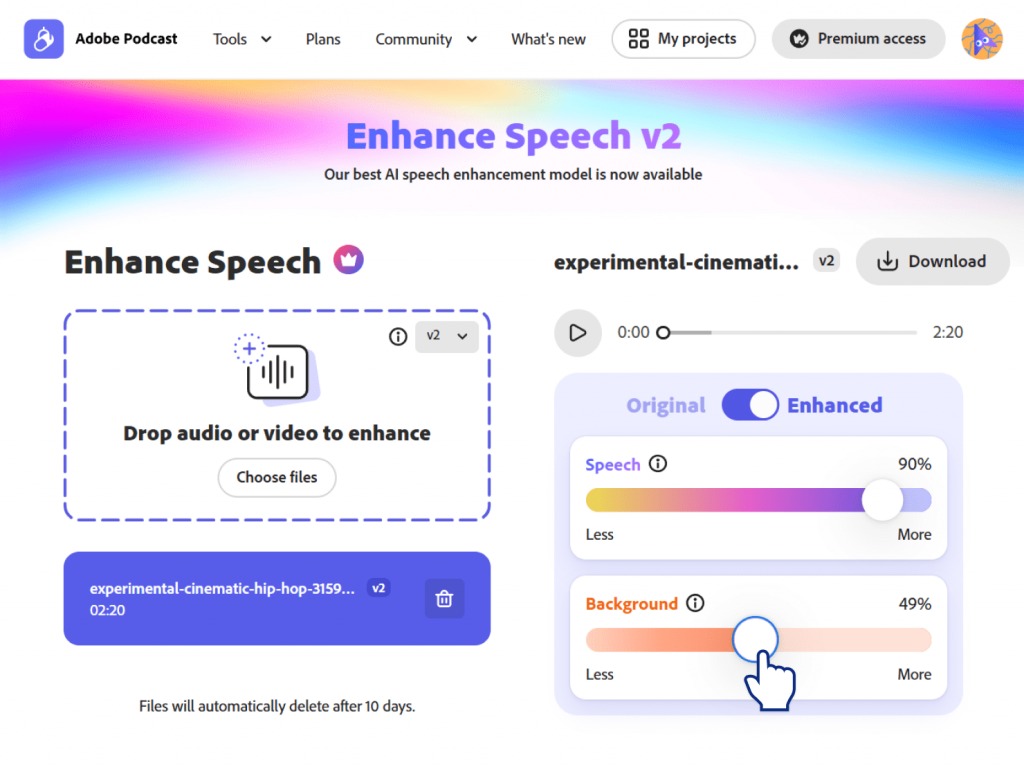
Adobe Podcast Enhancer is a web-based AI tool created to instantly enhance podcast recordings. Powered by Adobe’s AI, it improves voice clarity, reduces background noise, and balances levels automatically. No software install is required.
Pros:
- AI-powered, impressive automatic cleanup
- No installation required
Cons:
- Requires Adobe account
- Beta version: occasional errors
- Limited manual control
Please check the main differences including noise removal features between these audio editors in the table below:
| Tool | Ease of Use | Features | Output Quality | Noise Removal Features | Limitations |
| Audacity | Moderate | Medium | Good | Manual noise reduction effect; adjustable parameters | Older interface, manual setup |
| Ocenaudio | Easy | Basic | Good | Real-time preview of noise reduction; limited controls | Few advanced options |
| Adobe Podcast | Very easy | Low (auto only) | Very good (for voice) | AI-based automatic cleanup; no manual control | Limited control, beta version |
Best paid noise reduction software
Paid audio software is packed with plenty of advanced features thanks to which they deliver higher quality and better support. Therefore, they are perfect for regular or professional use.
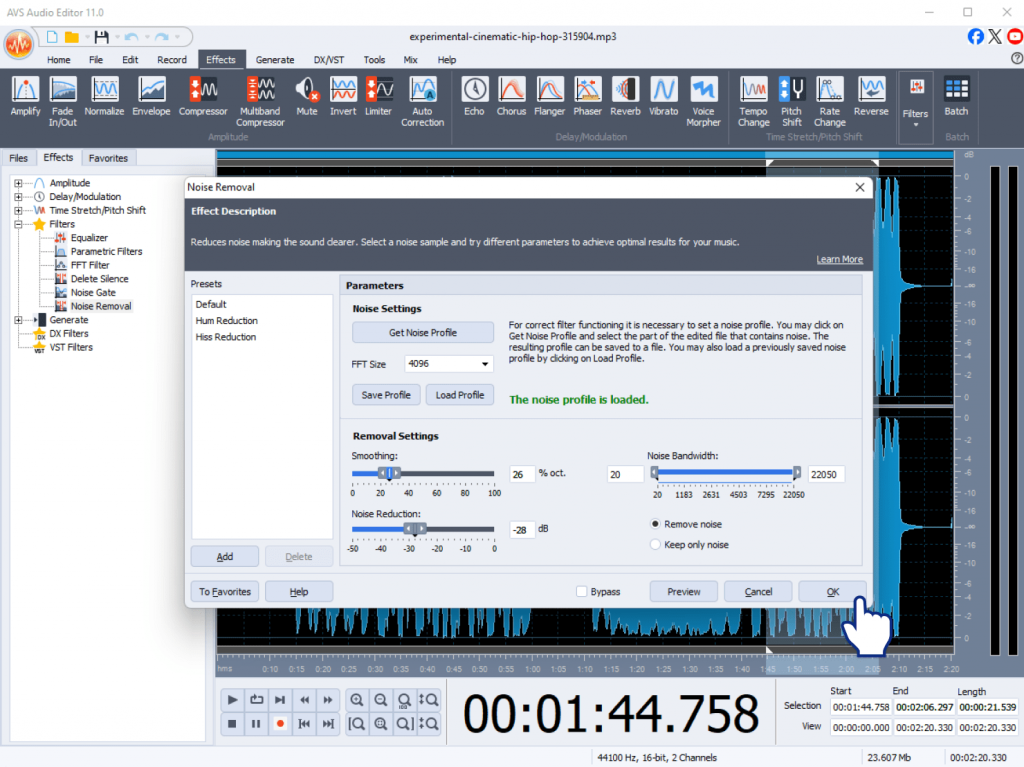
1. AVS Audio Editor
AVS Audio Editor is an easy-to-use yet powerful audio editing and noise removal software. It offers noise reduction presets, manual cleanup tools, batch processing, and plenty of advanced editing features.
- Noise reduction presets + manual control
- Batch processing
- Edit, trim, mix audio easily
- One-time payment (Unlimited subscription)
2. iZotope RX
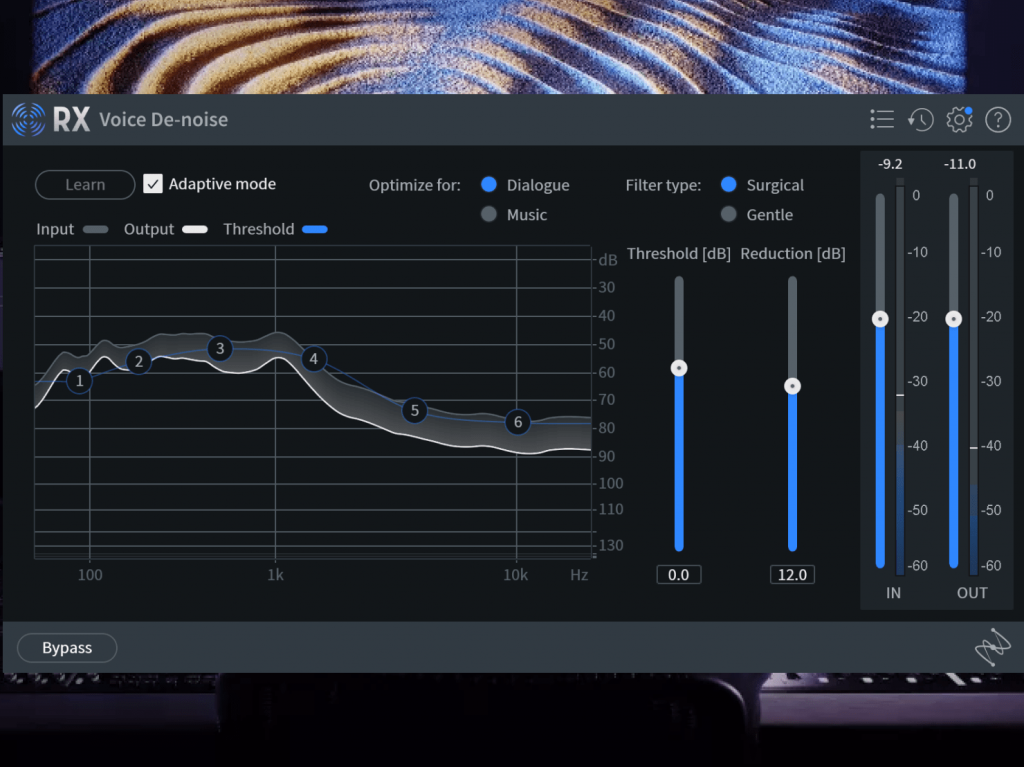
iZotope RX is a professional-grade audio restoration and noise reduction suite. It offers advanced tools such as spectral editing, AI-powered denoising, and precise repair features to clean even the most challenging recordings.
- AI-powered denoising
- Spectral editing
- Advanced tools for music and videos
- Premium cost, but unmatched quality
3. Adobe Audition
Adobe Audition is a professional audio workstation for recording, mixing, and restoring
audio, and is part of the Adobe Creative Cloud suite. It offers multi-track editing, advanced noise reduction tools, and seamless integration with other Adobe apps.
It is widely used by podcasters, video editors, and audio professionals.
- Multi-track editing
- Real-time noise reduction
- Seamless integration with other Adobe apps
- Subscription required

| Tool | AI Features | Batch Processing | Price Model | Best For |
| AVS Audio Editor | No | Yes | Subscription or one-time payment, affordable | YouTubers, podcasters, small studios |
| iZotope RX | Yes | Yes | One-time, high cost | Audio professionals, studios |
| Adobe Audition | Some | Yes | Subscription | Editors using Creative Cloud |
Free vs. paid audio denoisers: Key differences
We have compared free and paid audio editing software based on key criteria for effective noise removal.
Please see the results in the table below:
| Feature | Free Tools | Paid Tools |
| Noise removal quality | Good, basic | High, professional-grade |
| AI cleanup | Rare or basic | Often advanced, customizable |
| Batch processing | Rare | Common |
| Real-time preview | Limited or none | Usually available |
| Control over parameters | Basic sliders or presets | Detailed, multi-band, spectral controls |
| Adaptive noise profiling | Rare | Often included |
| Integration with workflow | Limited | Better integration with video, DAWs, etc. |
| Processing speed | Moderate, depends on tool | Often faster and optimized |
| Export options | Basic formats | All key audio formats & bitrates |
| Support and updates | Community only | Dedicated support & frequent updates |
| Ads & upsells | Sometimes | Usually ad-free |
| Learning curve | Can be steep | Often smoother UI and guides |
| Long-term value | Free, but limited features | Costly upfront, but higher quality and efficiency |
Free tools are perfect for quick fixes or small-scale projects. Compared to freeware, paid tools excel when you need consistent quality, advanced control, and efficiency.
How to choose the right audio denoiser
Selecting the ideal noise reduction software depends on your specific needs, budget, and technical expertise. Here are the key factors to consider before making your choice:
- Budget
Decide whether you’re ready to invest in paid software or prefer to start with a free option. Free audio apps can handle basic cleanup, but paid tools often produce higher audio quality, advanced features, and are updated regularly. - Skill level
If you’re new to audio editing, look for an app with intuitive controls, presets, and helpful guides. Advanced users might benefit from tools offering detailed parameter adjustments, multi-band noise reduction, or spectral editing. - Use case
For YouTubers & content creators
Prioritize batch processing, fast rendering, and automatic background noise removal.
For musicians & producers
Seek spectral editing, detailed EQ controls, and compatibility with DAWs.
For podcasters & voice actors
Use AI to clean up voices, remove clicks, and preview changes in real time
How to remove noise from audio in AVS Audio Editor
If you need an affordable yet feature-rich solution, AVS Audio Editor strikes a good balance offering:
- Batch processing for handling multiple files efficiently
- Essential noise reduction tools without overwhelming complexity
- User-friendly interface suitable for beginners and intermediate editors
Here’s a quick, practical guide on how to clean up background hiss, hum, or static using Noise Removal and Noise Gate, the built-in filters in AVS Audio Editor :
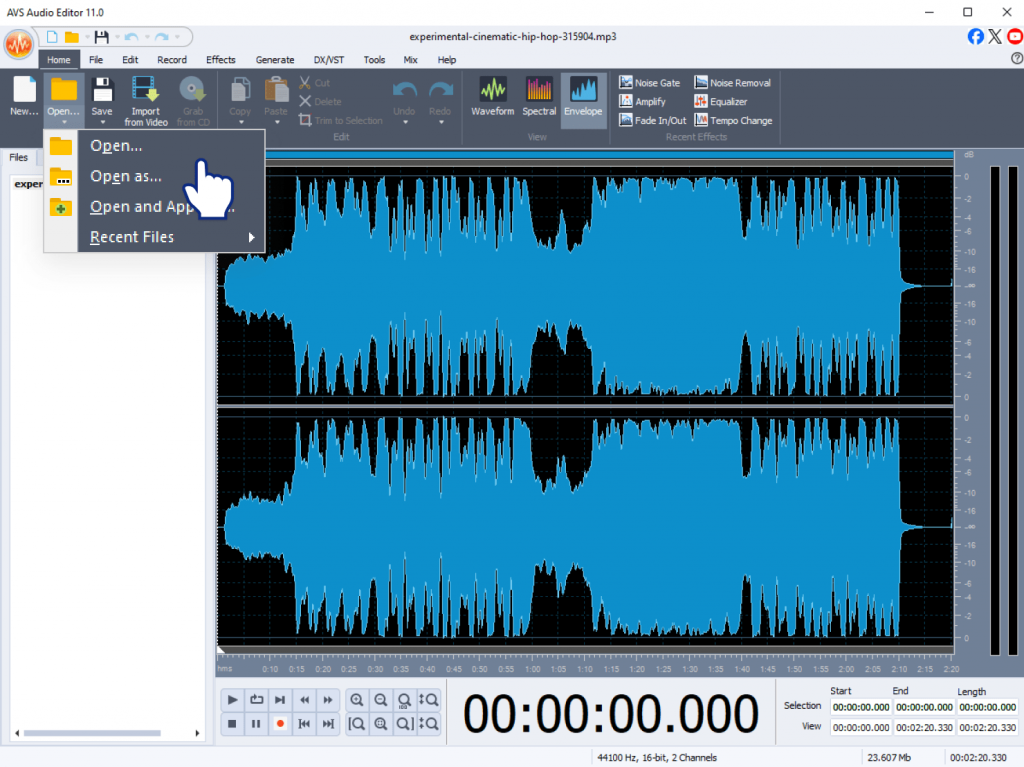
Step 1: Open your file
Launch AVS Audio Editor and open the audio file you want to polish.
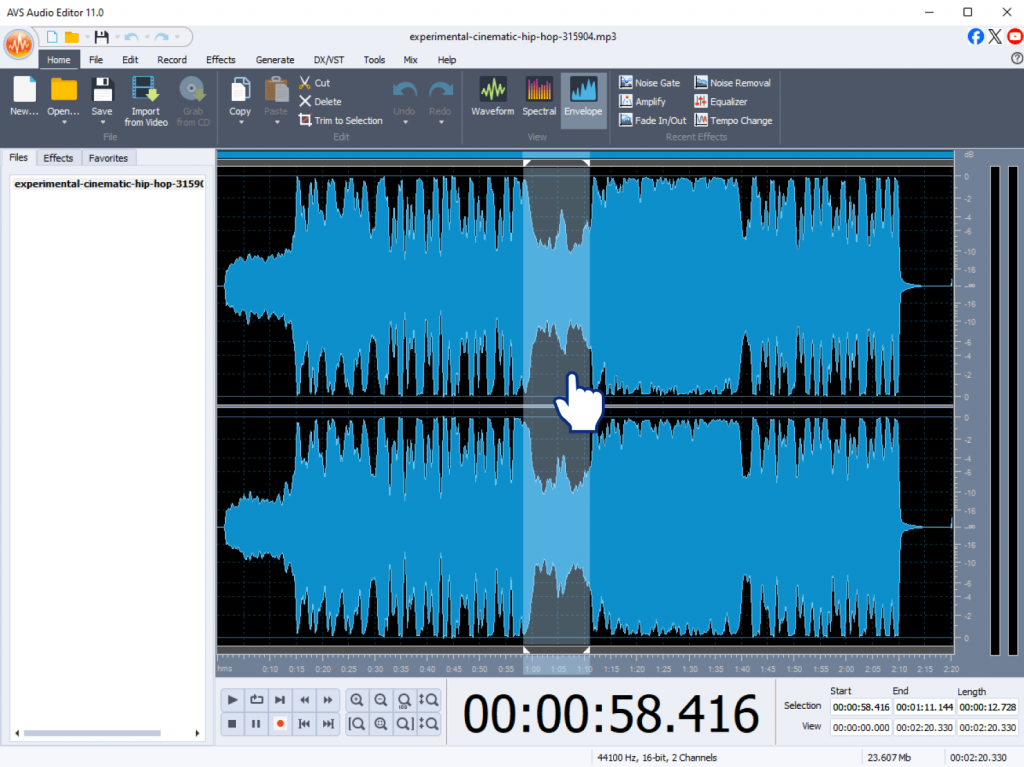
Step 2. Select the noisy part
If the noise is mostly in certain sections, highlight those parts with your mouse. To process the entire track, you can skip this step.
Step 3. Use Noise Removal
- Go to the Effects menu and choose Noise Removal.
- In the Noise Removal window, click Get Noise Profile and select a short fragment that contains only background noise.
- Adjust settings if needed to balance noise reduction with audio quality.
- Click Apply.

Step 4: Use Noise Gate (optional)
For additional cleanup, go to Effects and select Noise Gate.
- Set the Threshold: the level below which audio will be muted.
- Adjust Attack and Release to make the gating sound natural.
- Click Apply.
For a detailed explanation, please check our post dedicated to audio cleanup.
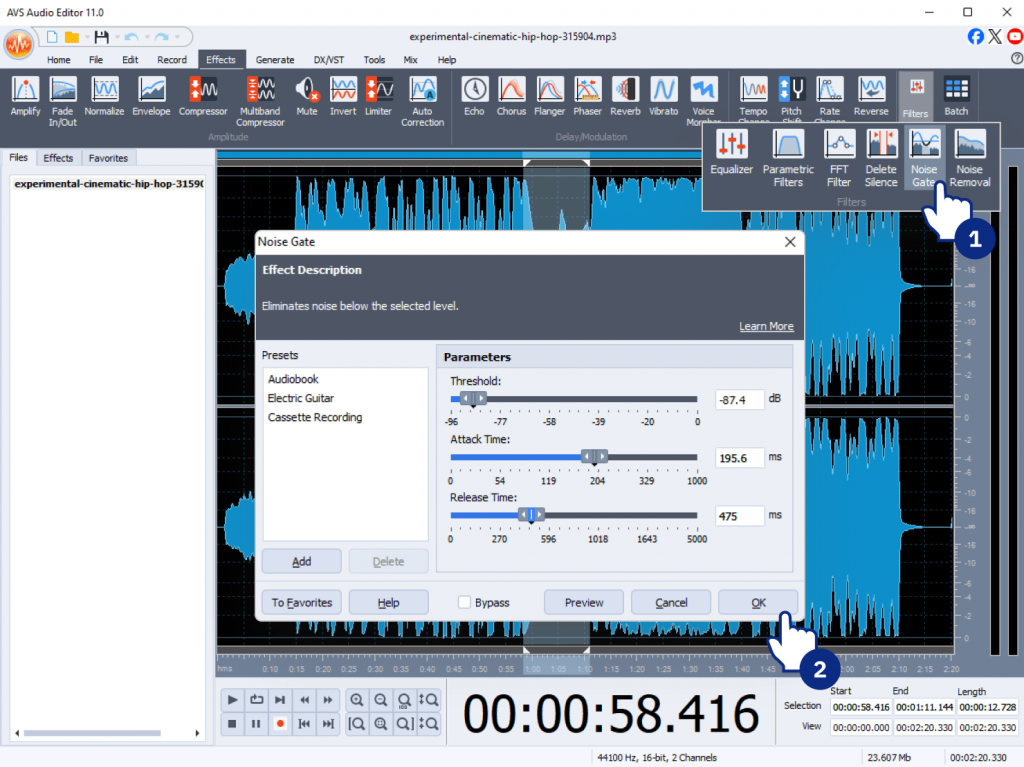
Step 5. Preview and refine your audio. Play back the edited audio. If some noise remains or the result sounds too harsh, undo the changes and try different settings.
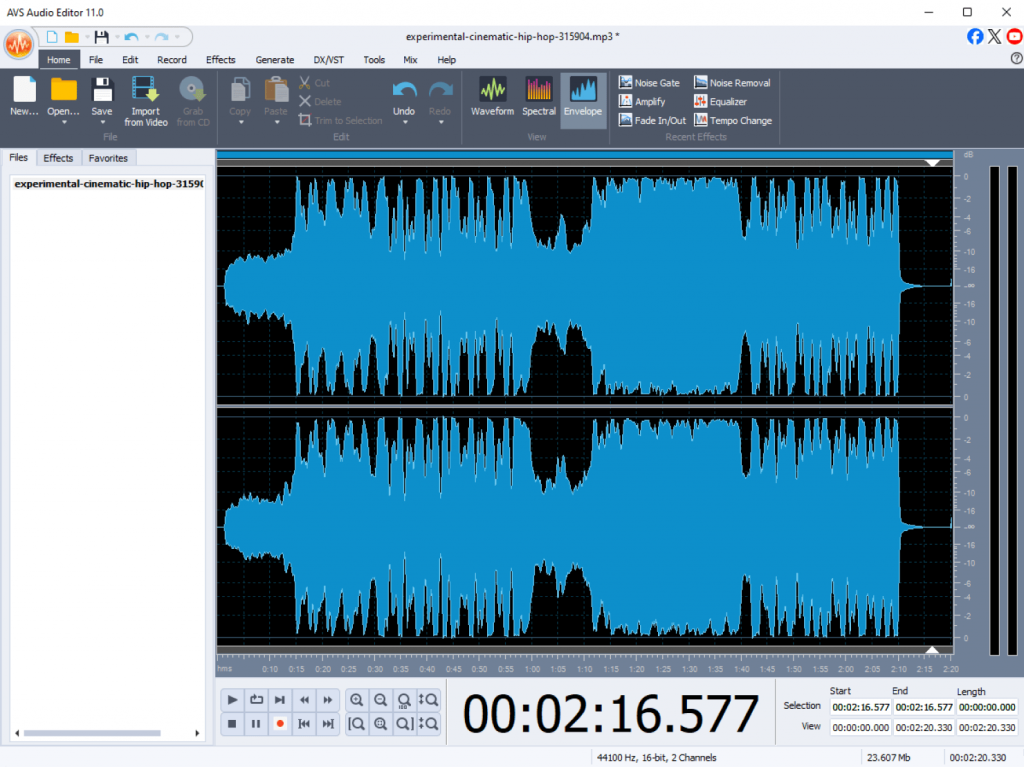
Download AVS Audio Editor to discover it is good value for money.
Still unsure? Explore free trials or freemium versions to test which tool fits your workflow best!
Conclusion
Noise removal software is essential to achieve crystal-clear sound in any type of audio recording. Free audio editors such as Audacity and Ocenaudio handle basic tasks well though they may lack advanced features and be tricky for novices to work with. In contrast, paid tools, for example, iZotope RX and Adobe Audition, stand out for pro-level results but can be a challenge and expensive for those who are on a tight budget. If you want something powerful yet affordable, AVS Audio Editor is worth trying.