


Introduction
In today’s digital world, audio is everywhere. Creators often need to join audio files, merge audio tracks, or combine audio files into one project for podcasts and online courses, social media content and professional music production. Maybe you’ve recorded a podcast interview in several parts, saved a music mix across multiple clips, or want to put together lecture recordings for easier listening. No matter the reason, the challenge remains the same. How to transform multiple files into a single track without losing quality or wasting time?
There are plenty of methods, from free online tools to professional audio editing software. Each comes with its own benefits and drawbacks. In this article, we’ll explore the most common approaches, assess their pros and cons, and recommend some tools you can try right away.
Popular methods to merge audio
When looking for how to combine audio files or how to merge audio tracks, you’ll find four main categories of tools. Let’s look at each in detail.
Online Audio Joiners
When you just need a quick fix, online audio joiners are the easiest option.
Recommended Tools:
- Clideo Audio Joiner – A versatile online platform with support for multiple formats and quick results.
- 123Apps Online Audio Joiner – An easy-to-use web-based editor with fade effects for smooth transitions.
- Audio Joiner by Kapwing – A flexible web app that allows you to trim and reorder clips before exporting.
How it works: Upload your audio clips, arrange them on the site’s timeline, and export one combined file.Thanks to their intuitive drag-and-drop feature, these tools are exceptionally beginner-friendly.
Pros:
- Quick and simple: No need to install software.
- Accessible: Work on Windows, macOS, or even Chromebooks.
- Beginner-friendly: Interfaces are usually very straightforward.
- Free versions available: Many online joiners are free of charge.
Cons:
- File size restrictions: Many platforms limit the size or number of files.
- Quality concerns: Audio may be compressed during processing.
- Privacy risks: Uploading recordings to third-party servers isn’t reliable for sensitive material.
- Internet-dependent: Performance depends heavily on the connection speed.
Best for: Casual users who need to join small MP3 files quickly without advanced editing.
Free ways to combine audio files on Windows and Mac
Creators working with sensitive material or large audio tracks will find more security and better performance with offline, open-source alternatives.
Recommended Tools:
- Windows Voice Recorder + Audacity – Windows users can record clips with Voice Recorder, then refine them in Audacity.
- GarageBand (macOS) – Free for Mac, with a clean interface for arranging audio and exporting projects.
- Audacity (Windows/macOS/Linux) – A free open-source audio editor that works on all platforms for editing and exporting audio.
How it works: Open your audio files, arrange them on the timeline, trim or adjust them as needed, apply effects if you like, and export the finished project in MP3, WAV, or another format. Desktop tools such as Voice Recorder or GarageBand work well for quick, simple edits, while Audacity lets you create more sophisticated projects with polished results.
Pros:
- Free to use: No extra cost for simple edits.
- No internet needed: Work completely offline.
- Accessible: Built-in tools are available to everyone.
Cons:
- Limited features: Native OS tools don’t offer fades, volume balancing, or mixing.
- Less precise: Editing is not as accurate as in professional software.
- Learning curve: Some free apps can be overwhelmingly complex for beginners.
Best for: Users who want a no-cost solution for occasional, basic file joining.
Join audio like a pro with professional editing software
For podcasters, musicians, and creators who prioritize sound quality and flexibility, professional audio editing software is the most powerful solution.
Recommended Tools:
- AVS Audio Editor (Windows) – A powerful audio editor with robust features for high-quality audio production.
- Adobe Audition (Windows/macOS) – A premium choice with advanced effects and noise reduction.
- Reaper (Windows/macOS/Linux) – An affordable professional-level editor with strong customization.
How it works: Import your audio files into the editor, arrange them on the timeline, use trimming and effects as needed, and export them as a single file. These programs offer advanced editing tools and professional-grade results.
Pros:
- High-quality output: No compression or loss of sound quality.
- Full editing control: Trim, cut, fade in/out, balance volume, and more.
- Wide format support: Work with MP3, WAV, FLAC, AAC, and many others.
- Professional features: Add effects, remove noise, and mix multiple tracks.
- Reliability: Process long recordings and large files smoothly.
Cons:
- Require installation: You need to download and install such programs.
- Learning curve: More tools mean more features to understand.
Best for: Podcasters, musicians, teachers, and marketers who want to create high-quality recordings with uncompromised flexibility.
Mobile apps
For people who work on the go, mobile apps provide a handy way to combine audio files directly on a smartphone.
Recommended Tools:
- WavePad (iOS/Android) – A robust yet lightweight mobile editor for comprehensive audio editing and joining on the go.
- Lexis Audio Editor (Android) – An efficient utility for performing simple trims, fades, and efficient file joining.
- GarageBand (iOS) – A versatile studio offering multi-track editing right on your iPhone or iPad.
How it works: Import recordings from your phone or cloud storage, place them on the app’s timeline, apply basic trims or fades if needed, and finally export a single, unified file.
Pros:
- Portable: Edit anywhere, anytime.
- Convenient for quick edits: Great for trimming clips or joining short recordings.
- Offline use: Many apps don’t need an internet connection.
Cons:
- Limited editing options: Mobile apps can’t match desktop software.
- Screen size limitations: Precise editing is harder on smaller displays.
- File compatibility issues: Some apps don’t support all audio formats.
Best for: Quick fixes and casual use when you don’t have access to a computer.
Comparison: Which method is the best for joining audio?
| Method | Best Tools to Try | Pros | Cons | Best For |
| Online Audio Joiners | Clideo, 123Apps, Kapwing | Quick, no installation, beginner-friendly | File size limits, internet required, privacy concerns | Casual users who need to join MP3 files fast |
| Built-In Tools / Free Software | Windows Voice Recorder, GarageBand, Audacity | Free, offline, accessible | Limited features, less precise, steep learning curve for some | Beginners who want a no-cost solution with basic edits |
| Professional Software | AVS Audio Editor, Adobe Audition, Reaper | High-quality, precise control, wide format support, advanced effects | Requires installation, takes time to learn | Podcasters, musicians, teachers, marketers who need flexibility & pro results |
| Mobile Apps | WavePad, Lexis Audio Editor, GarageBand (iOS) | Portable, convenient for quick edits, offline options | Limited editing, small screens, format issues | Quick edits on the go, social media content creators |
Step-by-step guide: How to join audio in AVS Audio Editor
AVS Audio Editor meets all needs of Windows users seeking an ideal blend of user-friendliness, high-quality output, and adaptable editing. Follow these simple steps below to learn how to join your audio files quickly.
1. Download & install
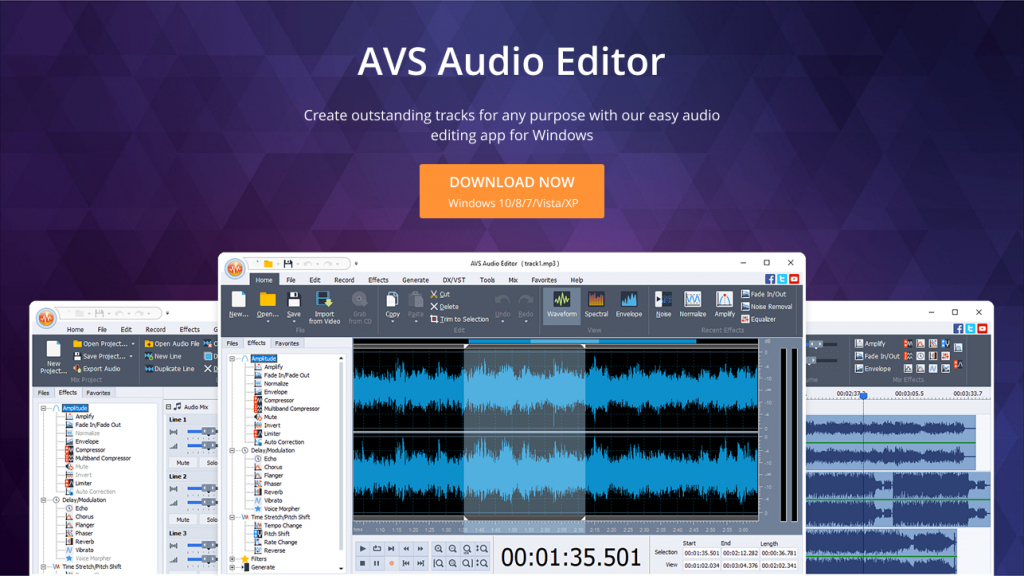
Get AVS Audio Editor from the official website and install it on your PC.
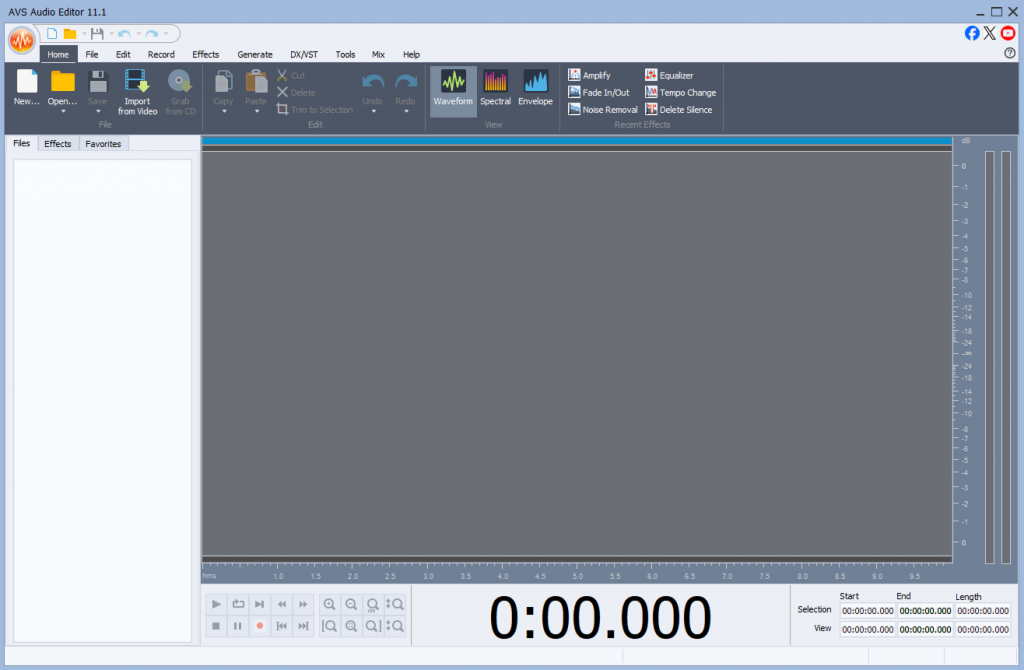
2. Open the program
Launch it and create a new project.
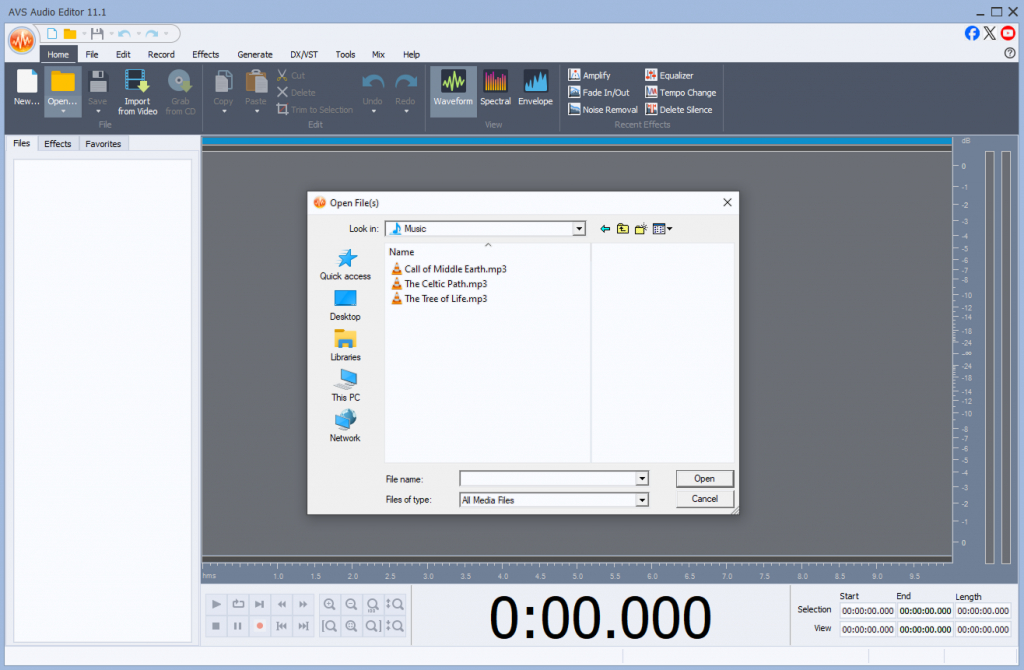
3. Import your audio files
Add all the files you want to combine.
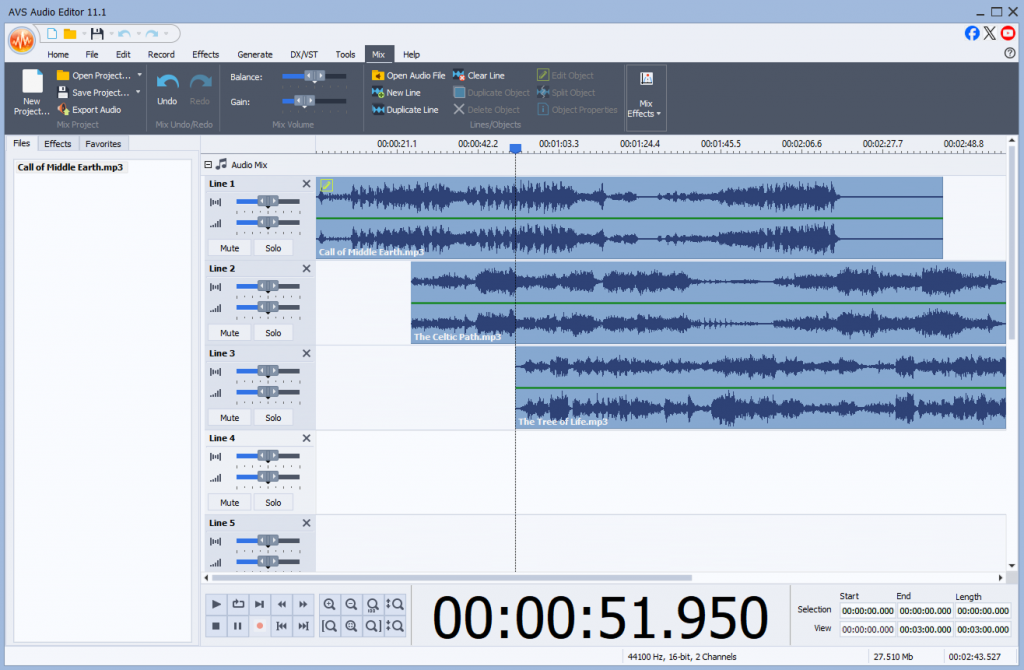
4. Arrange the files in order
Drag and drop the clips onto the timeline.
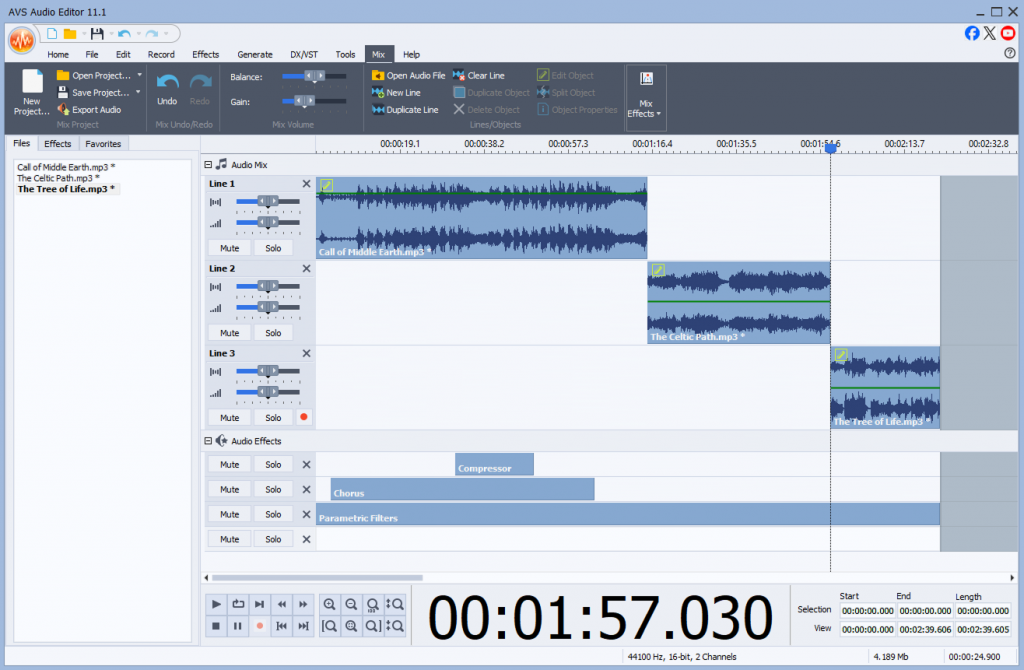
5. Make edits if needed
Trim silence, apply fades, balance volume, or add effects.
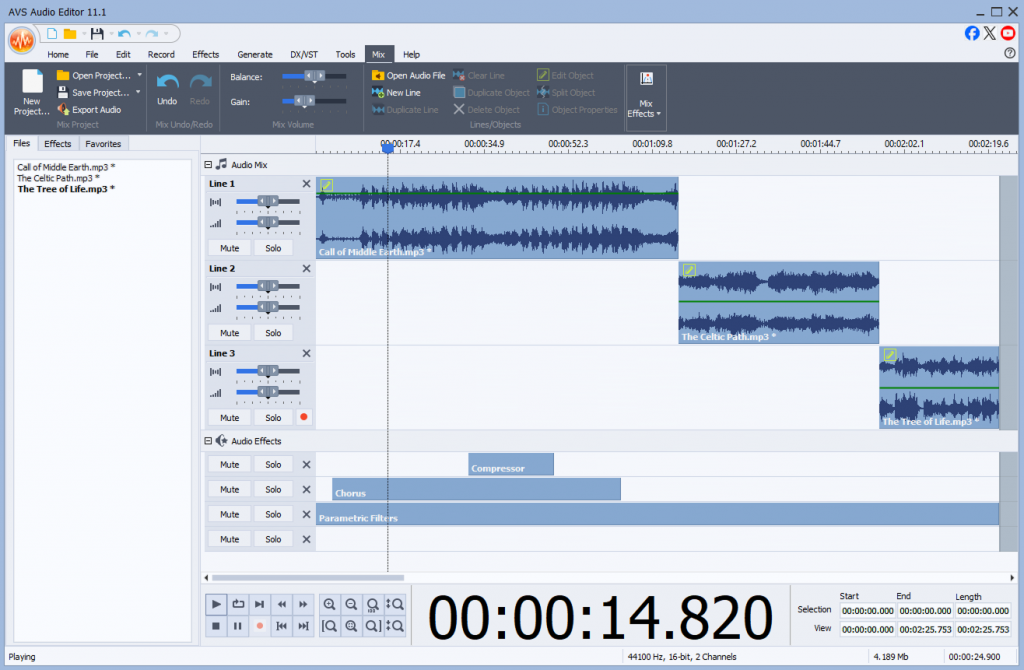
6. Preview your project
Listen before saving to check everything.
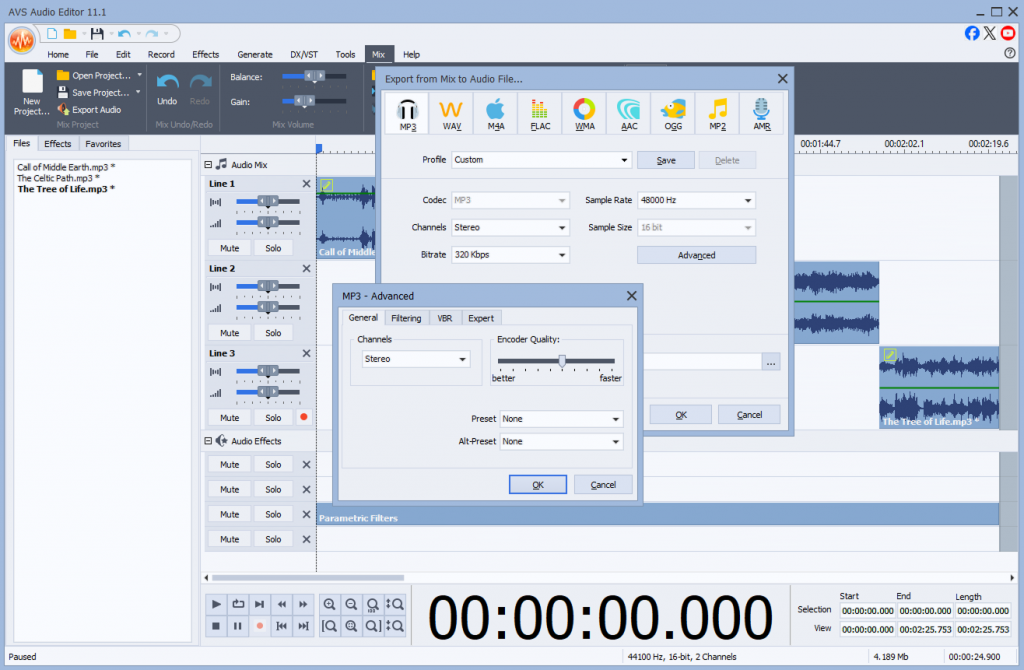
7. Export the final track
Save as MP3, WAV, or another preferred format without losing quality.
In just a few minutes, you’ll have a polished, professional-sounding file ready for publishing, sharing, or further editing.
Why AVS Audio Editor stands out
Here’s how AVS Audio Editor compares against free tools, online services, and mobile apps:
| Feature | Online Tools | Free Software | Mobile Apps | AVS Audio Editor |
| Ease of Use | Very simple, drag-and-drop | Varies (Audacity has a learning curve) | Easy but limited | Beginner-friendly with pro features |
| Audio Quality | May compress files | Good, but not always pro-level | Basic | High-quality, no loss |
| File Size Limitations | Often restricted | None | Sometimes limited | None |
| Editing Features | Minimal (just joining) | Basic to moderate | Limited | Advanced (trimming, fades, effects, noise removal) |
| Privacy & Security | Files uploaded to servers | Local editing | Local, but limited formats | 100% local editing, secure |
| Best For | One-time casual use | Beginners with patience | Quick mobile fixes | Podcasters, musicians, teachers, marketers |
Best practices to join, merge, and combine audio files
Choosing the best method to join audio files is crucial for achieving professional results. The right tool combines ease of use, output quality, and a range of advanced features to fit your specific project’s needs. Here’s a quick breakdown of the available options:
- Online Joiners: Good for small, quick tasks but lack features and privacy.
- Built-in OS Apps:Basic and convenient, but too limited for quality work.
- Mobile Apps:Great for edits on the go but can’t handle large projects.
- Professional Software:Powerful and flexible, but often complex and expensive.
For most creators, the ideal solution is a dedicated desktop editor that strikes a perfect balance—powerful enough for professional work yet intuitive enough for beginners. For Windows users, one of the best solutions is AVS Audio Editor.
AVS Audio Editor is more than just a joiner. It’s a comprehensive audio editing software designed to handle the entire audio editing workflow with precision and ease. It delivers lossless quality, robust editing tools, and an intuitive interface. Being a trusted choice for podcasters, musicians, educators, and content creators, this audio editor bridges the gap between simplistic free tools and overwhelmingly complex professional suites.
Download AVS Audio Editor today and take control of your audio projects without sacrificing quality.