



In today’s digital learning environment, online apps have become an essential part of student life. From writing essays and collaborating on group projects to creating video presentations and multimedia assignments, students completely rely on fast and and easy to use software. In 2026, free digital tools for learners play an even bigger role, reducing costs while improving productivity and creativity.
In this article, we’ll explore two powerful free solutions that cover both academic and creative needs: ONLYOFFICE for document editing and collaboration, and AVS4YOU for video projects and multimedia creation.
ONLYOFFICE: Writing and collaboration made easy
Speaking about academic software, document editing and teamwork are at the top of the list. ONLYOFFICE provides a complete office suite that helps students write, edit, and collaborate efficiently.
Key features for students
ONLYOFFICE offers a wide range of tools designed for everyday academic tasks:
- Text editing and formatting for essays, reports, and assignments
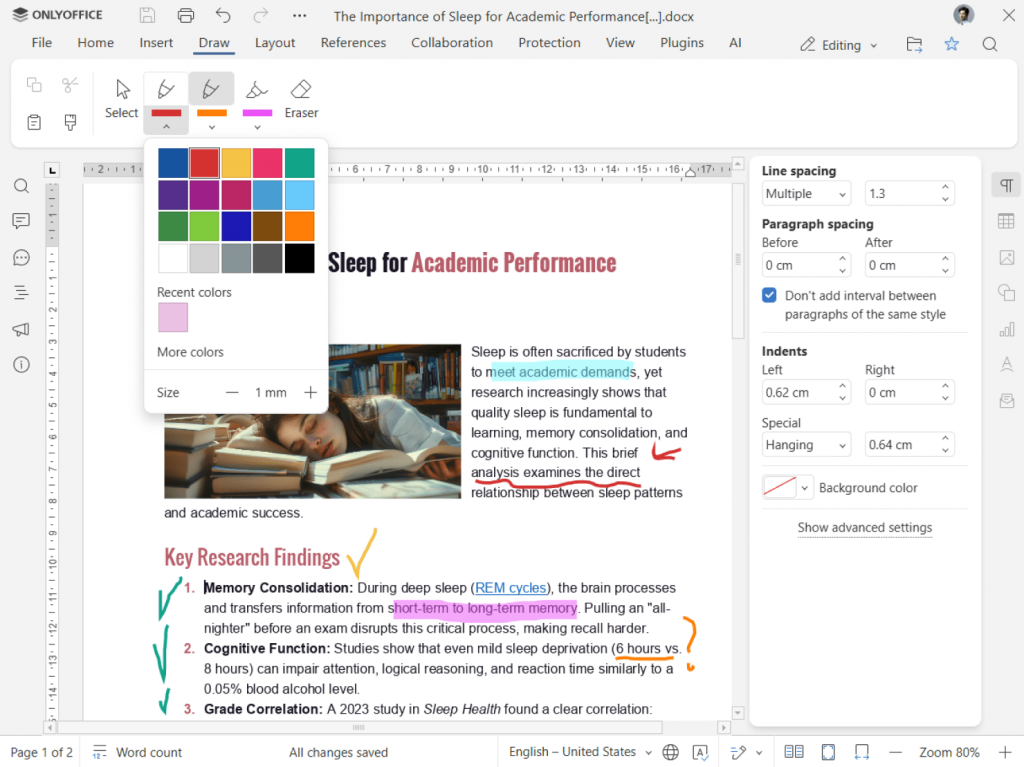
- Real-time collaborative editing with multiple users working on the same document
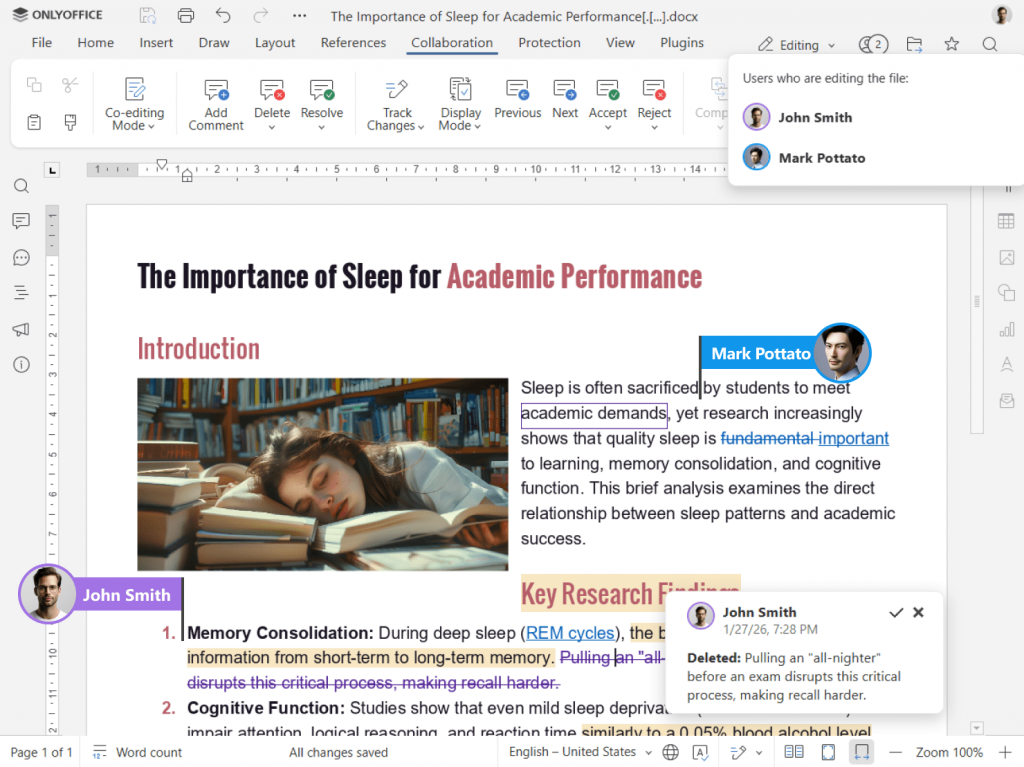
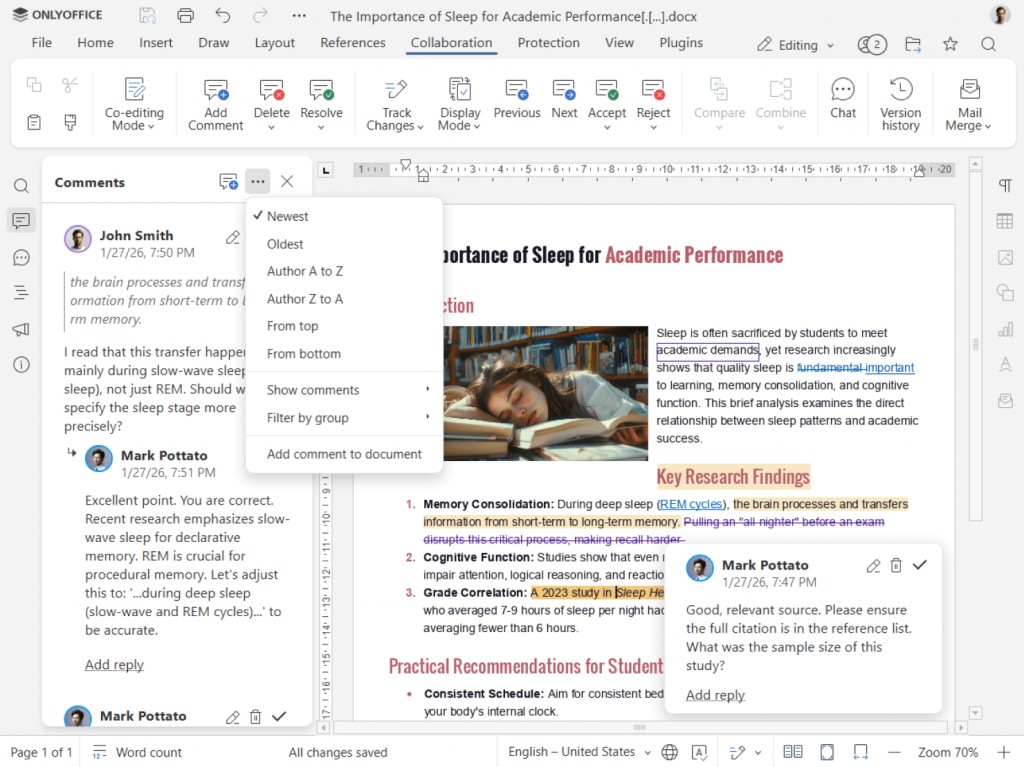
- Comments and track changes for feedback from teachers or classmates
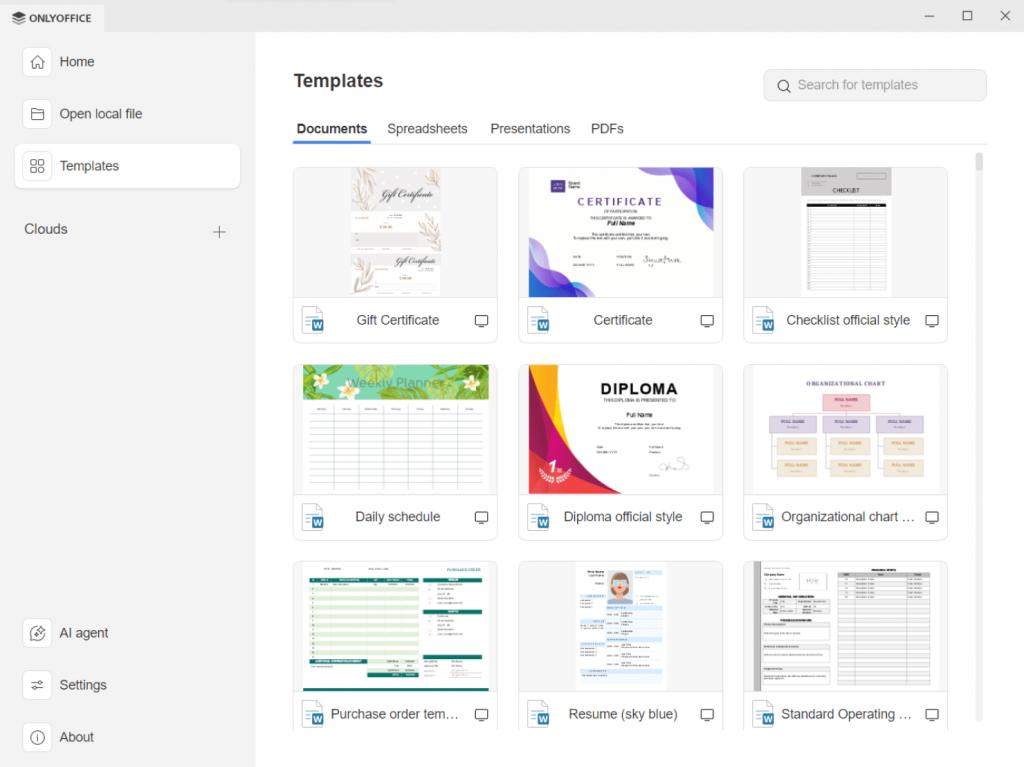
- Ready-made templates for academic papers, resumes, and presentations
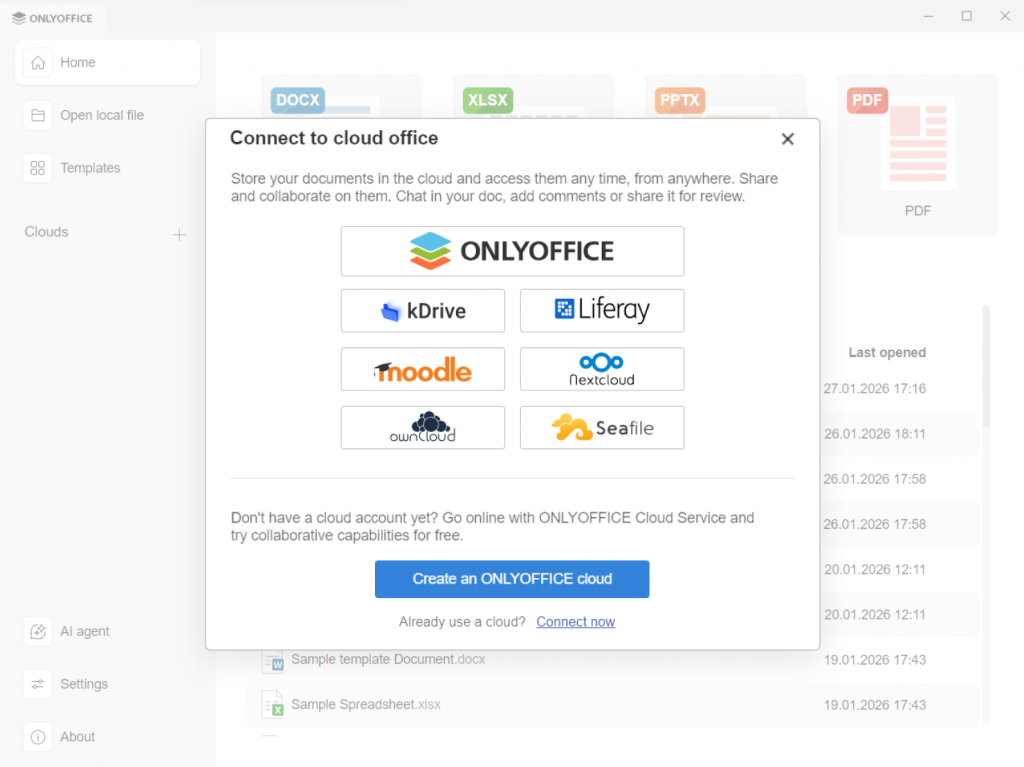
- Cloud and desktop solutions allow users to open and work with documents on popular platforms such as Nextcloud, Moodle, and others, or download the desktop app for offline work.
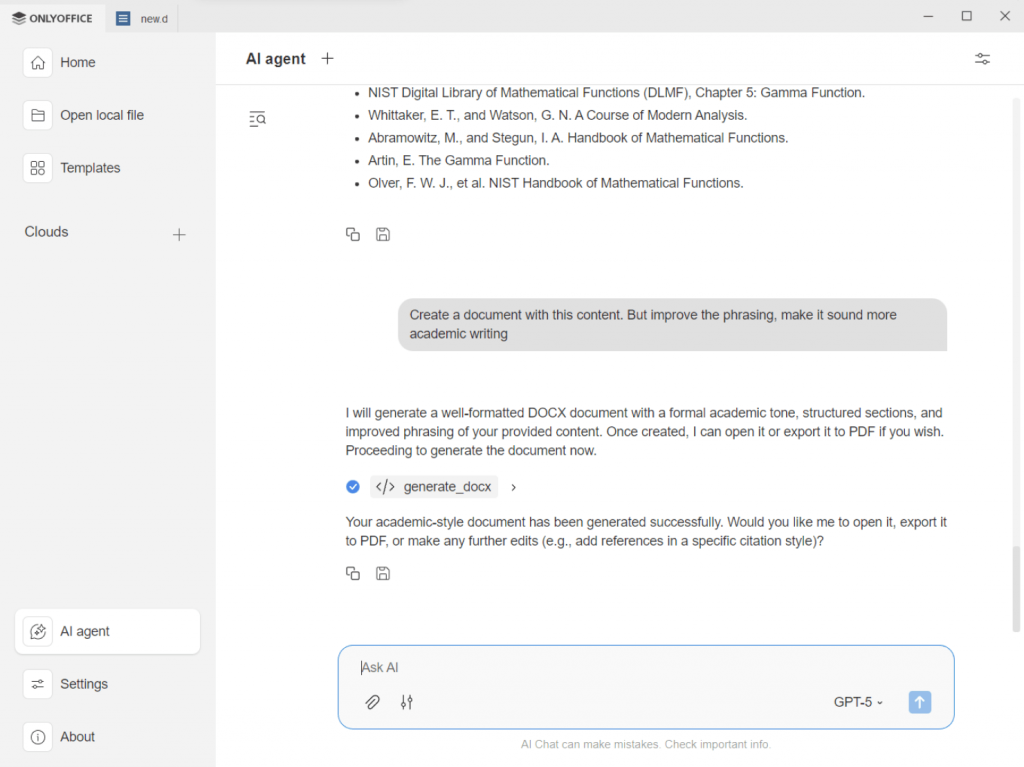
AI plugins for smarter studies
ONLYOFFICE offers various AI tools that help students work faster by automating routine writing and editing tasks, saving time and improving results:
- Smart content generation and rewriting allow students to create drafts, improve phrasing, and structure essays and reports.
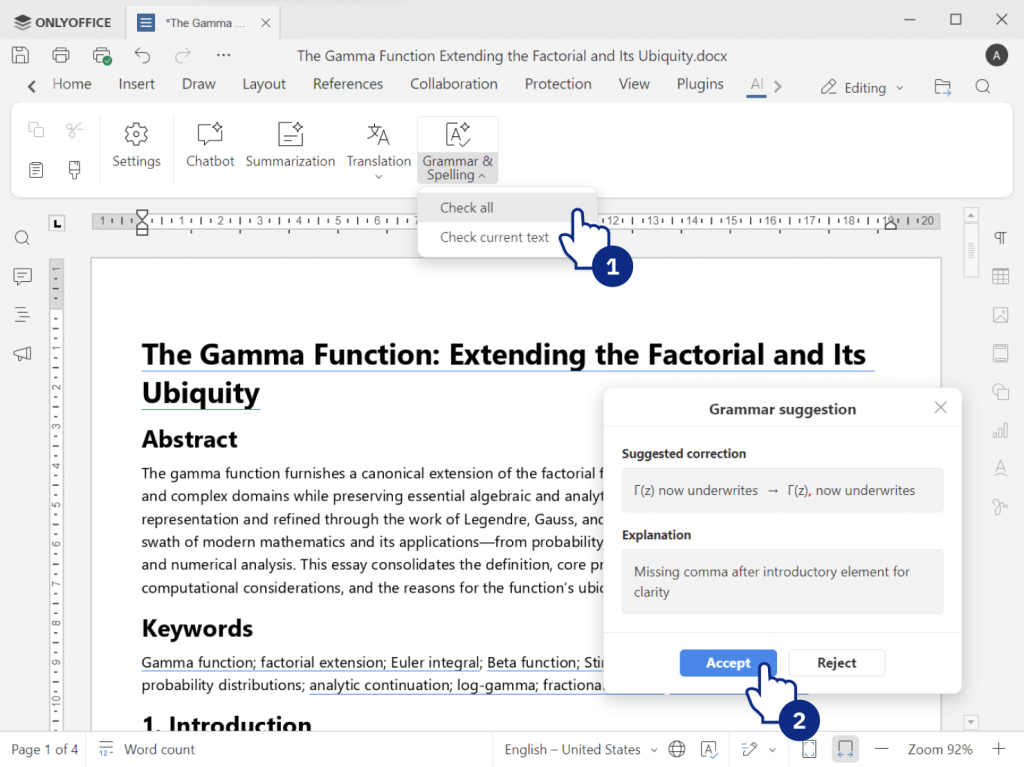
- Grammar and style assistance automatically checks spelling, grammar, and tone to improve writing skills.
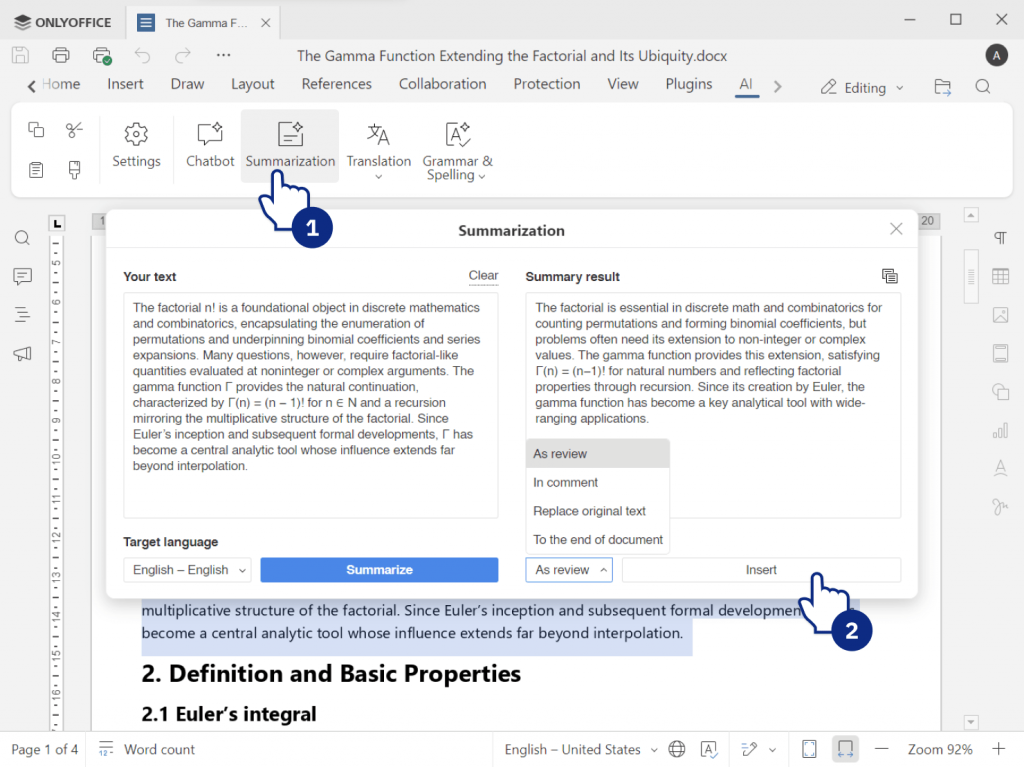
- Text summarization converts long articles and research papers into short, easy-to-read summaries for faster studying.
- Multilingual translation enables students to translate learning materials and collaborate with international peers.
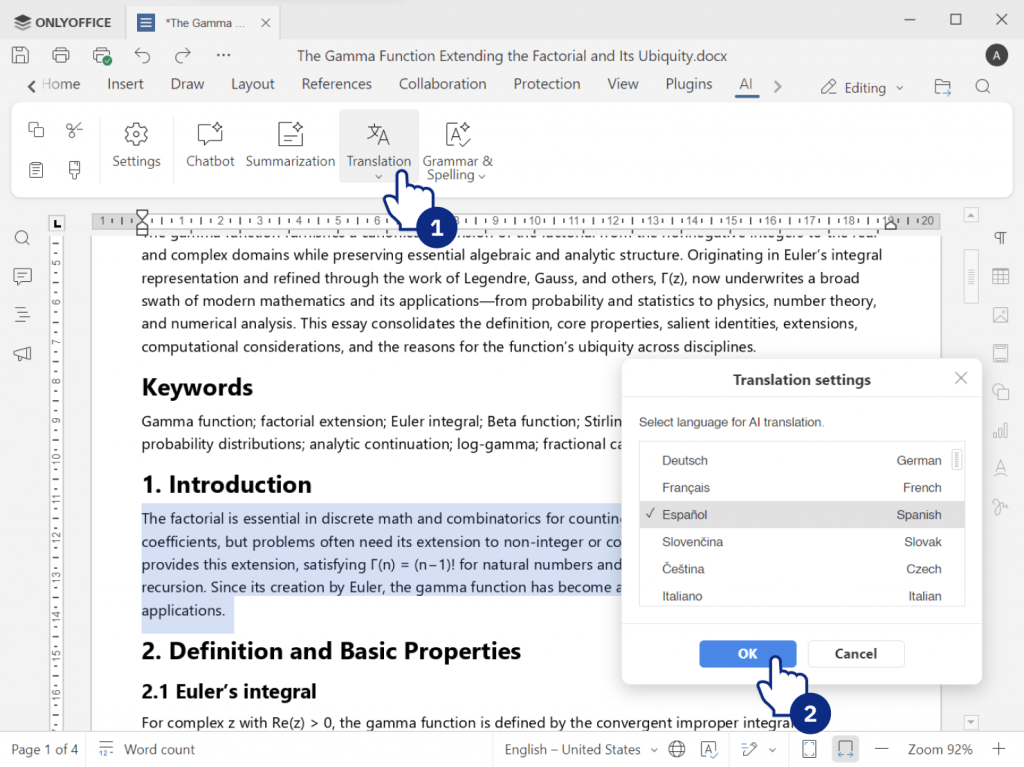
- Content simplification lets adjust complex texts for presentations, assignments, or study notes.
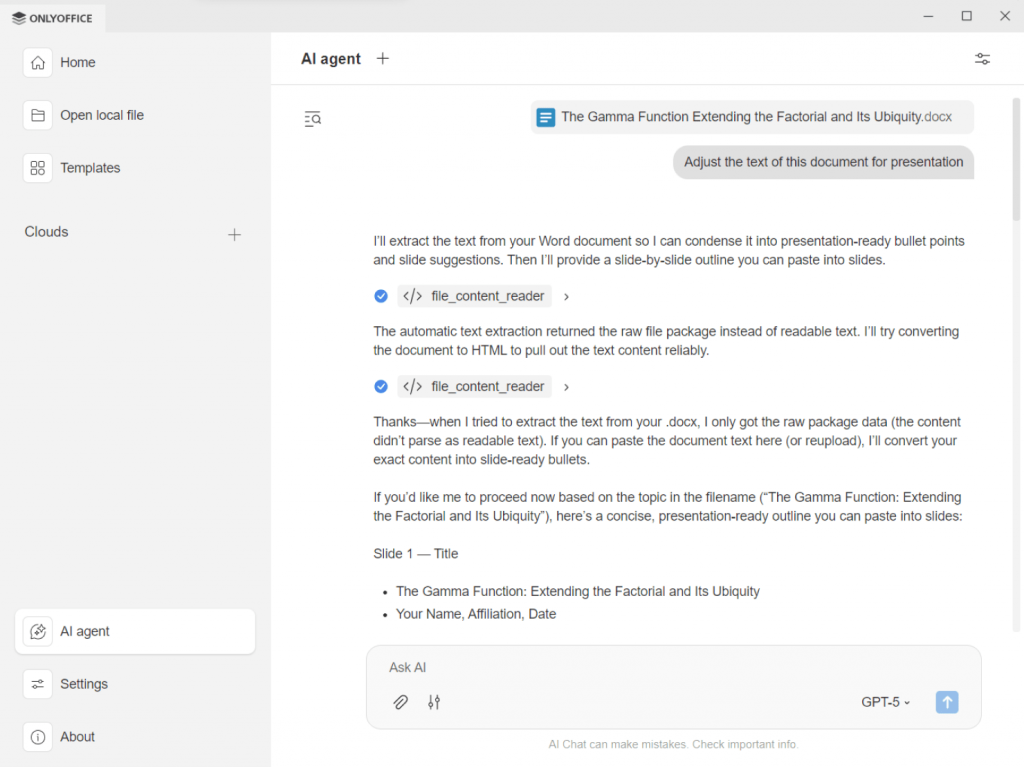
Thanks to these features, ONLYOFFICE is a reliable solution for both individual work and group projects.
Benefits for academic work
As students usually have multiple assignments and deadlines, they have to switch between various apps. ONLYOFFICE simplifies e-learning by keeping everything organized in one place. Collaborative editing allows classmates to work together without sending file versions back and forth. Built-in commenting tools make it easy to leave notes, suggest edits, and review changes.
Not only pupils can benefit from ONLYOFFICE solutions but educators as well. Thanks to ONLYOFFICE Docs it is easier to prepare materials for classes, make creative assignments, including lively worksheets, colorful slides, and comprehensive multi-page guides with diagrams, images, equations, and even a script for a YouTube video. The enabled review mode lets teachers check and grade submitted assignments. As a result, e-learning becomes a mutually enjoyable process for both teachers and students.
Example scenario: a group research project
- One student creates the report outline in ONLYOFFICE and shares the link with the group.
- Team members join simultaneously. One writes the methodology, another adds data analysis, while a third focuses on the conclusion.
- After that the group discusses comments via a chat or a video call. Once the draft is ready, the supervisor adds feedback directly into the document.
- Finally, the document is properly formatted and exported as PDF for submission.
This saves time and reduces confusion caused by multiple file copies.
AVS4YOU: Video projects and creative tasks
Video projects and presentations as well as creative tasks are becoming more common in classrooms and online learning platforms. Consequently, students need simple yet powerful apps to create engaging content. AVS4YOU offers a rich collection of video and multimedia tools, allowing students to turn raw footage or images into professional-looking projects.
Key features for student video projects
AVS4YOU provides everything needed to craft high-quality video content:
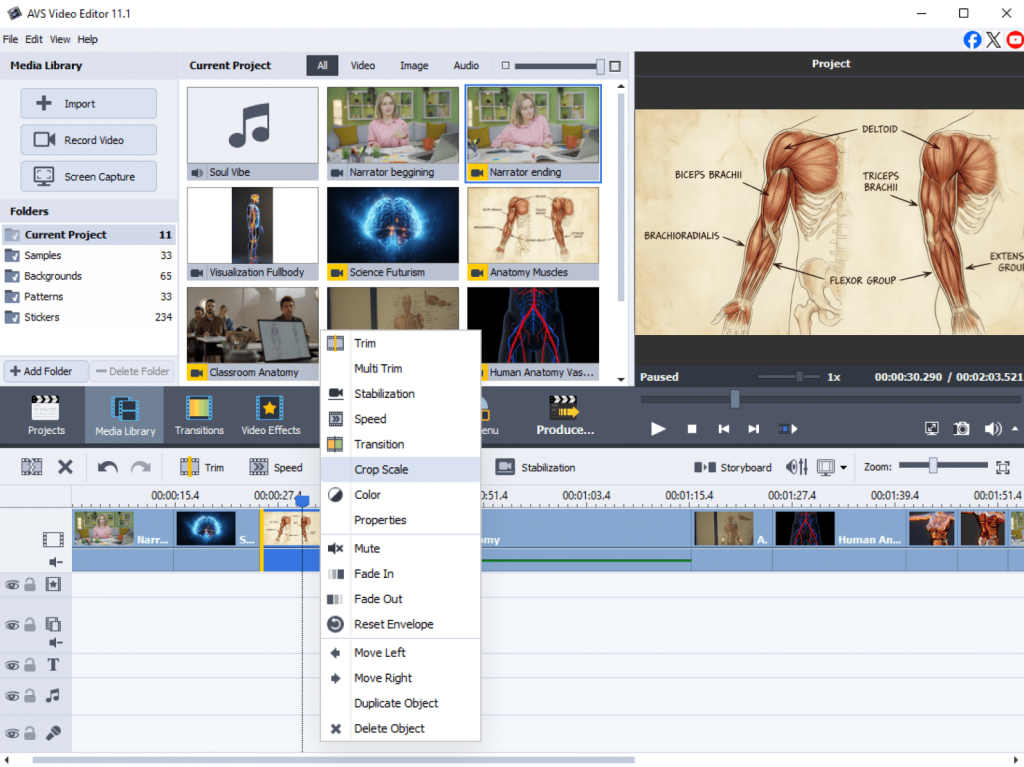
- Video editing tools for trimming, merging, and organizing clips
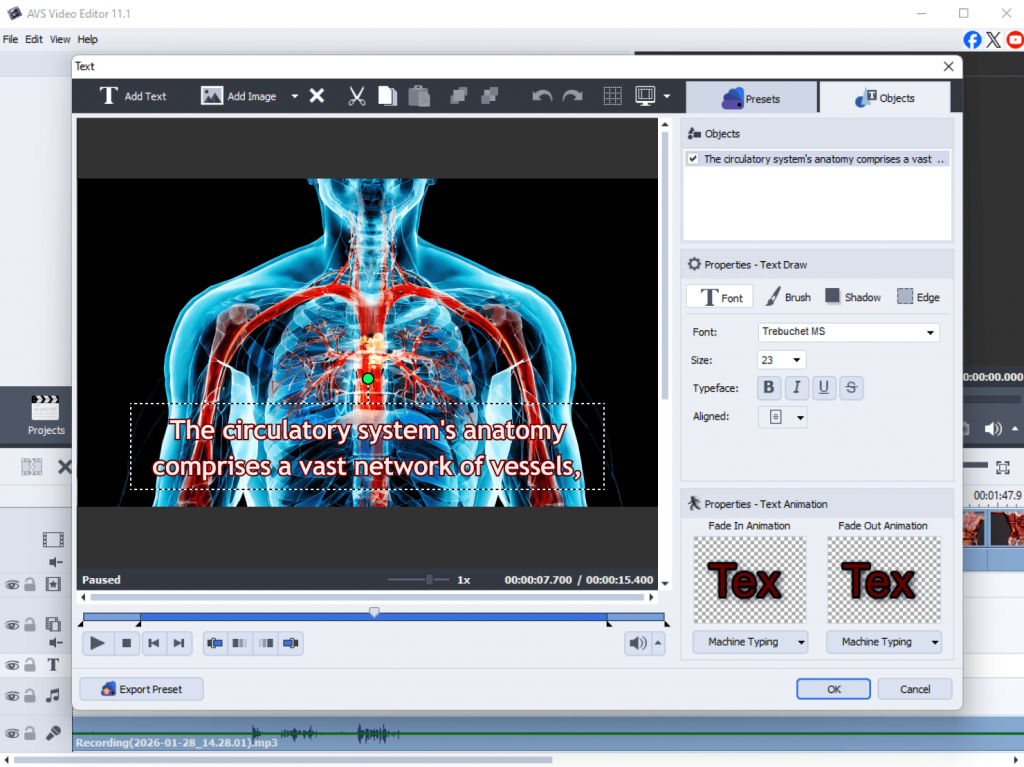
- Text overlays and subtitles for presentation videos
- Visual effects and transitions to enhance storytelling
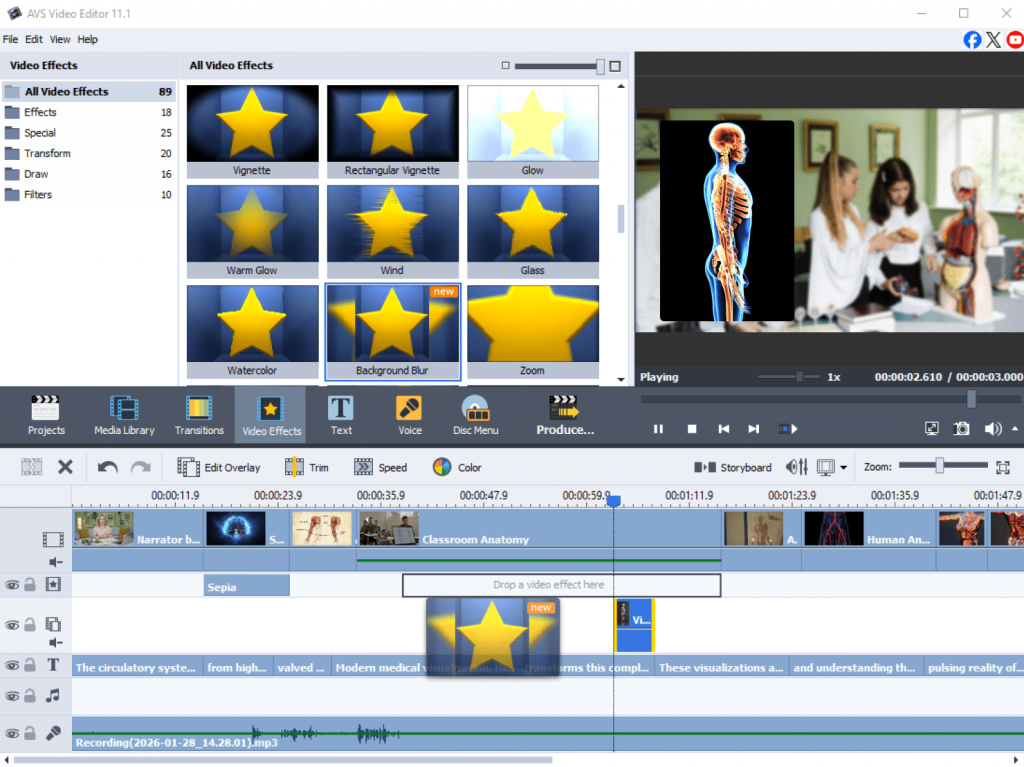
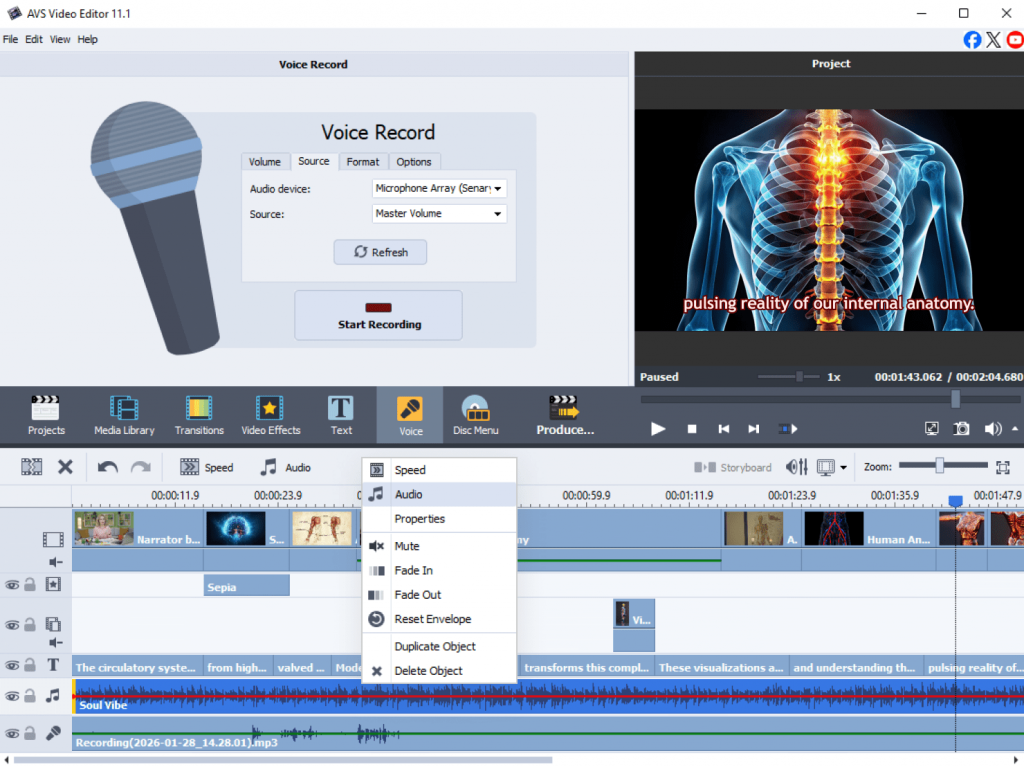
- Audio editing tools for voiceovers and background music
- Export options for different formats and platforms
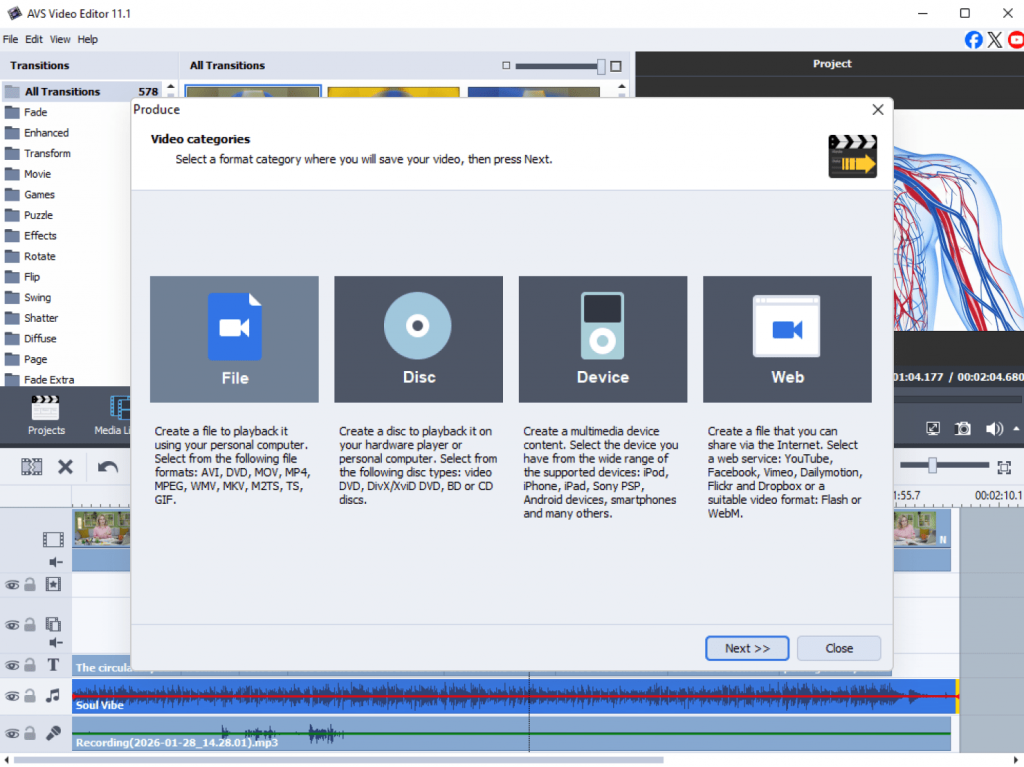
Students can make video essays, animated slideshows, tutorial videos, or visual reports that boost engagement and interactivity.
Benefits for creative learning
Video assignments help students develop communication, storytelling, and digital media skills. AVS4YOU transforms video creation into a simple task even for those who are new in video editing. The interface is user-friendly, and the programs are designed to support school projects and creative multimedia tasks, offering built-in effects, screen recording tools, wide format compatibility, and optimized export presets for social meadia and video hosting platforms.
Example scenario: History presentation video
- Gather historical images, archive footage, and a script for your voiceover.
- Import media files into AVS Video Editor and arrange them on the timeline in a logical order.
- Record or import your voice, then add background music at a low volume.
- Insert dates, key terms, and citations directly onto the video.
- Add smooth transitions between segments and apply a subtle color filter for a consistent look.
- Export the final video and share it with your class or upload it to a learning management system.
This approach is more engaging than traditional slides.
Tips for students: Maximizing a digital toolkit
Combining document software and video editors creates a powerful workflow for academic success. Here are some practical tips for using ONLYOFFICE and AVS4YOU together:
Plan your project
Start by outlining your ideas in ONLYOFFICE. Draft your script, key points, and references in a document so that your project is well-structured before video production.
Create and edit content
Write your essay, presentation text, or narration script in ONLYOFFICE. Once the content is ready, import text ideas into your AVS4YOU video project to create subtitles or voiceover overlays.
Present and share
After editing your video using AVS4YOU software, review the final result and make small adjustments. Use ONLYOFFICE to prepare additional materials such as handouts, reports, or summaries that go along with your video presentation.
This simple workflow starting from planning to presenting the ready creation ensures that students stay organized and produce better results.
Must-have student tools for modern learning in 2026
Student productivity tools in 2026 should be budget-friendly, easy to use, and flexible to to fit different learning styles. With free digital apps, students can access powerful features without extra costs. In general, they support modern learning formats, including remote classes, hybrid education, and project-based learning. By combining collaborative document editing with a multimedia suite, students will develop both academic and creative skills that are valuable beyond the classroom.
ONLYOFFICE empowers students to write, collaborate, and manage academic projects efficiently, while AVS4YOU makes video presentations and creative assignments easier and more engaging. By using them together, students become more productive, boost creativity, and may achieve good results in any subject.
Explore ONLYOFFICE for document collaboration and AVS4YOU for multimedia projects to make your learning experience more efficient and creative.