


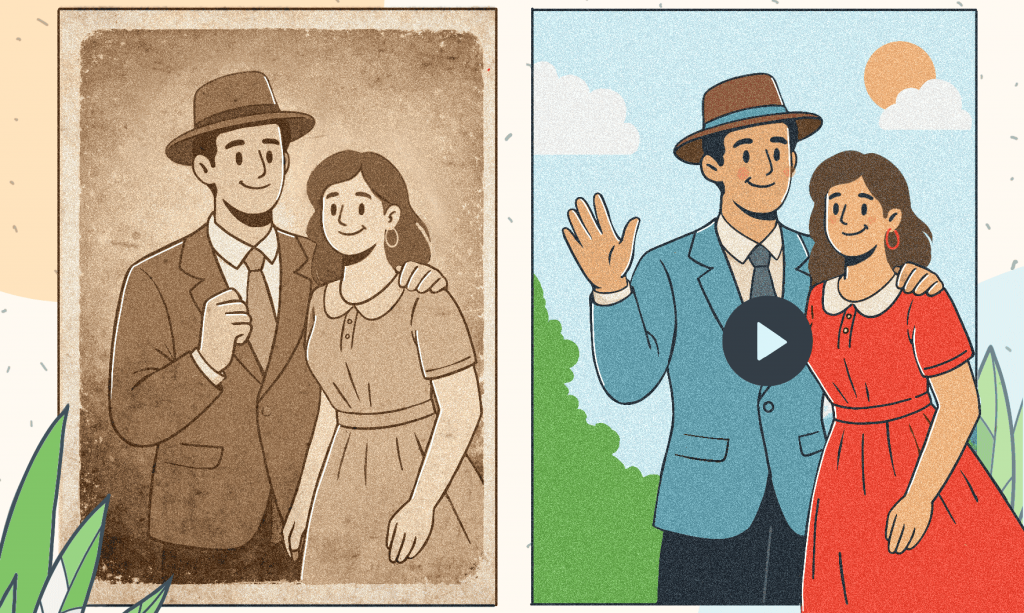
Without doubt, everyone has plenty of old family photos, or a folder of digitized scans stored on a PC or in the cloud. But even digital copies often suffer from the same problems as their physical counterparts. They become yellowed with age, blurry from an old camera, or grainy from poor lighting. Although electronic images are protected from physical deterioration, they can’t be completely restored.
Naturally, digitizing old photos is only the first step. You have to restore their quality using specialized tools. Now with AVS4YOU AI-based effects (Restoration Gaterv3, VHS Effect, and Spiral Effect) it is easier to repair and stylize old media. Let’s take a closer look at how to turn your faded snapshots into lively, post-worthy photos.
AI for transforming old media
AVS4YOU AI-powered effects are built to enhance visual quality. Thesy aren’t simple filters that lay a static effect over your image. The AI intelligently analyzes images to fill in missing details, reduce grain and noise, sharpen edges while keeping faces natural.
The result is authentic enhancement—your photos look clearer and brighter without appearing artificial.
Restoring damaged photos with AI (Gaterv3)
Typically, older photographs suffer from graininess (noise) caused by film sensitivity, blur due to slight camera movements, and, in the case of early digital cameras, blocky artifacts caused by JPEG compression.
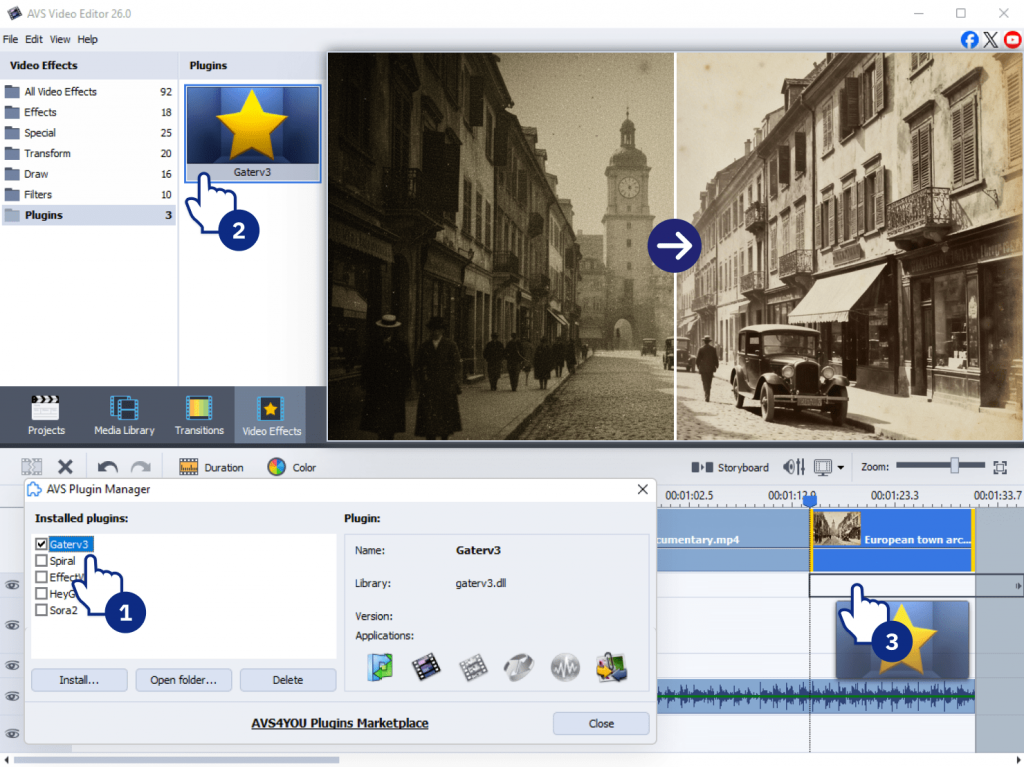
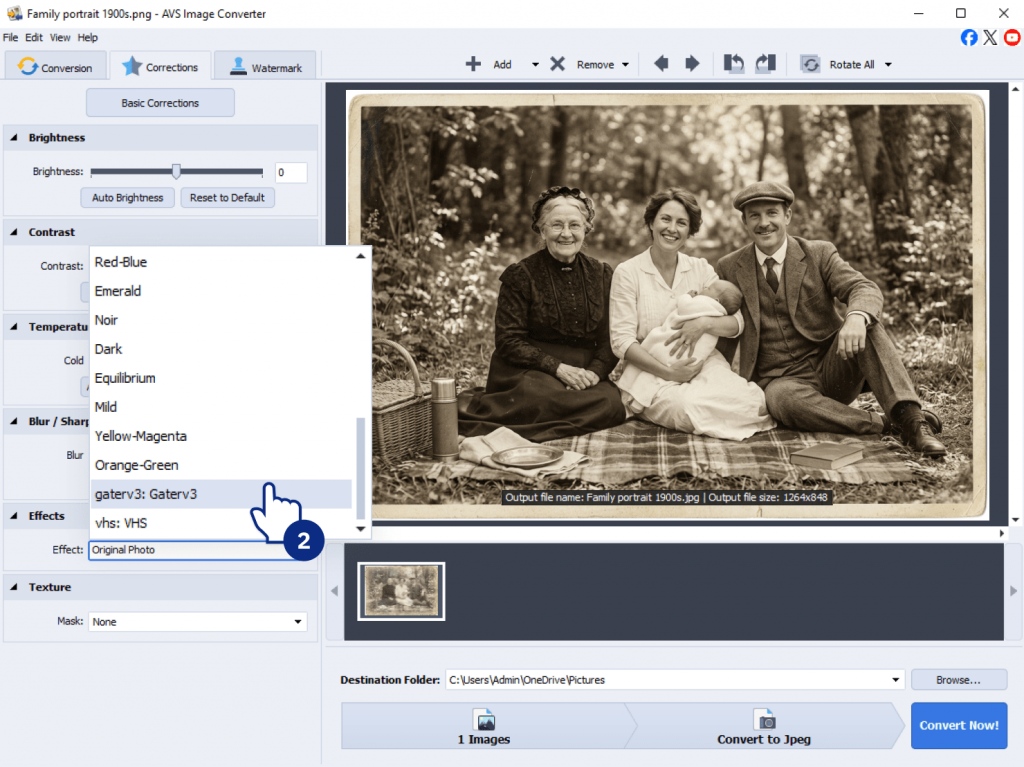
The Effect Restoration Gaterv3 plugin solves these problems. It applies AI algorithms to smooth noise, recover fine details, and sharpen images intelligently. First of all, make sure that you have installed the plugin from the AVS4YOU Plugins Marketplace or check it in the Plugin Manager. After that just add the restoration effect to your original photo in the same way as other image effects, and let the AI do the work.
Creating mood with AI effects
Once the technical flaws are fixed, you can stylize photos. AVS4YOU offers AI effects to change mood and style, turning a simple photo into a piece of art.
The nostalgia of analog: Mastering VHS effect
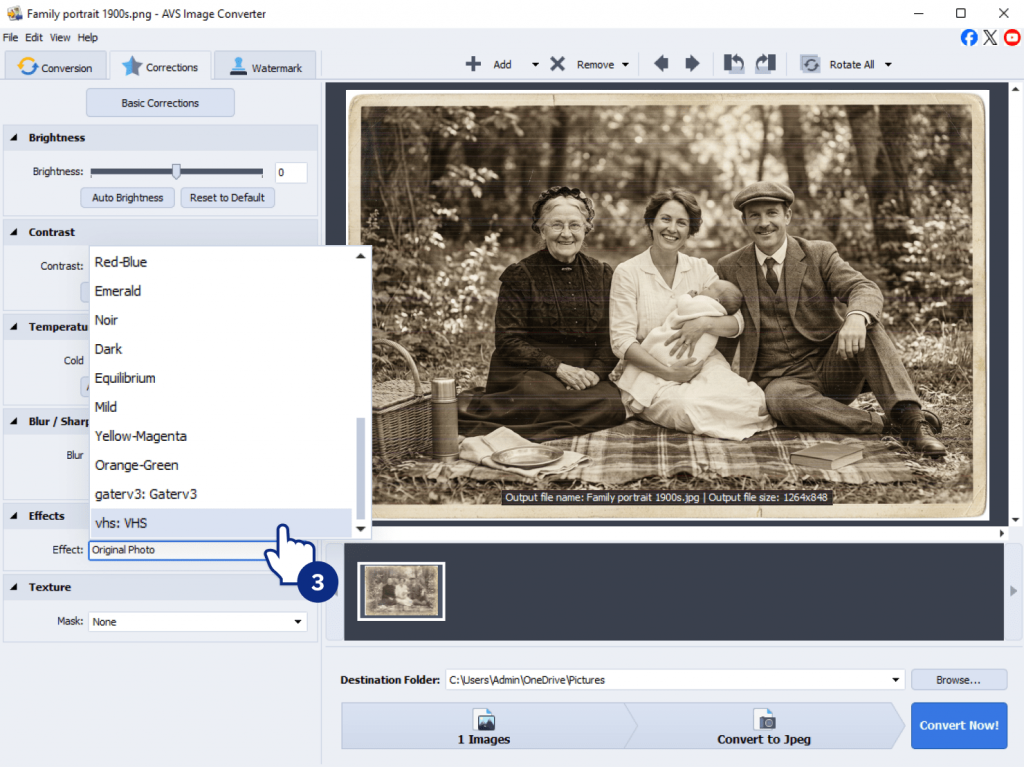
Retro aesthetics are more popular than ever. The rough, imperfect texture of analog video creates nostalgia and a genuine feel that polished digital footage often misses.The Effect VHS plugin recreates the analog video feel with:
- Analog tape noise and color degradation.
- Tracking errors that make the image wobble.
- Chromatic aberration (color fringing).

Use Case: Imagine turning a modern digital video of a family BBQ into a “found footage” clip straight out of the 1980s. Or, take an old scanned photo and apply the VHS effect to give it an authentic period feel, as if it were pulled from a family vacation tape.
Dynamic visuals: Using the Spiral effect
For those looking to create engaging social media content or dynamic video transitions, the Effect Spiral is a must-try. Available in AVS Video Editor and AVS Video Converter, this effect adds a radial twist and outward explosion animation.
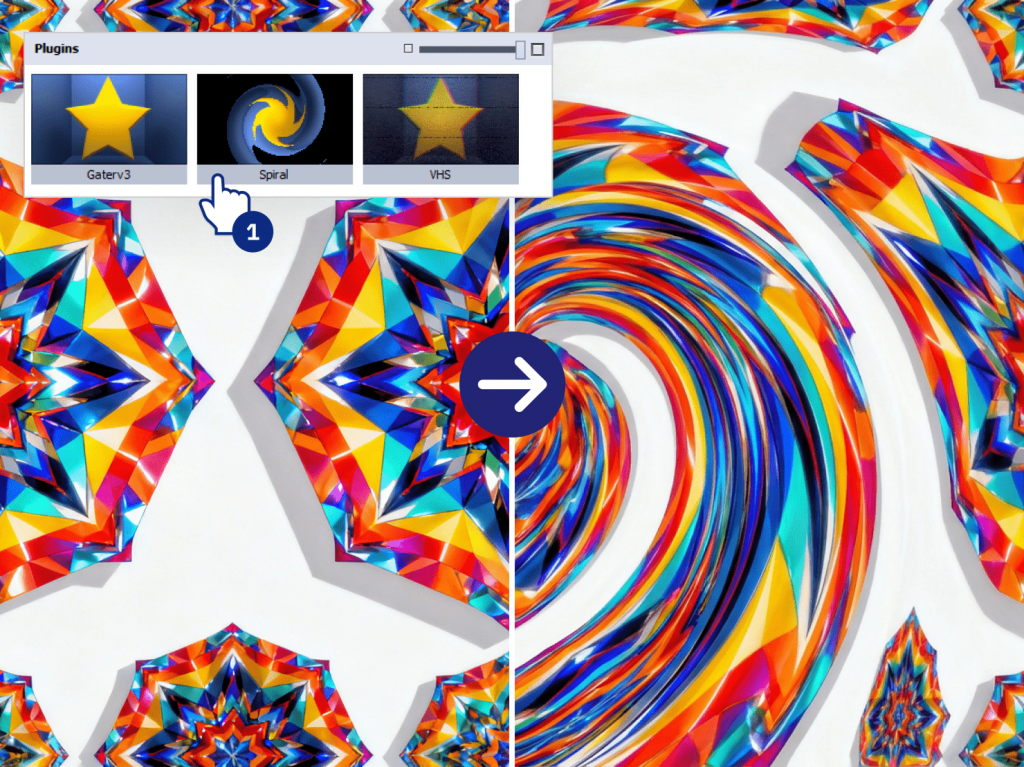
It’s perfect for creating hypnotic transitions or adding energy to a static image, making your video projects feel more professional and dynamic.
A Step-by-step guide: How to restore an old photo with AVS4YOU
Here is a practical guide how to restore and restyle a single old photograph.
1. Fix the basics
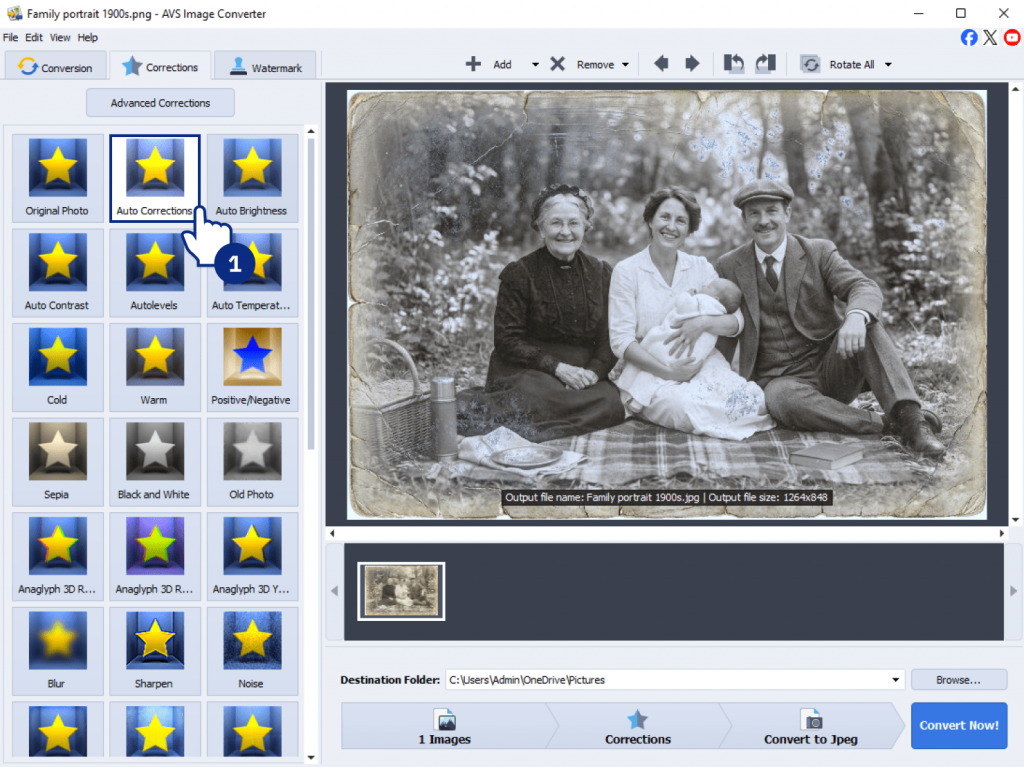
Open your scanned image in AVS Image Converter and use the Auto Correction tool. It instantly corrects the brightness and contrast of your faded scan, giving you a clean, balanced base to work from.
2. Repair with AI
Next, apply the AI Restoration Gaterv3 plugin. Let the AI analyze the image to intelligently reduce noise and sharpen blur. You’ll be amazed at how it clears up the grain without making the image look plastic.
3. Add the final touch
Apply the Effect VHS plugin to give the restored image a stylized, retro video feel. If you plan to use this photo in a video slideshow, add the Ken Burns effect to simulate camera movement. For a more cohesive look, you might opt for a subtle filter, for example, Mild or give it an retro feel with the classic Black-and-White effect.
4. Save and share
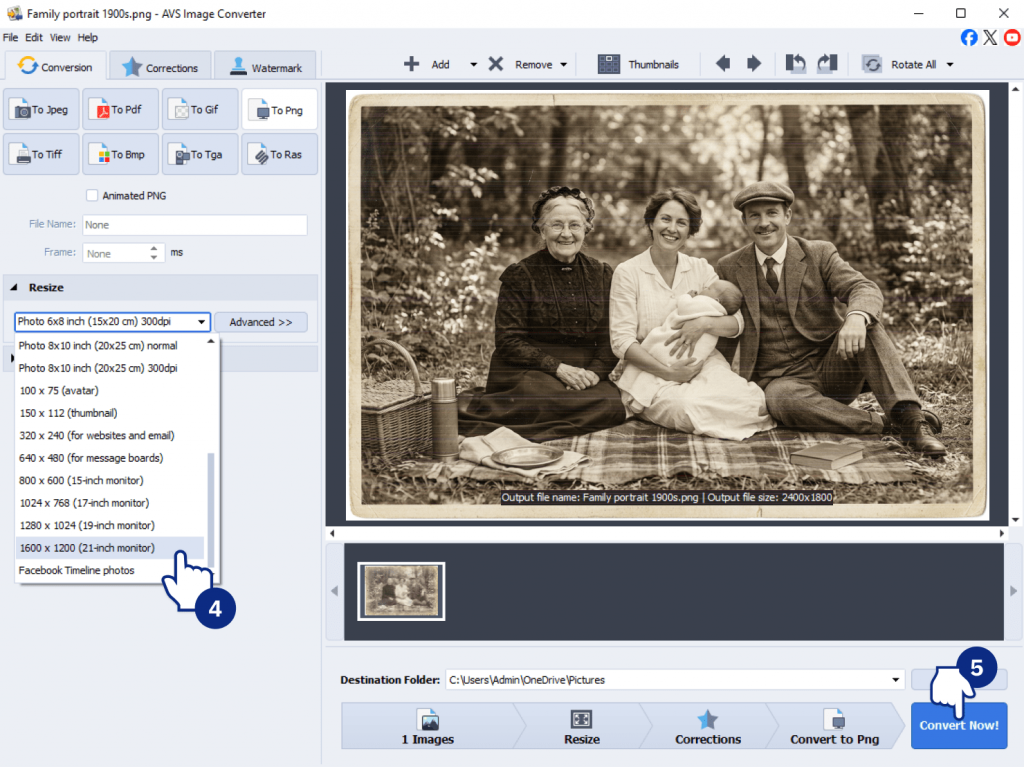
Once you’re happy with your restored and styled image, export it. With AVS4YOU, you can save it in any format to share on social media, print for framing, or include in a family video project.
Wrapping up
Restoring an old photo is a time-consuming process that requires various enhancement tools and careful adjustments. Thanks to AI image effects, it has become much easier to achieve the desired result. AVS4YOU software combines intelligent AI restoration for complex refinements with a rich collection of visual effects to improve the final look. Let AI handle noise reduction, sharpening, and detail recovery, while you can focus on creative side.
Unlock the full potential of your media by exploring the AVS4YOU Plugins Marketplace today. Bring your old memories back to life with the power of AI.
Download AVS Image Converter via button below: