



Introduction
Birthdays are no longer just about cakes and candles.They’re about memories that can be shared instantly and cherished forever. Personalized birthday videos have become one of the most creative and meaningful ways to celebrate someone’s special day. They’re social media-friendly, easy to send, and make a truly unique gift. In this blog post, we’ll examine the best birthday video makers, covering both free and premium options, so you can find the best solution for your needs.
Why birthday video makers are worth using
A birthday video turns ordinary greetings into lasting keepsakes.Their main benefits include:
- Emotional impact
A video made with love let the birthday person feel truly cherished.
- Easy sharing
Upload to Instagram, TikTok, YouTube, or simply share via messaging apps.
- Preserve memories
Save your precious memories in a video to enjoy forever.
Key features to look for in a birthday video maker
Modern video makers easily handle such tasks as preparing a surprise montage for a friend, collecting video wishes from family, or highlighting a reel of someone’s best moments. Look for software that provides:
- Ease of use
Drag-and-drop timelines and pre-made templates simplify the process.
- Templates & effects
Animations, stickers, and themed templates add a festive feel.
- Editing tools
Trim, merge, add transitions, and overlay text for impressive results.
- Music & audio
Import your own audio files or choose from built-in libraries.
- Output formats
Make sure you can export in high-quality formats suitable for social media or playback on TV.
- Sharing options
Some tools allow direct uploads to YouTube, Facebook, and Instagram.
Best free birthday video makers
If you’re looking for a free birthday video maker, here are some of the top picks for 2025:
1. Canva
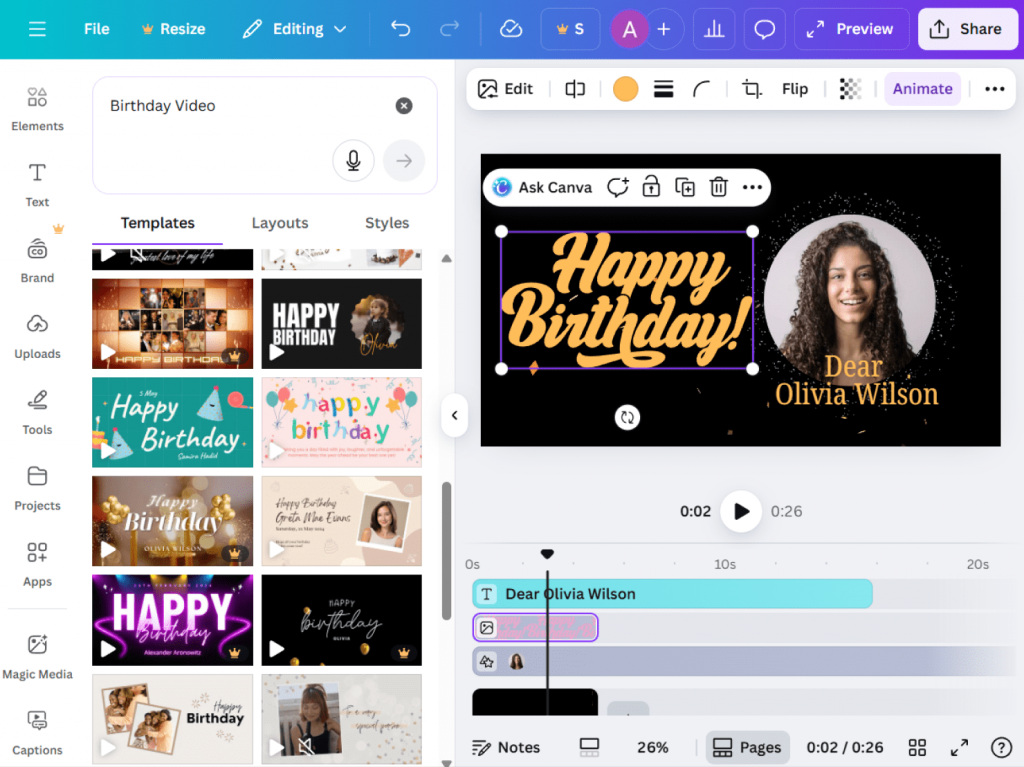
- Features: Ready-to-use birthday templates, drag-and-drop editing, stock photos and music.
- Pros: Extremely user-friendly; great for beginners.
- Cons: Limited advanced editing; free plan has fewer premium assets.
- Best for: Quick and stylish videos with minimal effort.
2. Kapwing
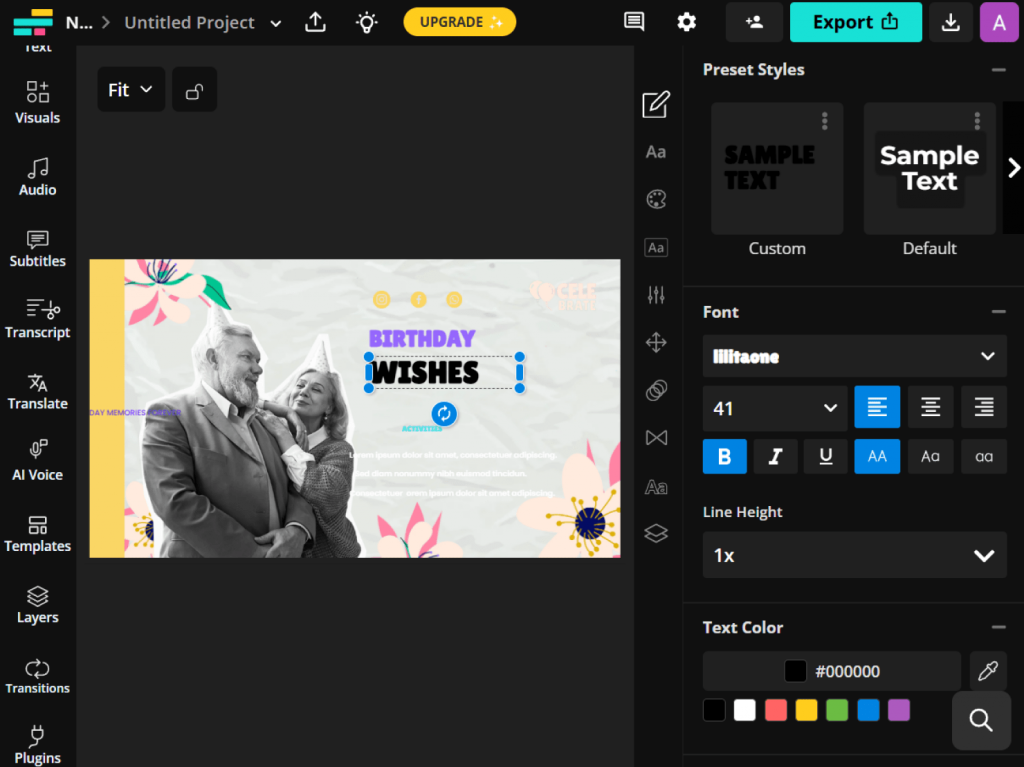
- Features: Online video editor with trimming, text, subtitles, and templates.
- Pros: No software download needed; good for collaborative editing.
- Cons: Free plan has export limits and watermark.
- Best for: Fun, shareable birthday clips.
3. Clipchamp (Free Plan)
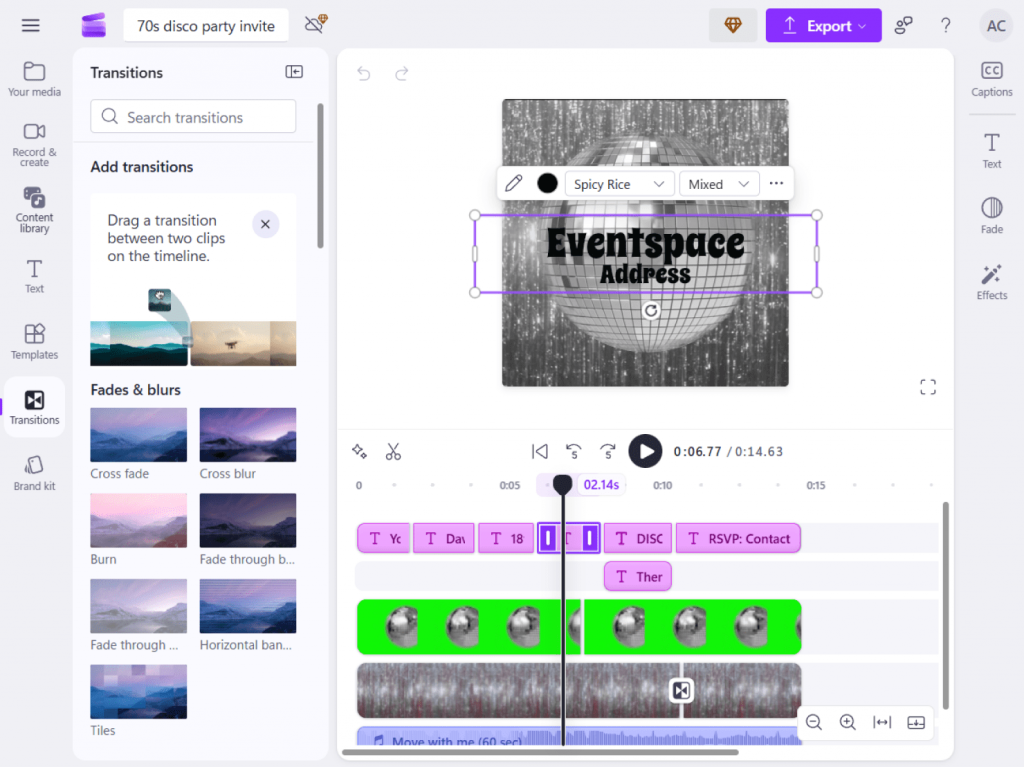
- Features: Basic editing tools, templates, music, and text overlays.
- Pros: Integrated with Microsoft; easy sharing.
- Cons: Some exports are watermarked; limited advanced tools.
- Best for: Windows users who want a simple editor.
Best paid & easy-to-use birthday video makers
To produce a professional-quality, watermark-free birthday video, consider working with one of these premium editors:
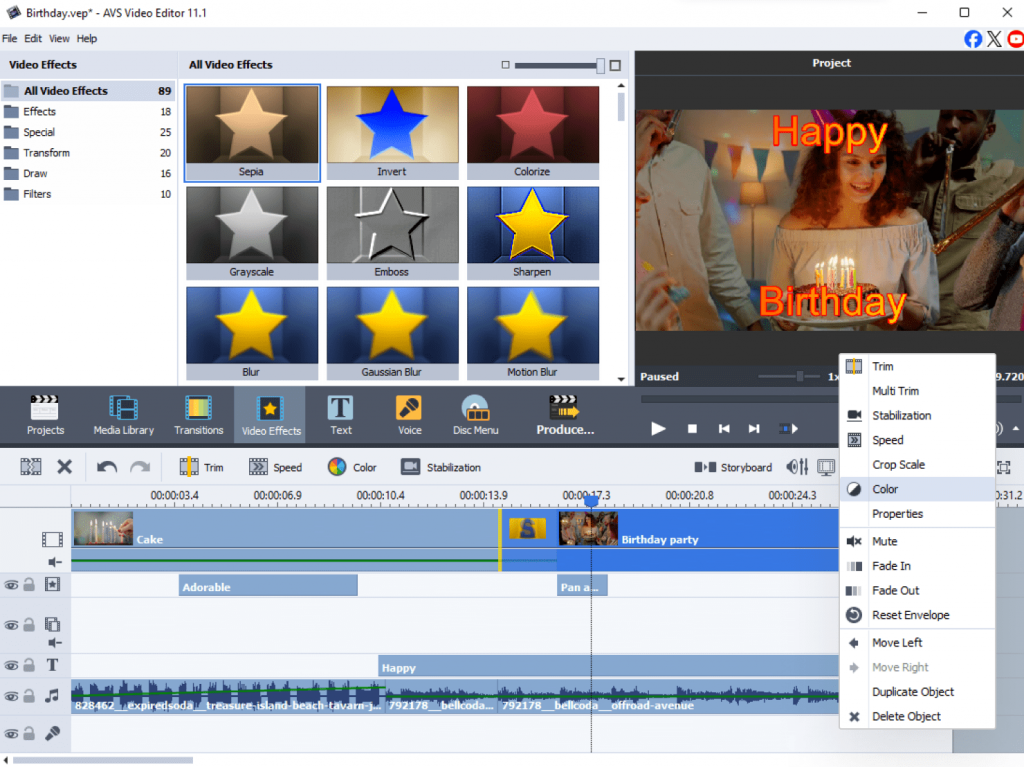
- Features: Over 300 effects and transitions, trimming, merging, rotating, chroma key, and video stabilization. Includes slideshow maker, screen capture, and video recording.
- Pros: Powerful yet beginner-friendly; supports multiple formats.
- Cons: Windows-only.
- Best for: Users who want a reliable all-in-one solution without limitations.
2. Movavi Video Editor Plus
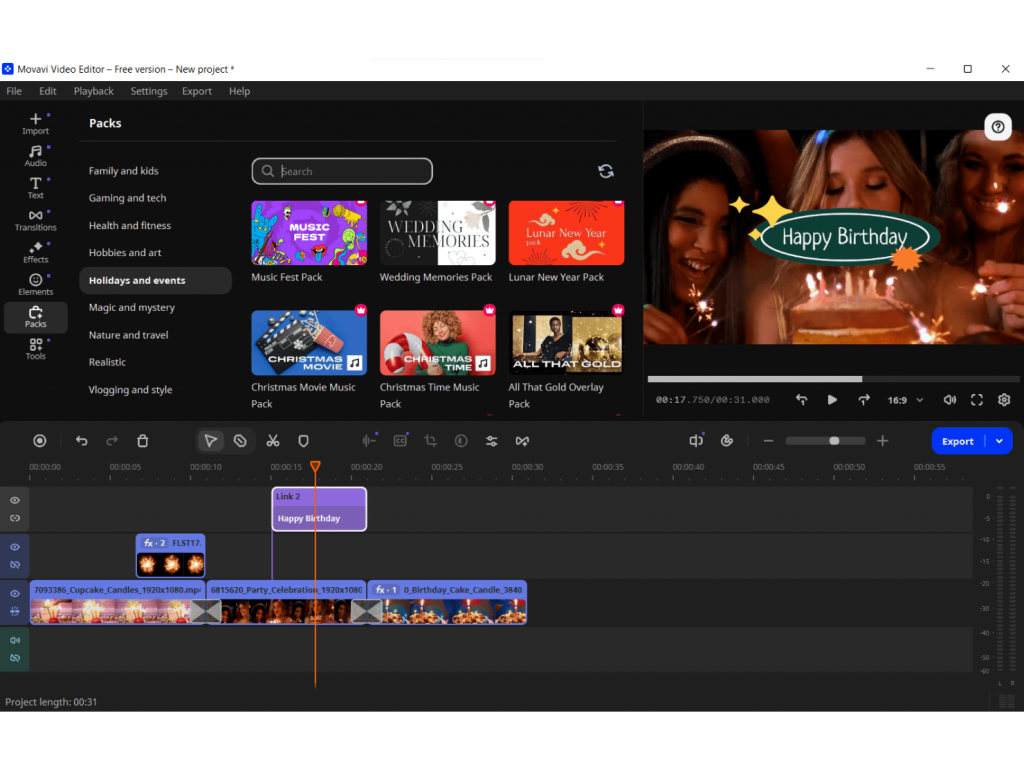
- Features: A rich library of templates, transitions, stickers, built-in stock music.
- Pros: Intuitive interface, strong balance of simplicity and power.
- Cons: Paid license required for full access.
- Best for: Quick and classy birthday videos.
3. Adobe Premiere Elements
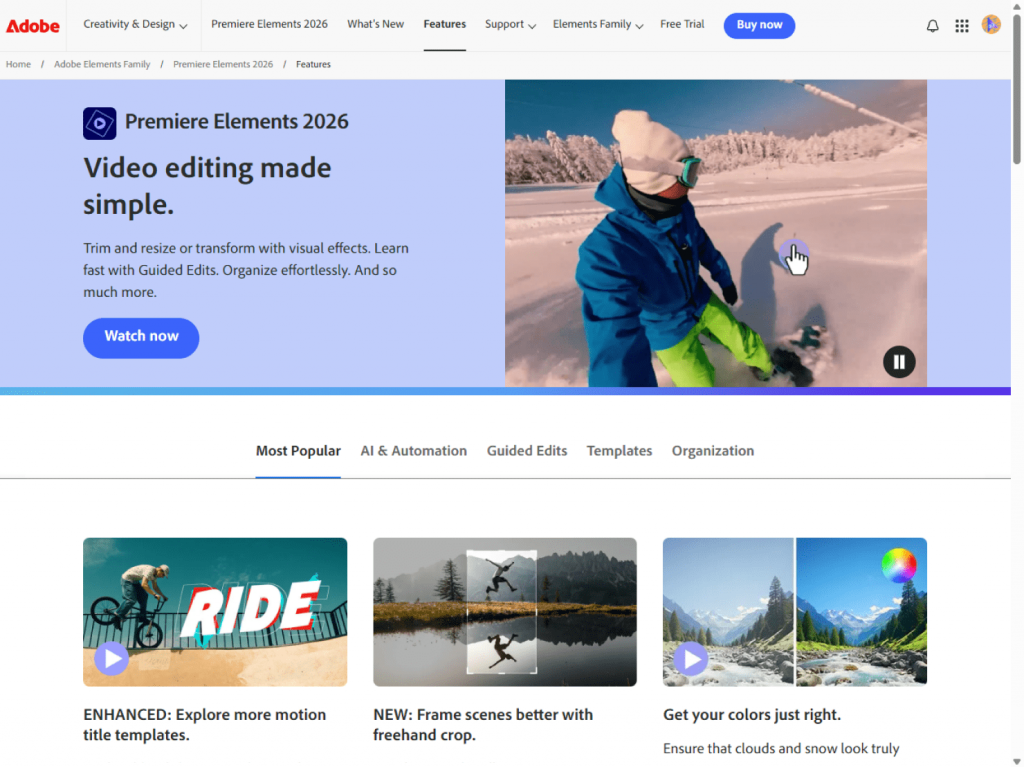
- Features: Guided editing, advanced trimming, transitions, and effects.
- Pros: Professional-quality results with simplified workflows.
- Cons: Higher price; not as lightweight as other options.
- Best for: Users looking for advanced editing features.
Tips for creating a stunning birthday video
- Pick a theme
Choose a tone: funny, emotional, or energetic. Picking a vibe that matches the birthday person is the secret to a video they’ll love and remember.
- Use personal touches
Include funny jokes, childhood photos, or voice notes from friends and family. These small details make the video unique and meaningful.
- Keep it concise
Keep your video between 3–5 minutes to hook your viewers and hold their attention till the end. If it is too long, the video might be dragging and boring. If it is too short, you may miss important moments.
- Choose music wisely
Pick songs that fit the mood and reflect the person’s tastes. Upbeat tunes work well for energetic videos, while soft melodies suit emotional or nostalgic themes.
- Add smooth transitions and effects
Simple fades, text overlays, or light animations help your video look stylish without overwhelming the content.
- Check pacing and flow
Organize your clips so the story flows naturally, combining images, video clips, and messages from loved ones.
- Export in HD
High-quality video are more enjoyable to watch on any device: phones, tablets, or TVs.
Which birthday video maker to choose?
The best software is the one that brings your creativity to life. Your choice depends on your goals, budget, and editing experience.
- Use a free birthday video maker if you are creating a casual, touching video for social media or a private message, and you value speed and simplicity above all else. These tools are good for last-minute projects that still carry a powerful emotional touch.
- Invest in a paid tool if you are crafting a major gift, a video to be shown at a birthday party, or a detailed montage that you want to maintain in the highest quality. This is the choice for those who want professional quality, more options, and no restrictions.
Final thoughtsand recommendations
A personalized birthday video is a uniquely thoughtful gift. You don’t need professional skills to create one. Just use your own photos, video clips, and warm greetings. The key is to make it personal so that the birthday person will cherish and rewatch it for years. Get started with user-friendly free editors, for example, Canva or Kapwing, or level up your creation with a powerful paid video maker such as AVS Video Editor.
Want to make your own birthday video in minutes?
Try AVS Video Editor, a powerful video maker, packed with everything you need to create impressive birthday videos with a wow effect.