The best and the safest way to download and install our software is to do it via our official website www.avs4you.com. Below we'll describe how to do it, taking AVS Video Converter as an example. Please bear in mind that the same procedure can be performed to download any AVS4YOU software.
Open our website www.avs4you.com, go to Downloads page and select a product you need from the list. In our case it will be AVS Video Converter. Left-click the Download now button.
AVS Video Converter
Current Version: 12.0.1.650
Release Date: 07/18/2019 File Size: 80.45 MB
Platforms: Windows 10, 8.1, 8, 7, XP, 2003, Vista (no Mac OS/Linux support)
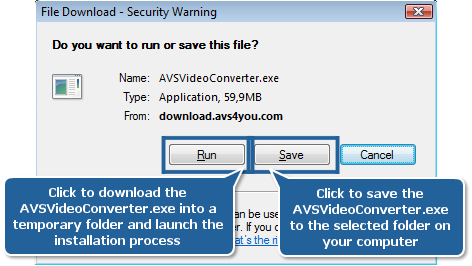
Select Save in the opened window to save the AVSVideoConverter.exe file to your computer, or select Run to download the file into a temporary folder and launch the installation process right away. After you press the Save button, a new window will be opened where you'll be offered to select a directory to which you would like to save the installation .exe file. Select any you like and press OK. Wait till the download is completed.
 Note
Note: if you reinstall the software frequently, it's better to save the .exe file to your PC rather than to install from the website. In this case you'll have a copy of the installation file and will be able to use it any time you need to reinstall without having to visit
www.avs4you.com. You will have to go through the download procedure once again, however, if you want to have a newer version installed on your PC.
[Back to the Top]
Find the AVSVideoConverter.exe file you have just downloaded (it will be located in the directory specified at Step 1) and double-click it to launch the installer.
If you are using Windows 8 or later and install AVS4YOU software for the first time, Windows SmartScreen may warn you in case it does not recognize the application you try to run. The following warning appears:
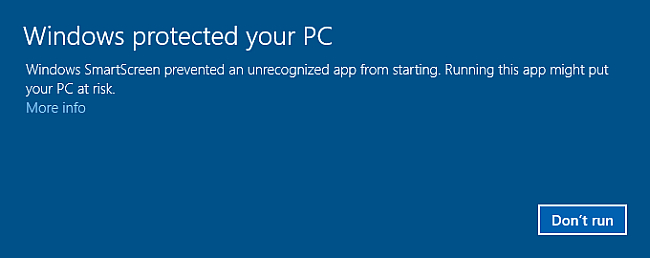
Click the More info link. The information about the application and its publisher will be displayed.
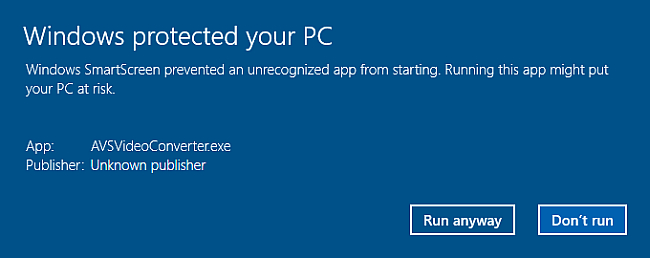
Press the Run anyway button to bypass the SmartScreen warning.
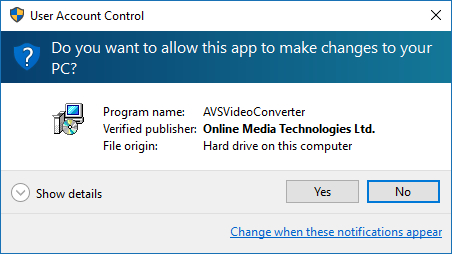
In the consent prompt window, click Yes to start the installation process.
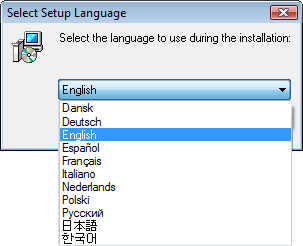
Select a language for the interface. The 11 language options available are: English, French, German, Spanish, Italian, Japanese, Dutch, Korean, Polish, Danish and Russian. Choose your language and press OK.
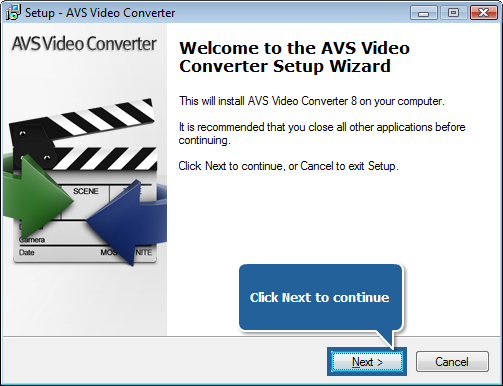
In the new window press Next to pass over to the next step.
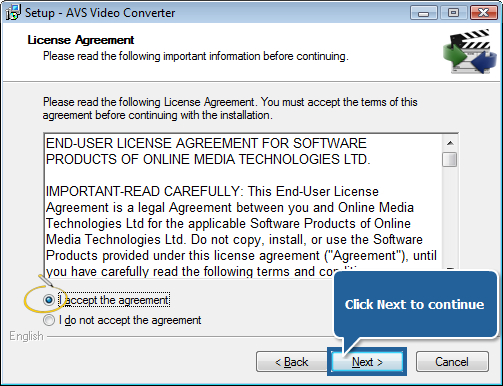
Read through the Licence Agreement page and, if you agree with the terms of the agreement, tick the I accept the agreement option and press Next to proceed with the installation.
Select the directory to which you'd like to install the program. The default location is Local Disc C:\Program Files\AVS4YOU\AVSVideoConverter.
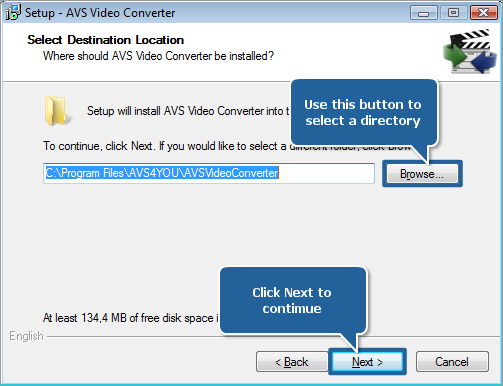
Note: the best parameter of selecting a directory for the installation is the availability of empty space on the disk you choose.
AVS Video Converter requires minimum 138,6 Mb for its installation.
After you have specified the directory, press Next to continue.
Untick the Create desktop icon option if you do not wish an AVS Video Converter icon on the desktop.
Note: if you're using OS Windows XP SP2/3 with Windows Media Player earlier than 11.00 you'll be offered to
Install Windows Media Format 11 Series Runtime files. Leave this option checked for correct work with WMV files.
If you tick the Integrate into the Windows Explorer context menu box, you will be able to right-click any video file found in Windows Explorer and choose the  option in the context menu. It's also possible to select the output format for your file at once. After that the AVS Video Converter program will start with the desired input file and chosen output format.
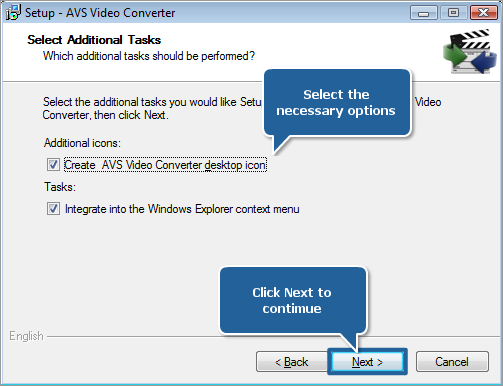
Click Next to go on with the installation.
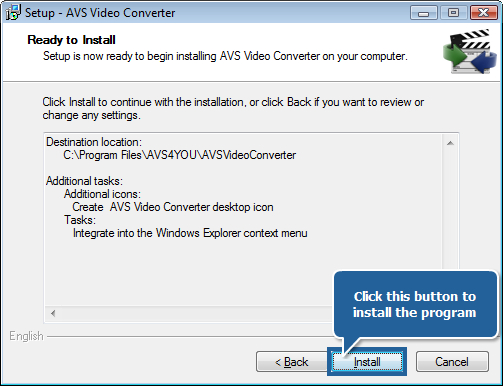
Review the installation parameters set and, if satisfied, click Install to start installing AVS Video Converter on your computer.
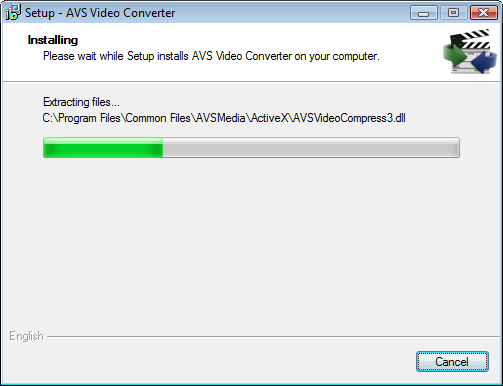
Wait till the software is installed.
Next uncheck the Launch AVS Video Converter option if you do not wish to start the program right now and click Finish.
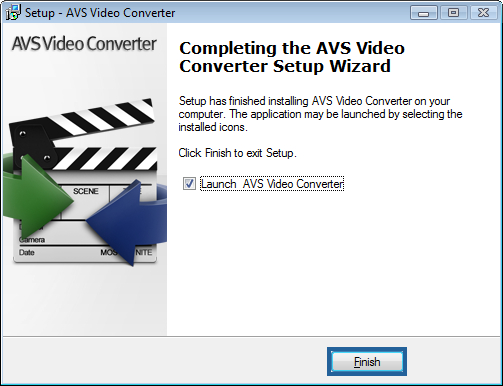
That's all. Now, follow Start >> All Programs >> AVS4YOU >> Video >> AVS Video Converter to launch the software. You can also access the program by clicking on its desktop icon provided you ticked the Create Desktop Icon option during installation (see Step 2, Point 5).
Now you can use the product you have just installed. You are welcome to visit the Guides section to find instructions on how to perform the most popular tasks with our software or contact our support team via the support form. They will be glad to answer any question or advise you on any trouble you might experience with the software.
[Back to the Top]
Please note that AVS4YOU programs do not allow you to copy protected material. You may use this software in copying material in which you own the copyright or have obtained permission to copy from the copyright owner.